What happened
OpenAI just shipped ChatGPT Images 2.5, a new version of its AI image generator that renders images roughly 50% faster than the previous 2.0 model while producing noticeably better textures and more natural lighting. The headline feature is a smarter editing mode: you can now ask the model to change one detail in a picture — swap a jacket color, remove a background object, adjust a facial expression — without the rest of the image shifting or degrading, even after several rounds of edits in the same conversation. That's a real fix for a problem anyone who's used AI image tools knows well: ask for five small tweaks in a row and the picture usually ends up looking like a different image entirely by the end. OpenAI's own documentation for the Sunburst and ChatGPT image models confirms the update, and it was independently reported by Unite.AI and AI Weekly.
Two models, one price
The release comes in two flavors. GPT-Image-2.5 Flare is the lightweight option, built for low latency when you need an image fast. GPT-Image-2.5 Sunburst is the heavyweight, tuned for maximum detail when quality matters more than speed. Both are priced identically through the API: $5 per million input text tokens, $8 per million input tokens when the input is an image, and $30 per million output tokens. If you reuse the same prompt or reference image repeatedly, cached pricing drops to $1.25 for text and $2 for images per million tokens — a meaningful discount for anyone generating variations of the same product shot or character over and over.
What it means for you
This isn't just a spec bump for developers. The new editing precision and transparent-background support change what's realistically doable without design software or a freelancer.
At home
Want a birthday invite with your kid's face pasted convincingly into a cartoon scene, or a family photo with a distracting stranger removed from the background? The improved editing mode is built for exactly this — targeted changes that don't wreck the rest of the photo.
At work
Marketing and ops teams that need quick visuals — social posts, internal slide graphics, product mockups — get faster turnaround (that 50% speed gain adds up across dozens of images) and fewer redo cycles, since edits no longer quietly corrupt the whole image.
Running a business
Transparent-background generation means product photos, logos, and icons come out ready to drop onto any website or listing page without a separate background-removal step. Combined with the new layout templates, a small business can put together ad creative or a product page mockup without hiring a designer.
Studying
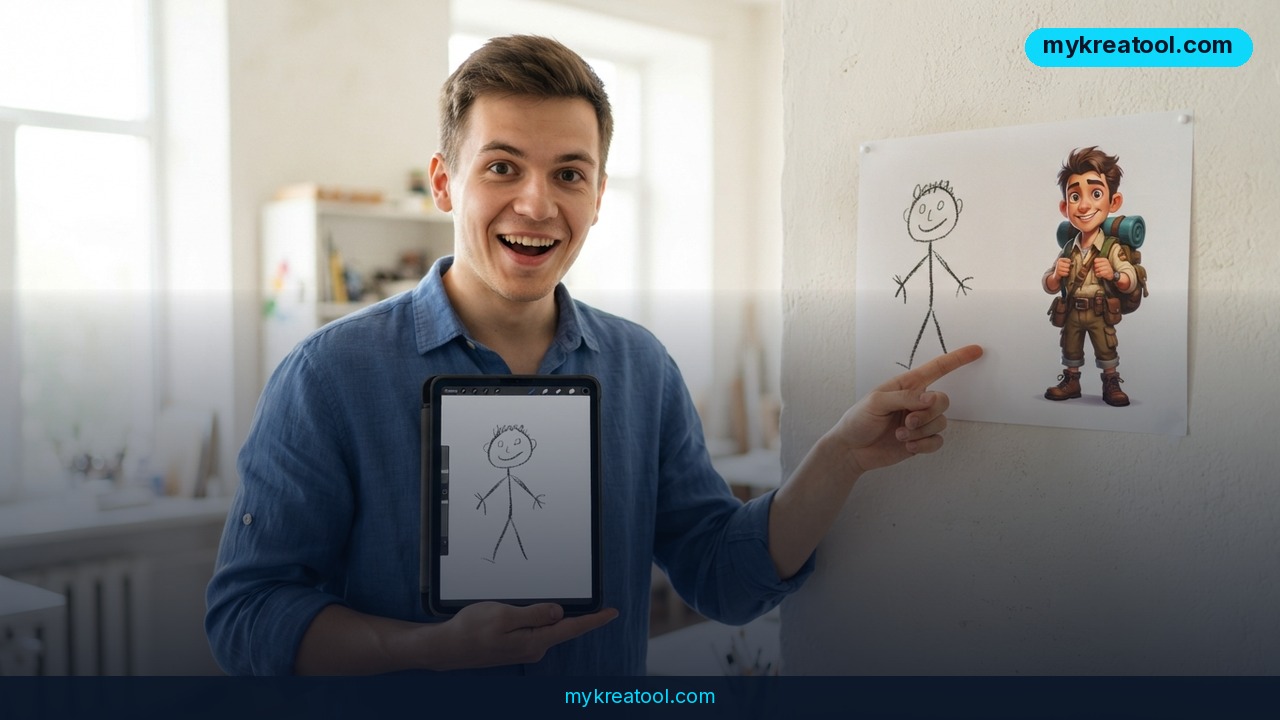
Students making diagrams, presentation visuals, or illustrated notes can now sketch a rough idea by hand and let Sketch mode turn it into a finished image — useful for visual learners who think better in pictures than in text prompts.
Creative projects
Artists and hobbyists can comment directly on specific regions of an image ('make this cloud darker', 'change only this character's hat') instead of rewriting the whole prompt and hoping the rest of the scene survives. That's a genuinely different workflow from typing a new paragraph each time.
Earning income
Freelancers doing thumbnail design, print-on-demand art, or social content for clients can produce more finished pieces per hour thanks to the speed increase, and the API pricing is cheap enough to build a small paid tool or service around — especially with caching discounts on repeat requests.
How to try it right now
You don't need a developer account to test most of this.
1. Free option first: if you just want a quick AI-generated image, logo, or graphic without signing up for anything new, try the free generators at mykreatool.com — good for a fast one-off image before committing to a paid workflow.
2. Open the ChatGPT app (web, iOS, or Android) or Codex, since the new model is rolling out directly inside the chat interface — no separate image tool required.
3. Upload a reference photo or type a description, then ask for an edit in plain language: 'change the color of the car to red, keep everything else the same.'
4. Try Sketch mode: draw a rough shape by hand (even a stick-figure-level doodle works) and ask the model to turn it into a finished image.
5. For background removal, just ask for 'transparent background' in your prompt — no separate export step needed.
6. If you're building an app or automating image generation at volume, use the API directly and pick Flare for speed or Sunburst for maximum detail, based on the pricing above.
Upsides and what changes
The biggest practical shift is that iterative editing finally behaves the way most people assume it already does — one change at a time, without the picture slowly falling apart. Faster rendering means less waiting, which matters when you're generating dozens of variations to pick the best one. Transparent backgrounds and layout templates remove two manual steps (background removal, composition) that used to require separate software. And having two model tiers means you're not stuck paying for maximum detail when a quick draft is all you need.
Limitations
This is still a text-and-image generation model, not a replacement for a professional designer or photographer — complex, highly specific brand guidelines, exact typography, or precise physical accuracy (correct hands, readable small text, exact product dimensions) can still trip it up, and OpenAI hasn't published independent benchmarks proving the 50% speed claim under real-world load rather than controlled testing. Pricing is per-token, which is straightforward for developers but means costs can add up quickly for anyone generating large batches of high-detail Sunburst images without using cached prompts.
Conclusion
ChatGPT Images 2.5 is a solid, measurable upgrade — faster rendering, edits that don't degrade the image, and features (Sketch, transparent backgrounds, region comments) that close real gaps in the old workflow. Today's action: open ChatGPT and run one edit-heavy test — upload a photo, ask for three small sequential changes, and see for yourself whether the image holds up better than it used to.
Comments 0