What happened
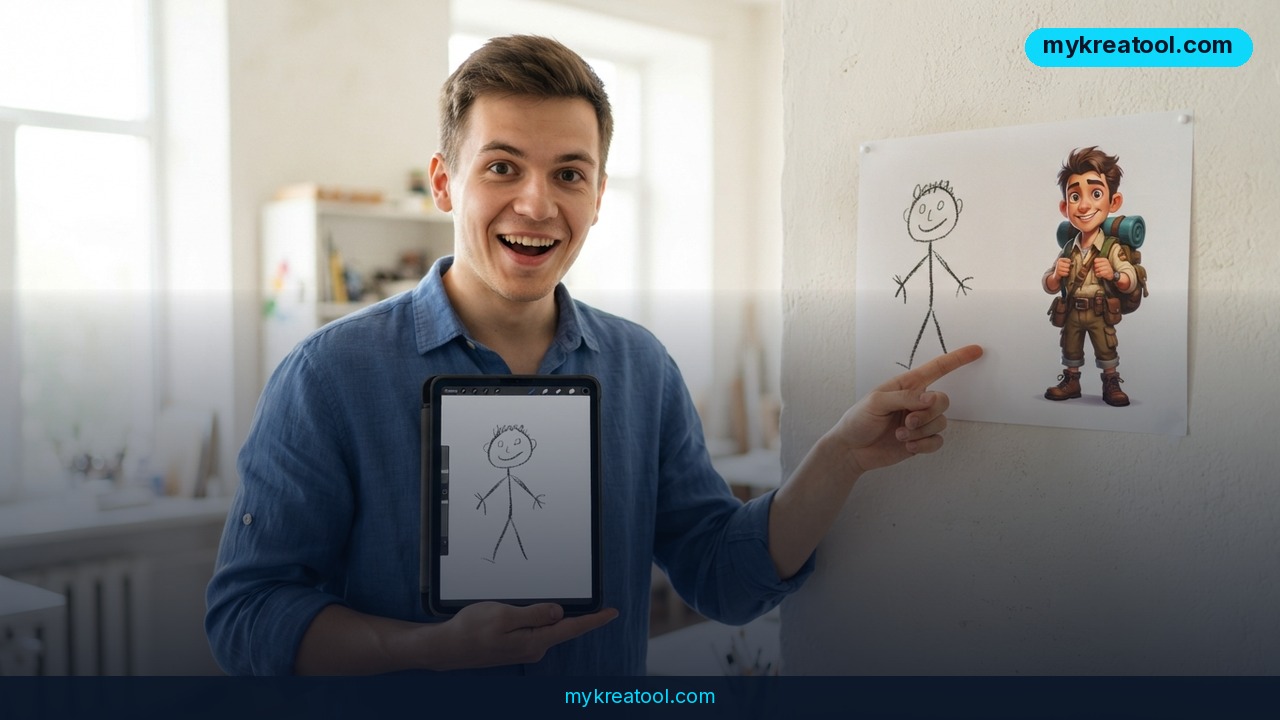
OpenAI just gave ChatGPT a new way to understand what you want: you draw it. The feature is called ChatGPT Sketch, and it's part of a bigger update OpenAI announced on September 8, 2026, called ChatGPT Images 2.5. Instead of typing a long, careful description of the picture you want, you can now scribble a rough shape directly inside the chat, tell ChatGPT what to do with it, and get a finished, detailed AI image back.
The Verge tested it firsthand. Reporter Jay Peters drew a cat with his computer mouse, essentially a shaky, childlike doodle, and asked ChatGPT to turn it into a realistic photo. It worked. He then used a new comment tool to click directly on the cat's eyes in the generated image and asked ChatGPT to change them from blue to green. That, too, worked, without him having to retype the whole prompt from scratch.
Think of it like sketching a floor plan for a contractor instead of describing your dream kitchen in a paragraph. A rough drawing carries information that's hard to put into words, like the pose of a cat, the layout of a room, or where an object sits relative to another. ChatGPT Sketch lets you hand over that structure directly, then use words for the details, like color, mood, or style.
What it means for you
This isn't just a novelty for artists. Because it lowers the skill bar for getting a specific image out of AI, it opens up practical use cases most people run into during a normal week.
At home: Redecorating a room? Sketch a rough layout of your living room, mark where you want a new couch or a shelf, and ask ChatGPT to render it. You don't need to describe furniture dimensions in words. You just draw where things go.
At work: Product managers and marketers often know exactly what a graphic should look like but can't describe it well enough for an AI to nail it in one try. A two-second sketch of a logo layout or a slide diagram gives the model a shape to follow, cutting down on the usual back-and-forth of "no, move it to the left" prompts.
Running a small business: A café owner could sketch a rough seasonal menu design or a simple mascot pose, then let ChatGPT turn it into a polished graphic for social media or a printed flyer, without hiring a designer for a quick one-off.
For students: Sketching out a diagram for a science project, a rough map for a history presentation, or a concept illustration for an essay becomes faster. You draw the structure, ChatGPT fills in the visual detail and labels.
For creative projects: Illustrators and hobbyists can use a doodle as a starting skeleton and iterate with comments, clicking on a specific part of the image (an eye, a hand, a background object) and asking for a targeted change, rather than rewriting the entire prompt and hoping the rest of the image doesn't shift.
As a side income: Freelancers selling custom pet portraits, simple logos, or personalized illustrations on marketplaces like Etsy can turn a client's rough reference sketch into a finished piece in minutes, speeding up delivery time and letting them take on more orders.
How to try it right now
You don't need a design background or any special software. Here's the process, starting with the free option.
1. Open ChatGPT in your browser or app. A free account gives you access to image generation, though usage limits are lower than on paid plans; OpenAI has not published an exact free-tier cap for Images 2.5 as of this writing.
2. Type `@Sketch` into the chat box. A drawing window pops up right inside the conversation.
3. Draw your rough idea. It doesn't need to be good. A stick-figure cat, a boxy room layout, a circle-and-line logo idea are all enough for the model to work with.
4. Add a short instruction, like "turn this into a realistic photo" or "make this a flat-style icon in blue and white."
5. Review the result, then click directly on any part of the image you want changed, and leave a comment, for example, "make the eyes green" instead of retyping the whole prompt.
6. Repeat until it matches what you had in mind, then download it.
OpenAI says ChatGPT Images 2.5 is live now for ChatGPT, ChatGPT Work, and Codex users across desktop, mobile, and web. If you want to compare results or need other free AI utilities for resizing, converting, or cleaning up the images you generate before using them commercially, a toolkit like mykreatool.com covers those extra steps without needing new software installed.
Upsides and what changes
The headline improvements OpenAI is claiming with Images 2.5: more natural lighting and richer textures in generated images, better follow-through on editing instructions across multiple turns of conversation (so the model doesn't "forget" earlier context as easily), and image generation latency cut by up to 50% compared with the previous Images 2.0 version. In plain terms, images should look less flat and generic, and edits should stick without you needing to re-explain the whole picture each time.
The real shift is in who can get a useful image out of AI. Before, getting a specific result meant knowing how to write a detailed prompt, often through trial and error. Now, a rough drawing does a lot of that work, and clicking on a specific spot to leave a comment replaces having to describe location and detail in words. That's a meaningfully lower barrier for anyone who thinks visually but doesn't write prompts well.
Limitations
This is still generative AI, so it inherits the usual caveats: results can misread an ambiguous sketch, faces and hands can still come out wrong on complex scenes, and heavily stylized or technical drawings (architectural plans, precise diagrams) may not translate as cleanly as simple shapes. The Verge's own test was brief, a single doodle and one follow-up edit, so broader reliability across messier sketches, multiple objects, or longer editing sessions hasn't been independently verified yet. Treat early results as a strong starting point, not a guaranteed final image, and expect to regenerate or comment-edit a few times before it's usable for anything client-facing or printed.
Conclusion
ChatGPT Sketch removes the need to describe an image perfectly in words, letting a rough doodle and a short instruction do the job instead, with OpenAI also promising faster, more consistent results under Images 2.5. Action for today: open ChatGPT, type `@Sketch`, and turn one rough idea sitting in your head, a room layout, a logo concept, a gift idea, into an actual image in the next five minutes.
Comments 0