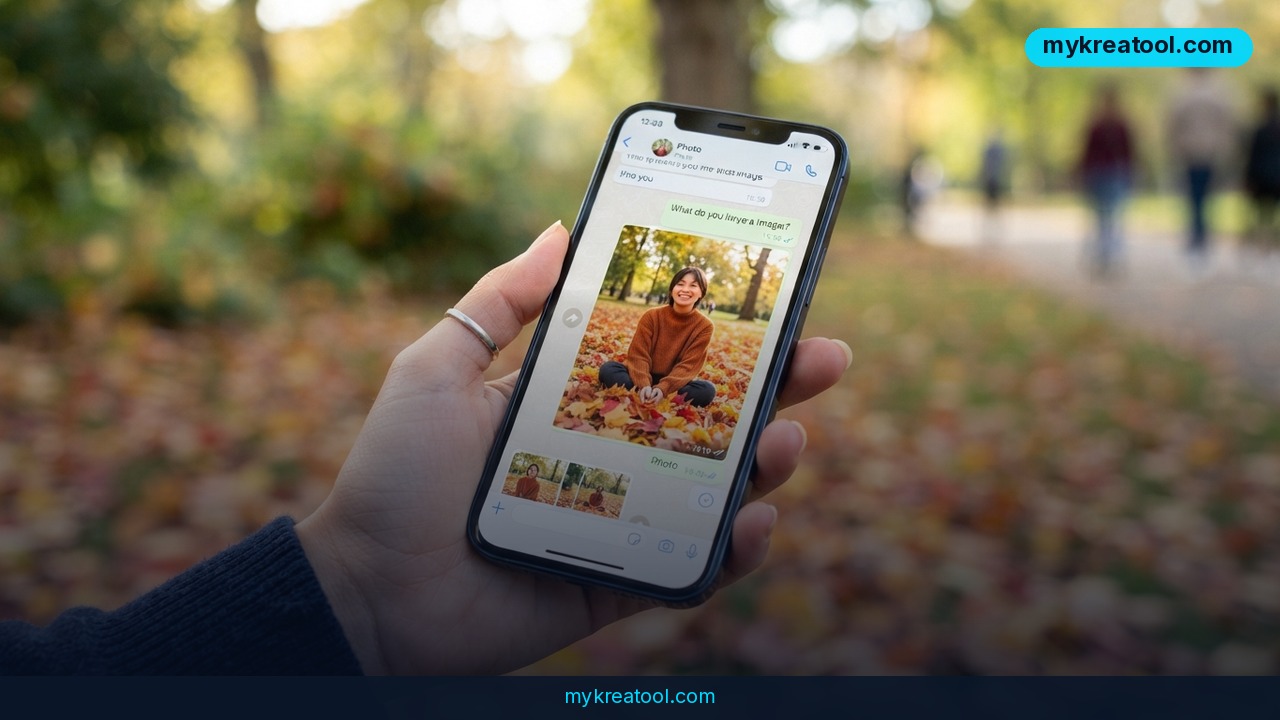
PixelNanoBot is a Telegram bot that turns one portrait into a realistic autumn photoshoot in about 30 seconds. This guide covers the exact prompt and steps to get fall-themed results, plus honest limits to expect.
A post in the Telegram channel @gpt_news promising an 'autumn photoshoot generated in 30 seconds' has picked up 1,700 views, 14 reposts, and 8 reactions. Those aren't viral numbers, but the format is the interesting part: one portrait photo goes in, one finished fall photoshoot comes out. No photographer, no studio, no Photoshop.
The tool doing the work is a Telegram bot called @PixelNanoBot, part of Nano Banana — an image generator and editor that takes a photo plus a written description and rebuilds the scene around your face. It isn't inventing a stranger who sort of looks like you. It's using your photo as the reference and re-dressing the shot, which is why the results read as photography rather than illustration.
The whole workflow is three steps
Open the bot, pick a good-quality portrait, then send the photo and the prompt together in a single message. That last bit matters — photo and text in one go, not two separate messages. The original post doesn't mention pricing or free credits, so check inside the bot before you upload anything you'd hate to lose.
The prompt is really an art-direction brief
Translated and cleaned up for English, the prompt says: keep the face and proportions unchanged; realistic autumn portrait, subject centered, night forest, camera above, vertical close-up frame. The person crouches in a carpet of dry orange-brown maple leaves, knees pulled to the chest, both arms hugging them, gaze off to the side. Milky ribbed knit mini dress with long flared sleeves. Loose hair blowing hard to one side in the wind. Dry orange leaves flying. Background: dark forest, barely visible trunks, ground buried in leaves. A harsh direct flash lights the face, the white knit, and the foreground leaves against an almost-black background. Warm orange-copper autumn palette. Lifestyle-blog style.
Then the technical tail: direct flash, top-down angle, warm orange leaves, high detail, 8k.
Read that again and you'll notice it isn't a wish — it's a shot list. Camera angle, wardrobe, light source, color palette, and the genre it should imitate. Vague prompts get vague pictures; this one leaves nothing to chance.
Why the 'harsh flash' line does the heavy lifting
Direct flash is the look your phone gives you at a party in a dark room: bright face, dark everything else, hard shadows. Paired with a top-down angle, it makes the photo feel candid and a little unpolished in a way that reads as real. Soft studio lighting would've turned the same scene into a catalog shot.
What it means for you
You don't have to be a designer, a marketer, or a full-time creator for this to be useful. One decent portrait plus one paragraph of text covers a surprising amount of ground.
Around the house
Seasonal profile pictures, holiday cards, a photo for the family group chat. You'll still want the real pumpkin-patch outing, but on a rainy Tuesday when you've got twenty minutes, this gets you a picture that looks like you made an effort.
At work
Company websites, LinkedIn, internal directories, speaker pages. Teams that can never get everyone to send a headshot can standardize the look — same angle, same background, same lighting — from photos people already have sitting on their phones.
For a small business
A café, bakery, gym, or online shop that wants a seasonal campaign can build the whole thing around one photo: fall banners, story graphics, a seasonal menu header. Booking a photographer for a single social post rarely makes sense; generating fifteen variations in an afternoon usually does. If you'd rather test the idea with free tools before spending anything, MyKreaTool keeps a running list of free AI tools you can try right in a browser.
For students
Club posters, theater productions, yearbook pages, a band's release cover. Student budgets are tight and deadline-week creativity is real. The catch is the same one everyone faces: label AI images when your school or club expects it.
For creative projects
Moodboards, character references, book covers, thumbnail concepts. Writers use it to 'cast' a protagonist and see them standing in a scene. Designers use it to pitch three directions before they open a single design file.
For extra income
Freelancers and creators are already selling seasonal photo packs, print-on-demand wall art, and themed social content built on this kind of workflow. It's a crowded space, so the edge isn't the tool — it's taste, consistency, and telling clients up front how the images were made.
How to try it right now
1. Open the bot. In Telegram, search for @PixelNanoBot and start a chat. If you want to read what it does before you hand over a photo, third-party writeups cover it here: PixelNanoBot.
2. Pick the photo with care. Good light, face clear, eyes visible, shoulders up, no sunglasses, no heavy beauty filter, simple background. The bot copies what you feed it — blurry in, blurry out.
3. Copy the prompt. Use the English version above, or translate the original and keep the technical tail (direct flash, top-down angle, warm orange leaves, high detail, 8k) intact. Those terms are the model's dials.
4. Send the photo and the prompt as one message. Not the photo first and the text after. One message.
5. Wait about 30 seconds. That's the turnaround the original post quotes.
6. Change one thing at a time. Rerun it with a different angle or a different color palette, then compare side by side. Swapping five variables at once teaches you nothing.
7. Want a free test run first? Browser-based generators on free tiers will get you most of the way to the same look, minus the Telegram setup. Same rules apply: better source photo, better result.
Upsides and what changes
Thirty seconds isn't just faster than a booked shoot — it's a different category of thing. You stop planning around photographers, weather, and schedules, and start iterating. Don't like the angle? Rerun it. Want the same portrait in three palettes for three posts? Done in a couple of minutes. One good photo can carry a whole season of content, and nobody needs editing skills to pull it off.
The second change is visual. Because the prompt travels with the post, the look travels too. Expect the same flash-lit, leaf-carpeted portrait to turn up in a hundred different feeds within weeks — the way a photo filter used to spread. Standing out then becomes a matter of your own tweaks: different light, different wardrobe, a location that actually means something to you.
Limitations
The biggest one is right there in the prompt: that promise of keeping your face 100% identical. Treat it as a ceiling, not a guarantee. Every model of this kind drifts — it smooths asymmetries, thins lips, changes the shape of your jaw, and mangles hands, glasses, jewelry, and flyaway hair. The result will look like you, often convincingly, but it won't survive a side-by-side comparison with a real photo, and friends may spot something 'off' without being able to say what. There are practical limits too: quality depends almost entirely on the source photo, results can look uncanny on close inspection, and small details like text or fine patterns tend to fall apart. Then there's the human side — don't upload someone else's face without their permission, don't pass AI images off as real in a dating profile or a job application, and label them where the platform or client expects it.
Conclusion
Here's your one action for today: pull up the best portrait you already have on your phone — clear face, decent light, no filter — and run it through the bot once with the prompt above. Then put the result next to a real photo of yourself and judge for yourself. Takes a minute, costs you nothing but curiosity, and you'll know instantly whether this belongs in your toolkit or just your feed.


Comments 0