What happened
A five-second clip of a person talking, with music underneath and a door slamming somewhere in the background, used to mean a camera, a microphone, an actor and a full day in the edit suite. Kandinsky 6.0 Video does the whole thing from one sentence.
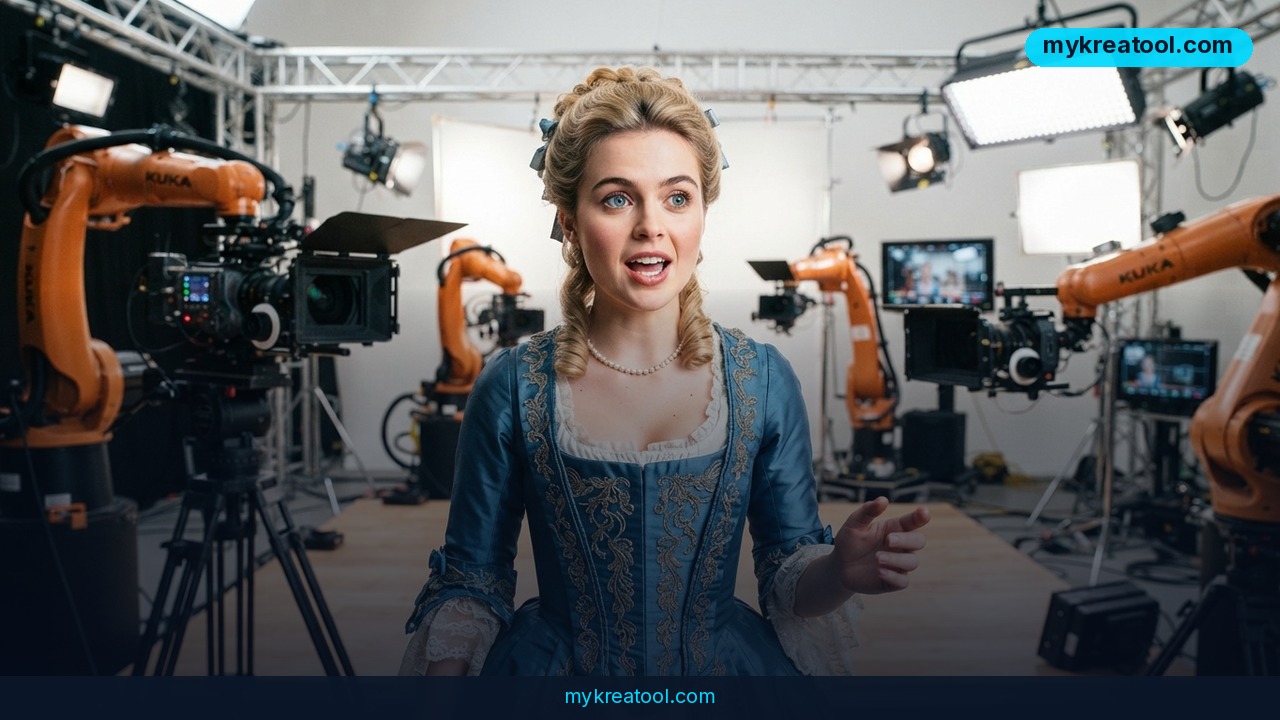
The model comes out of Sber's Kandinsky Lab, and it's a text-to-video generator that builds picture and sound at the same time. Type something like "a baker explaining sourdough in a sunny kitchen," hit generate, and you get a five-second Full HD clip where the baker's lips actually move in time with the words. You don't get a silent clip that you have to score later. The audio ships with it.
Here's the part that matters more than any benchmark: it's open source under the MIT license. That's the most permissive license going — you can use it commercially, remix it, embed it in a product, and keep the money. Reporting puts the model at 29 billion parameters (AI Coder), which is midsize by today's standards and the reason it can run on a rented cloud GPU instead of a small data center. The weights live on Hugging Face, and it's already wired into FAL, Diffusers, FastVideo, ComfyUI, SGLang and vLLM-omni — the tools most creators and developers already have open in another tab. Forbes covered it as Sber's latest move into generative video, and ExplainX has a longer technical write-up if you want the plumbing.
Lip-sync, 44 kHz audio and realistic physics — in plain English
Three features do the heavy lifting, and none of them need a computer science degree to understand.
Lip-sync. The model doesn't guess at mouth shapes after the fact. It matches the character's lips to the speech it just generated, so a talking head looks like it's talking — not like a badly dubbed martial arts movie.
44 kHz audio. That's roughly CD quality. No hissing, no underwater warble, no loss. Speech, music and ambient sound (footsteps, rain, the hum of a room) can all land in one track.
Realistic physics. When a person walks, picks up a cup or turns their head, the motion reads as believable rather than rubbery. Kandinsky Lab's own numbers claim it's 71% better than Kandinsky 5.0, beats Veo 3.1 Fast on image animation, and outperforms LTX 2.5. Those are the team's own benchmark results, so take them as a strong hint rather than the final word.
The one hard limit: five seconds is the ceiling for now. The team says clips will get longer over time.
What it means for you
You don't need to be a filmmaker, and you definitely don't need to know what a diffusion pipeline is. If you can describe a scene out loud, you can describe one in a prompt. Here's where five seconds with sound actually earns its keep.
At home: invitations, thank-you notes and family slideshows
Five seconds is long enough for a birthday invite where grandma waves and says "see you Saturday." You can take an old family photo, animate it, and let the person in it speak — or add ambient sound like wind or a crackling fire to make a memory feel alive. It's the kind of thing that used to require hiring somebody, and now it's a Saturday-afternoon project.
At work: explainer clips without a film crew
Most teams need short, repetitive video: a welcome message, a two-line product update, a quick internal how-to. Recording those means booking a room, finding a quiet hour and doing six takes. Here you write the line, generate the clip, and drop it into Slack or your onboarding doc. Ten minutes, zero scheduling.
For business: product ads and social posts with a face
The format native to Reels, TikTok and Shorts is a five-second hook — exactly what the model produces. A talking character, a product in frame, background music that's already mixed in. Small brands that can't afford a shoot can now produce a week of ad variations, each with a different script and a different voice.
For study: history and science that talks back
A teacher can generate a five-second clip of a historical figure delivering a line, or a scientist explaining a single concept with ambient lab sound behind it. Short, dumb-simple and memorable beats a forty-minute lecture when you're trying to make one idea stick for a twelve-year-old.
For creativity: ASMR, characters and storyboards
The model handles natural ambient sound well, which makes it a decent fit for ASMR-style content — rain, pages turning, quiet speech. Writers can also block out a scene in five-second beats instead of drawing panels, which is faster than storyboarding and a lot more fun to share with a team.
For income: a five-second ad you can sell
Because the license is MIT, you can charge clients for what you make and keep every dollar. Small businesses, Etsy sellers and local restaurants all want short video and none of them want to shoot it. Being the person who can turn a one-line brief into a finished, voiced clip is a real service — and the tooling costs you nothing but time. If you want to stack that up against other options first, mykreatool's free AI tools list is a good place to compare before you commit.
How to try it right now
The free route first. Open the official model page: Kandinsky 6.0 Pro 5s Diffusers on Hugging Face. Make a free account, read the model card, and you'll find both the weights and the Diffusers instructions for running it yourself. That's the whole point of an MIT release — nobody can switch it off or start charging you next month.
1. Write your prompt like a shot list. Subject, action, setting, then the sound. "A barista sliding a flat white across a counter, soft jazz, cups clinking, she says 'enjoy.'"
2. Always name the audio you want. The sound is generated alongside the picture, so if you don't ask for it, you'll get whatever the model guesses. Speech, music and ambient noise can all go in one prompt.
3. No GPU? Use a host. FAL serves the model as an API, so you can generate clips from a browser without installing anything. Check current pricing before you commit.
4. Want drag-and-drop? ComfyUI has it as a node. FastVideo, SGLang and vLLM-omni are there if you're building something bigger and need speed.
5. Feed it an image. Image animation is where it reportedly beats Veo 3.1 Fast — drop in a product photo or a mascot and give it a line to say.
Upsides and what changes
Audio used to be a second job. You generated a silent clip, then went hunting for music, then recorded a voiceover, then tried to line the mouth up by hand. That entire workflow collapses into one prompt here, and it's the part of this release people will feel immediately.
The MIT license is the other big shift. Open weights mean no credits that run out, no per-seat pricing, no cap on how many clips you make, and no risk that the tool you built your workflow around disappears. The list of supported platforms — Diffusers, ComfyUI, FAL, FastVideo, SGLang, vLLM-omni — tells you this is meant to be plugged into things, not just clicked on in a browser.
And five seconds turns out to be a sweet spot, not a limitation. Hooks, ads, invites, teasers and social bumps are all about that length anyway.
Limitations
Let's be honest about what you're getting. Five seconds is a hard ceiling, and it's short — you can't tell a story, only plant one. The 71% figure and the head-to-head wins over Veo 3.1 Fast and LTX 2.5 come from the lab's own benchmarks, not from a neutral third party, so treat them as directional. A 29-billion-parameter model needs a serious GPU, which means "free" refers to the license, not the hardware — unless you use a hosted API and pay for the compute. Lip-sync looks best when the face is clearly visible and facing the camera, so wide shots and crowded scenes are a gamble. And open source cuts both ways: ComfyUI and Diffusers give you control, but they also expect you to enjoy tinkering. If you want a tool that just works with one button, this isn't it yet.
Conclusion
The interesting thing about Kandinsky 6.0 Video isn't the 71% or the parameter count. It's that a voiced, five-second video is now something you can make before your coffee goes cold — and that nobody can take the model away from you or start charging rent for it.
Do this today: open the Kandinsky 6.0 model page, pick one person or product you'd want to promote, and write a single-sentence prompt that includes the sound. One clip. That's enough to tell you whether this belongs in your workflow.
Comments 0