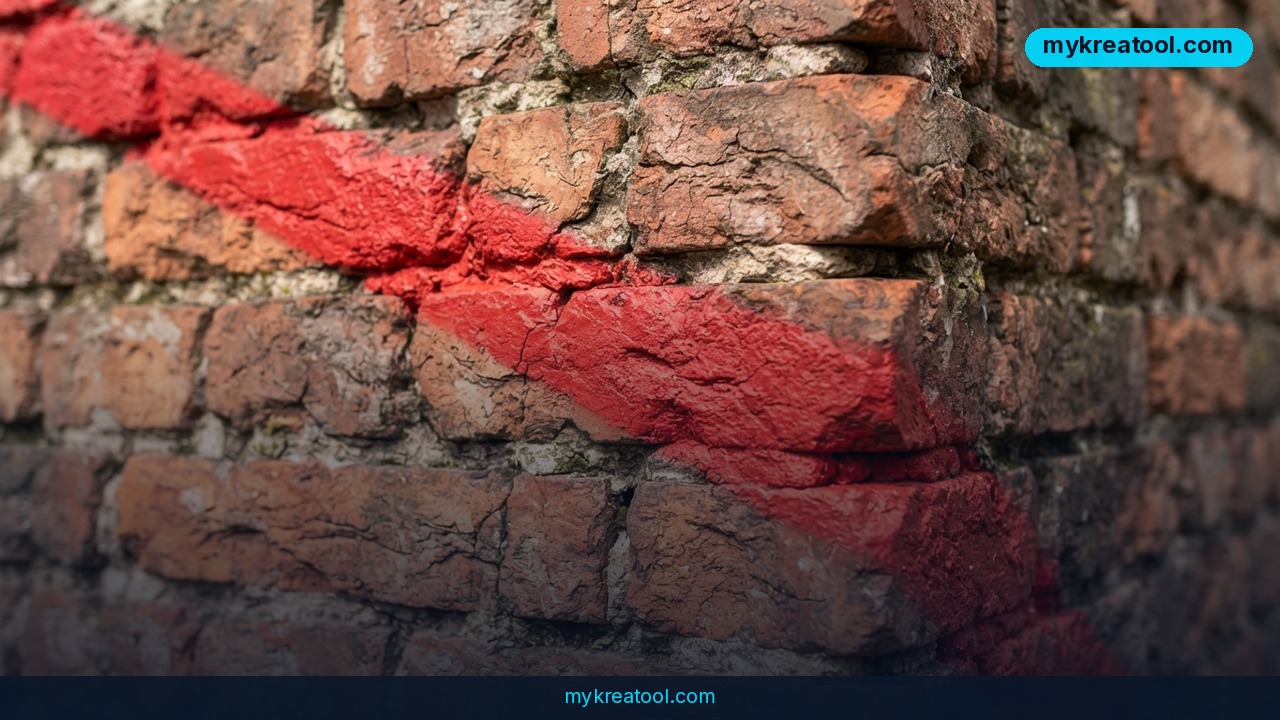
Adobe just demoed a brush that doesn't care that your photo is flat. At its MAX Sneaks event, the company showed off Project Deep Brush — a tool that reads an ordinary JPEG and treats it like a shallow 3D scene, so the strokes you paint bend around surfaces, slip behind foreground objects and pick up the light that's already in the shot. In plain English: it takes you surprisingly close to turning a photo into a 3D model you can paint on, without anyone building any geometry by hand.
The best part is that you don't have to wait for a launch. Adobe put an early preview of Project Deep Brush live on its Adobe Labs Playground straight away, which is unusually fast for a project that debuted at Sneaks. Usually these demos get admired for a year before anyone outside the company gets to touch them.
What happened
Adobe MAX Sneaks is the company's annual show-and-tell for experiments that may or may not become products. This year's batch included Project Deep Brush, and Adobe didn't just show a slick video — it opened early access on the same day. There's no release date yet, and Adobe hasn't said whether the tool will ship as a standalone app, get folded into Photoshop, or stay a research toy.
What Adobe did explain is the mechanism, and it's worth understanding because it's the whole trick.
Why a normal brush looks like a sticker
Every brush in every editor you've ever used works on a flat grid of pixels. Think of it as painting on a sheet of paper taped to a window: whatever you draw stays exactly where you put it, on one plane. Drag a soft-edged stroke across a photo of a brick wall and it lies there like a decal, ignoring the mortar lines, the light and the way the wall recedes into the distance. Making it look convincing means manual masks, mesh warp, or typing prompts and hoping.
What Deep Brush does instead
Project Deep Brush estimates a depth map in real time — picture a grayscale version of your photo where close things are bright and far things are dark, and you've got the gist. From that map it works out the 3D shape of the surfaces in the frame plus the direction of the light. Run the brush over a brick wall, the folds of a fabric or a building's corner and the stroke curves along the relief and the perspective automatically. No masks to draw, no mesh warp to fiddle with, no text prompts to wrestle with.
It knows what's standing in front
The second trick is occlusion, which is just a technical word for "the thing in front wins." Paint a stroke behind someone's collar, behind their hand, or behind any object sitting in the foreground, and the brush disappears underneath that layer instead of smearing across it. That's the part that sells the illusion — nothing screams "cheap edit" louder than paint slapped on top of a hand.
It borrows the scene's light
Deep Brush also reads the light sources in the original shot and fits natural shadows, highlights and reflections into the new stroke. Add graffiti to a sunlit wall and the paint picks up the same angle of light as the bricks around it.
Adobe's own blog and independent coverage from The Next Web and DPReview all confirm the same three things: geometry, depth and lighting estimation from a single 2D image, plus occlusion awareness. You can read Adobe's announcement here.
What it means for you
You don't need to be a retoucher for this to matter. Here's where a tool like this actually earns its keep.
At home. You want to see how a paint color or a piece of art would look on your living room wall. Today you either buy sample pots or spend twenty minutes wrestling with perspective in a photo editor. With Deep Brush you paint straight onto a photo of your wall and the color follows the texture and the lighting. No sample pot, no guesswork.
At work. Product shots are the obvious one. Put a coffee mug on a wooden table in a photo and the shadow it casts can actually match the light in the room, because the tool reads that light from the image. Same for mockups of packaging, signage or printed graphics on a real surface.
In business. Storefront and advertising visuals get faster. Painting window decals or a mural onto a photo of your own shop façade is a five-minute job instead of a designer's afternoon — useful for pitching ideas before you commit money to printing them.
For study. Labeling a photo of a machine, a model or a diagram gets cleaner when every mark wraps around the object it's pointing at. It reads like it belongs in the picture, which matters when you're making teaching material for other people.
For creativity. Tattoos, graffiti, stickers, weathering, texture — anything that needs to sit on something rather than over it. This is the sort of tool that changes what you're willing to attempt, because the messy geometry work disappears.
For income. Real estate photography, freelance retouching and social content production all bill by the hour. Anything that removes manual masking from the workflow is money back in your pocket. If you're stacking free tools to keep your costs down while you test ideas, mykreatool.com is worth a bookmark alongside this one.
How to try it right now
Project Deep Brush is in early preview on Adobe Labs Playground, which is free to poke around — you'll need a free Adobe account.
1. Head to Adobe Labs Playground (search that exact name; it's where Adobe parks experimental projects).
2. Sign in with your Adobe ID. No subscription is required to look at the preview.
3. Pick a JPEG with obvious depth — a brick wall, a corner of a room, folded fabric, a street scene. Flat, evenly lit shots give the tool nothing to work with.
4. Select the brush and draw a stroke across a textured surface. Watch the stroke bend rather than sit flat.
5. Now paint behind something in the foreground — a hand, a chair, a person's shoulder — and check that the brush tucks underneath instead of covering it.
6. Try the same stroke twice under different light in the source photo and compare the shadows.
7. Save what you make. The preview is a prototype, so treat anything you produce as a test rather than final artwork.
Because it's a Lab, expect rough edges: features can change overnight and access can be throttled while Adobe collects feedback. That's the tradeoff for getting your hands on it before launch.
Upsides and what changes
The headline upside is that masking — the most tedious, least creative part of photo work — gets eaten by the tool. Anything that lets a non-designer paint convincingly onto a photo lowers the skill floor for decent-looking visuals.
The second upside is speed. Real-time depth estimation means you don't wait for a render before you see whether a stroke works. You just drag and look.
The bigger shift is conceptual. If a single flat JPEG carries enough information for a tool to reconstruct depth, geometry, occlusion and light, then "2D editing" and "3D work" stop being separate jobs with separate software. A lot of small businesses that could never justify 3D software might never need to.
Limitations
Let's be honest about what this is. Project Deep Brush is a prototype with no release date, no pricing and no confirmation that it survives into a shipping product — Sneaks projects get shelved all the time. It's guessing at depth from a single image, so it will struggle with flat, low-contrast or oddly lit photos, and it works on a still image rather than giving you a real 3D file you can orbit, light and export. Occlusion is estimated, not known, so thin objects and messy edges are exactly where it'll slip. And the preview lives in Adobe's Labs, which means it can change, break or vanish without notice.
Conclusion
Project Deep Brush is the rare Adobe demo that's both genuinely clever and immediately usable, even in prototype form. It won't replace a 3D artist, but it quietly deletes a whole category of tedious masking work and makes painting on a photo feel like painting on a surface instead of on paper.
One thing to do today: open Adobe Labs Playground, upload a photo of a brick wall or a corner of your own room, and draw a stroke across it. If the line bends with the surface, you'll instantly understand why this one is worth watching.



Comments 0