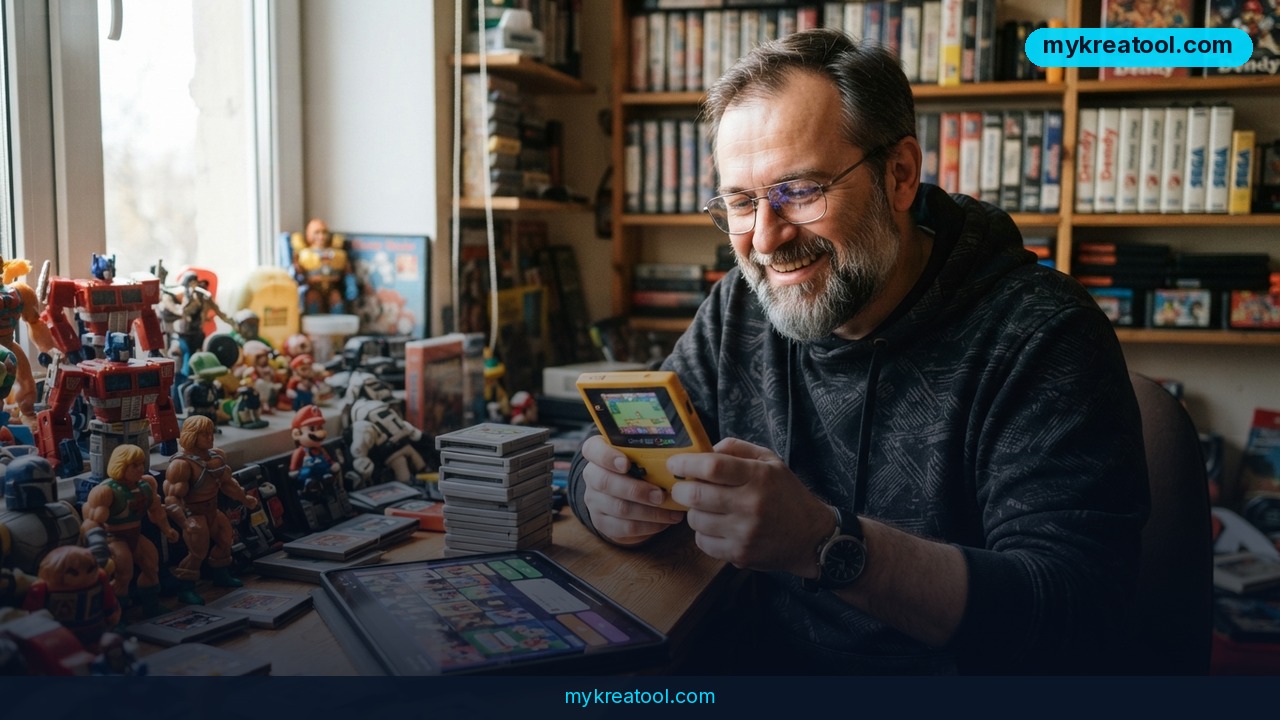
Creating games with AI used to mean poking a chatbot until it spat out half-broken code. Now it means holding a $200 handheld that looks like a Game Boy Color and playing the game you just described in plain English. OpenAI and retro hardware maker ModRetro have teamed up on the ModRetro Chromatic: Codex Edition — a pocket console with OpenAI's Codex coding agent wired into the whole workflow, from first idea to a physical cartridge you can slot in and hand to a friend.
What happened
Here's the short version. OpenAI partnered with ModRetro, a company known for building retro gaming hardware, on a small handheld that sells for $200. The shell is styled after the Game Boy Color. The interesting part isn't the plastic — it's what happens behind it.
You install the ModRetro Chromatic plugin inside the Codex app and describe the world you want. The agent then writes the game, tests it in an emulator, and streams it live to the console you've got plugged in, so you can hear the sound and feel the gameplay yourself. When you're happy, it writes the finished ROM onto a cartridge.
A retro shell with an AI co-developer inside
A couple of terms, in plain words. Codex is OpenAI's coding agent — think of a very fast junior developer who lives in an app and takes instructions in normal language. An emulator is software that pretends to be a game console, so code can be tested without burning through real hardware. A ROM is simply the game file itself, and the cartridge is the little plastic card that holds it, like a USB stick with nostalgia attached.
Why a cartridge at all?
Because a download disappears into a menu, and a cartridge doesn't. There's something about a physical object — you can label it, lend it, lose it behind the couch. For a hobby built on tinkering, that tangible finish line matters more than it sounds.
What it means for you
You don't need to be a programmer to get value here. The whole pitch is that the gap between "wouldn't it be cool if…" and "here, play it" has collapsed into a single afternoon. Here's how that plays out in real life.
At home: the weekend project that actually finishes
Most homebrew game ideas die in a notes app. With this setup, you describe a simple concept — a maze, a shooter, a puzzle box — and the agent does the building while you do the judging. By Sunday night you've got a cartridge instead of a folder of good intentions.
At work: prototypes without begging for dev time
If you work in product, marketing, or training, you've probably waited weeks for a small interactive demo. Now you can describe one, get it running, and bring a playable thing to the meeting. People react to something they can hold, not to a slide titled "Concept v3."
For business: cheap experiments, fast answers
A $200 device that turns ideas into testable games is a rounding error next to a contract with a studio. Use it to sanity-check a game concept before anyone signs off on a budget, or to build a branded mini-game for an event. If you want to warm up before spending anything, sketch ideas with the free AI tools at MyKreatoTool first.
For students: learning by making something real
Reading about loops and variables is a slog. Watching your own described world turn into a playable level, then debugging why the jump feels floaty, teaches the same concepts with a payoff at the end. The emulator step is the useful part — the agent tests before you ever touch the hardware.
For creators: a new format to hand out
If you make content, a cartridge is a great prop and a better hook. "I described this game in a sentence and now it's on a cart" is a story people watch to the end. It also gives your audience something physical to ask about.
For side income: a faster way to find out if an idea is any good
Nobody's promising you a storefront here — but the cheapest thing in any creative business is killing a bad idea early. Build a rough version, play it, and decide honestly whether it deserves more of your time. That's worth more than a pitch deck.
How to try it right now
You can start today without buying hardware, and that's what I'd do first.
1. Try the free path first. Open the Codex app (OpenAI's coding agent) and describe a tiny game in a few sentences — something like a snake clone or a one-button jumper. You'll learn fast how much detail the agent needs before the result stops feeling generic.
2. Read the official product page. The Chromatic Codex Edition is where OpenAI lays out the hardware and the workflow. Check it before you spend anything.
3. Buy the console. The ModRetro Chromatic: Codex Edition runs $200. That's the whole cost of entry as described.
4. Install the ModRetro Chromatic plugin inside the Codex app. This is the piece that connects the agent to the handheld.
5. Describe your world. Setting, genre, rules, what happens when you lose. Plain language, no code.
6. Let the agent build and test. It writes the game and runs it in the emulator, catching obvious breakage before you see it.
7. Play it on the console. The build streams to the connected handheld so you can check the sound, the controls, and whether the whole thing is actually fun.
8. Write it to a cartridge. Approve the build and the finished ROM gets recorded onto the cart.
If a step trips you up, the quickstart guide and the developer docs cover the setup details, and this write-up gives the broader context.
Upsides and what changes
The obvious win is the loop: idea, build, test, play, repeat — all in one sitting, with no toolchain to install and no engine to learn. The emulator-plus-console combination is smarter than it first looks, because it lets the agent catch the boring bugs while you judge the fun. And the physical cartridge quietly solves the motivation problem that kills most hobby projects: there's a real object at the end.
The bigger shift is who gets to make things. If a sentence is enough to start, then taste and clarity matter more than syntax. That's good news for writers, teachers, marketers, and anyone with strong opinions about how games should feel — and slightly uncomfortable news for people whose main value was knowing where the semicolons go.
Limitations
The honest version: this is a $200 retro handheld, not a studio in a box. You're working inside what the console and the emulator can do, so expect small, focused games rather than sprawling ones. The agent still needs a clear description from you — vague prompts produce vague games, and you'll be the one deciding whether the result is fun, which is a skill you can't automate. AI-written code also needs a human eye; playtest before you show anyone. And the whole thing is built around a niche hobby, so if you don't care about cartridges or pixel art, the appeal will be thin. It's a genuinely great gift for someone who likes tinkering with game ideas — less compelling if that's not you.
Conclusion
OpenAI and ModRetro have turned game creation into something close to conversation: describe a world, watch the agent build and test it, check the sound on a handheld, then record it onto a cartridge. At $200, it's the most concrete answer yet to the question "what does vibe coding actually get me?"
One action for today: open Codex and write five sentences describing the game you'd want to play. Not a business plan, not a pitch — five sentences. You'll know within ten minutes whether this workflow is for you, and you'll have your first prompt ready for the day the hardware shows up.


Comments 0