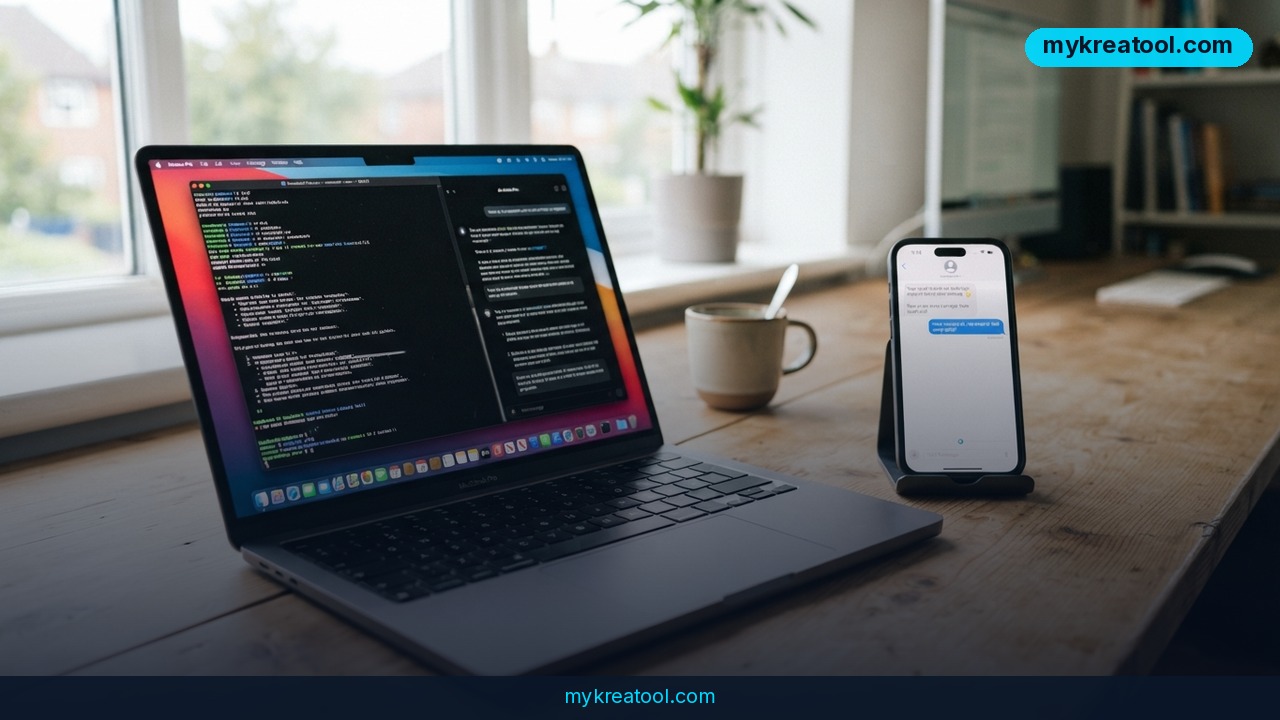
Telegram is quietly building something bigger than another chat upgrade: a Telegram Dictator AI agent for Mac that runs on your computer, does chores on its own, and pings you in Telegram when it's finished. The name sounds like a joke, but the pitch is dead simple. You describe a task in plain English, the agent heads off to do it inside a separate Linux environment, and you get a report back in chat. There's no release date yet — but the paper trail is already public, so we know quite a lot about how it'll work.
What happened
The first sign showed up on a new site devoted to the Telegram for macOS beta at Telegram for macOS beta, where a promo page for an AI agent called Dictator appeared. Judging by the timing and the pieces underneath, the agent looks like it grew out of Teleharness, a wrapper Telegram was recently testing in its test builds.
The second sign is harder to argue with. Strings labeled LocalAgent have popped up on Telegram's official translations platform — the same site volunteers use to localize the app — including the macOS string set. When Telegram adds new text there, it usually means the feature is close enough to ship that somebody has to translate the buttons. Earlier teardowns of the test builds, such as this one, traced the same architecture: an isolated Linux virtual machine, MCP plugins, and hooks for third-party APIs and models. VC.ru wrote it up in Russian, and the details line up.
What a Linux virtual machine actually means
A virtual machine is a computer inside your computer. Think of it as a self-contained apartment inside your house: the agent gets its own kitchen, its own front door and its own set of tools. If it burns dinner, it burns dinner in there — your photos, your tax folder and your desktop stay untouched. That's the whole point. You get automation without handing a random script the keys to your real machine.
The other piece of jargon is MCP, short for Model Context Protocol. In plain English: a standard plug shape for AI tools. Instead of building a custom cable for every app the agent touches, MCP lets developers snap tools in and out like adapters.
What Dictator can actually do
Four capabilities are on the table so far, all of them from the source material:
• It runs autonomously inside a separate Linux virtual machine, completes your tasks, then reports back in Telegram.
• It can work with your ChatGPT subscription, third-party APIs, or local models running on your own hardware.
• You can limit which chats it's allowed to see. Secret chats stay secret, always — no exceptions.
• You can hook up your own Telegram bot and talk to Dictator from your phone, though some actions still need confirming on the computer.
That last point is the clever bit. You get remote control without handing a bot unsupervised power over your desktop.
What it means for you
Forget the word "agent" for a second. Dictator is a worker who never sleeps, sits in a spare room of your Mac, and takes instructions by message. Here's what that looks like in real life.
At home
Picture this: you're at your kid's football match when you remember the electricity bill PDF is still sitting in your Downloads folder. You message the bot, it finds the file, renames it properly, files it in the right folder and tells you it's done. Small stuff? Sure. But it's the kind of small stuff that eats an hour every week. Anyone who's ever spent a Sunday afternoon sorting screenshots will feel the difference straight away.
At work
The obvious wins are the boring ones: pulling numbers out of a spreadsheet, merging three reports into one summary, tidying a folder of invoices before your accountant asks for it for the fourth time. And because the agent reports back in Telegram, you can fire off the task before a meeting and read the result afterwards on your phone, without touching your laptop.
Running a small business
Say you run a small shop or a service business. You could use the agent to compile the day's orders into one clean summary each evening and drop it into a team chat. Or hand it a folder of supplier PDFs and ask for a list of what's due this week. For a two-person operation with no back office, that's a genuine extra pair of hands — one that doesn't need a salary, a laptop and a desk.
Studying
Students get a research assistant that doesn't lose interest. Dump a semester's worth of lecture notes and readings into one place, then ask for a summary of themes, a glossary of key terms, or a set of practice questions. Because you can run a local model, you don't have to upload anything sensitive to a stranger's server.
Creative work
Batch chores are creativity's tax: resizing images, converting formats, renaming a whole folder of photo files into something searchable. An agent that runs those jobs on your own Mac while you get on with the actual work is the sort of upgrade you notice the same day. Same story with copy — draft five versions of a product description, keep the one you like.
Side income
Freelancers live and die by admin. Pulling invoice details out of your email, assembling a monthly summary, and posting a "here's what's outstanding" note to yourself is exactly the sort of repeatable chore an autonomous agent handles well. Ten minutes saved per client, five clients, every week — the maths does itself.
One honest caveat: these are the kinds of jobs the architecture supports, not a promise list from Telegram. The feature isn't out, so nobody outside the company has tested it on real work.
How to try it right now
There's no public download of Dictator. But you can get everything around it in place today, and the free option comes first.
1. Grab the free beta. Go to Telegram for macOS beta and install the beta build. It costs nothing, and it's the same channel where the Dictator promo page appeared, so you'll see the agent there first.
2. Decide what will power it. Dictator is supposed to accept three kinds of brain: your existing ChatGPT subscription, a third-party API key, or a local model running on your own machine. The local route is the one to watch if privacy matters — nothing leaves your computer.
3. Practise giving instructions. While you wait, get comfortable working with an AI that takes orders rather than answering questions. If you want a free starting point, bookmark MyKreaTool — it's a free AI tools hub, and a decent place to rehearse the short, specific instructions an agent needs before it does anything useful.
4. Clean up your chat list. The whole feature rests on scoped access. Decide in advance which chats an agent would be allowed to read — a work group, a notes-to-self channel — and keep everything else, especially money and family threads, off that list.
5. Set up a bot if you want remote control. Dictator is designed to talk to your own Telegram bot, so you can send tasks from your phone. Just remember the trade-off: some actions will still need a click on the Mac to confirm.
6. Write down one task you'd hand over. Not ten. One. The one you dread. That's your test case for week one.
Upsides and what changes
The big shift isn't "AI in a chat window" — you've had that for two years. It's AI with hands. An agent that can touch files, run programs and finish something end to end belongs to a different category from a chatbot that writes you a paragraph about the job.
Second, you're not locked into one vendor's brain. Running Dictator on your ChatGPT subscription, somebody else's API or a local model means you can switch when prices or quality move. That's rare, and it's a real win for anyone who's been burned by a subscription hike.
Third, the safety design is smarter than it looks. Confining the agent to a disposable Linux virtual machine and letting you scope its chat access means a mistake is annoying rather than catastrophic. And secret chats staying secret — apparently with no opt-in needed — is exactly the default people should be demanding.
Limitations
The honest version: there's no release date, no price and no public build, so everything above rests on a promo page and translation strings, not on a product you can test. It's Mac only, at least to start, which leaves Windows and Linux users waiting. Confirmation prompts on the computer will get in your way if you're trying to run everything from your phone. That Linux virtual machine will eat RAM and battery on older MacBooks. And the deepest limitation is trust: an agent with access to your files and your chats is only as careful as your instructions, so you'll need to think hard about what you let it see long before you think about what you ask it to do.
Conclusion
Dictator is the clearest signal yet that Telegram wants to be more than a messaging app — it wants to be the place where you give the orders and read the results. The pieces are public, the architecture is unusually sensible, and the only missing part is a date.
One action for today: open Telegram for macOS beta, install the beta, and write down the single repetitive task you'd hand to an agent first. When Dictator lands, you'll be ready on day one instead of spending week one figuring out what to ask it.



Comments 0