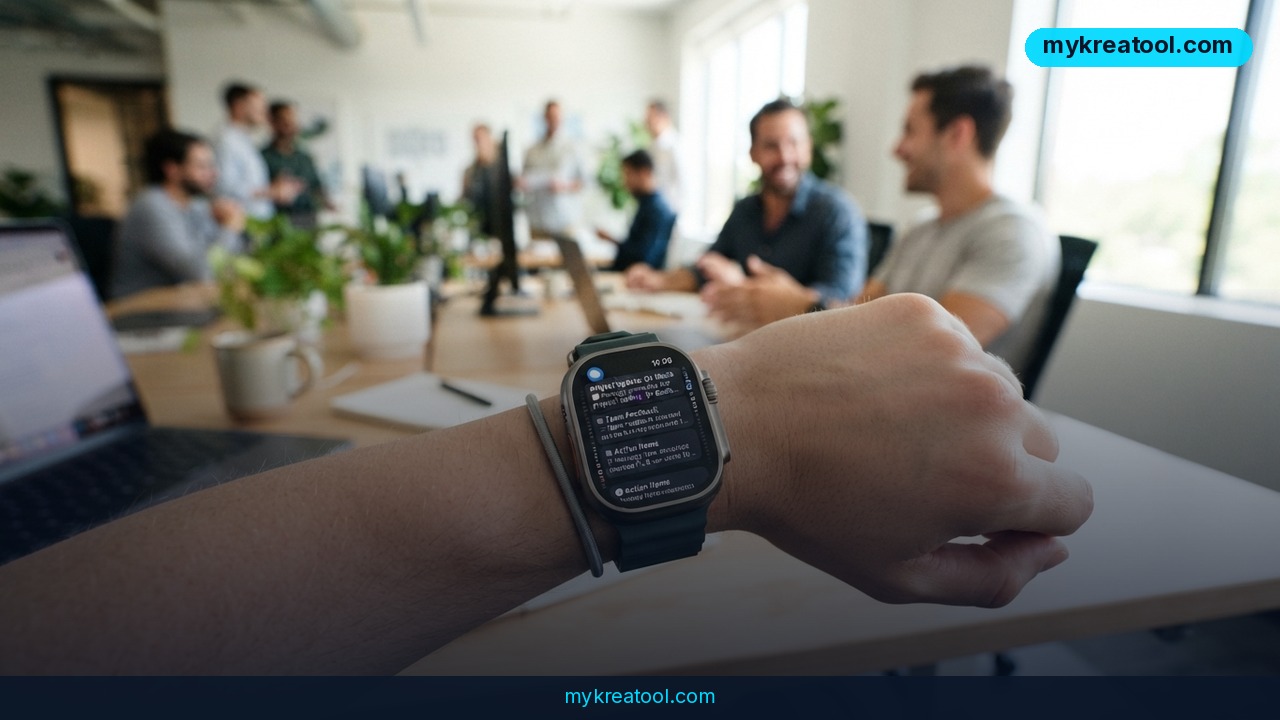
You know the feeling: someone talks at you for ten minutes, you nod along, and by the time you sit down half of it has evaporated. Siri Recap — a new feature buried in the watchOS 27.3 developer beta — is Apple's stab at fixing that. Turn it on and your Apple Watch quietly takes notes on the conversations you have during the day, then hands you a short summary with a title and a handful of key points.
There's a second trick too, called Live Rewind, and it's the one people will actually fall in love with. Here's the full picture, what it's good for, and the parts Apple's marketing tends to whisper.
What happened
Apple shipped two audio features in the watchOS 27.3 beta, which is currently aimed at developers. Both are strictly opt-in — nothing turns on unless you say so — and both lean on the watch's microphone plus Apple Intelligence to turn speech into text you can skim later. According to MacRumors' write-up of the beta, the pitch is simple: your watch becomes the note taker you never have to remind to pay attention.
Siri Recap: a note taker that never gets bored
Recap works in the background. While it's on, the watch's mic picks up the conversations around you and converts them into compact summaries — a heading, then the main points. Think of it as a colleague trailing you with a notepad who never zones out, never asks you to repeat yourself, and never gets the details wrong.
You don't get a wall of transcript. You get the gist, which is usually what you actually needed.
Live Rewind: subtitles for real life
This one solves a much pettier, much more universal problem: you missed what someone just said. Double-press the Digital Crown and the watch shows the last 15 seconds of speech as text on screen. It's basically closed captions for the room you're standing in — handy in a noisy café, on a bad phone call, or when your boss mumbles a deadline while walking away.
The fine print Apple puts on it
Recap is scheduled, not just switched on. You can tell it to run only at work, or never at night, so your evenings stay off the record. Summaries can also delete themselves automatically after up to 7 days.
On privacy, Apple says no audio is recorded and no transcript is kept, and the raw sound stays inside a sealed-off part of the chip that even Apple can't reach. Worth knowing, though: to actually build those summaries, a compressed and encrypted slice of the conversation goes to Apple's Private Cloud Compute and is deleted afterwards — a detail spelled out in this privacy breakdown. So it's not zero data leaving the device; it's data that's locked down and short-lived.
Compatibility is narrow. You'll need an Apple Watch Series 12 or Ultra 4 paired with an iPhone 16 or newer, per Apple's support notes. It's English only, not available in the EU for now, and there are age gates: not for anyone under 13, and 13-to-17-year-olds need a parent's permission. Bumping up against those requirements? The compatibility check is worth two minutes before you get excited.
What it means for you
Strip away the keynote language and this is a memory upgrade for ordinary days. Here's where it actually earns its keep.
At home
Doctor's appointments are the classic case. Instead of scrambling for a pen while someone explains dosage, you glance at your wrist afterwards and get the short version: what was said, what happens next. Same for parent-teacher meetings, moving quotes, or a landlord explaining what's covered by the deposit.
At work
Meetings are where Recap shines, because most meetings are verbal and most follow-ups are forgotten. Walking out with a title and four bullet points beats a blank page at 5 p.m. — and if you zoned out for the crucial sentence, Live Rewind has your back.
For business owners
If you sell, consult or run a small team, your day is a string of conversations nobody writes down. Recap turns them into something you can act on. Jot the summary into a client file, and you've got a lightweight CRM without hiring anyone. Pair that with a free AI tool — the summarizers and note-cleaners at MyKreaTool are free and will tidy a rough recap into a proper follow-up email in seconds.
For studying
Lectures, study groups, language practice — anything where you're absorbing by ear. You still have to pay attention (Recap summarizes, it doesn't teach you), but you get a second pass at the material without replaying an hour of audio.
For creative work
Ideas show up in the worst places: the shower, a walk, a rambling chat with a friend. If that chat happens while Recap is running, the half-formed thought survives instead of dissolving. Songwriters, writers and designers tend to lose more good ideas to bad memory than to bad taste.
For income
Freelancers and consultants bill for recall. Being the person who sends a clean recap an hour after a call — with the client's own words reflected back — is a quiet competitive edge. Live Rewind also saves you from the most expensive sentence in business: "Sorry, could you repeat that?"
How to try it right now
Start with the free route, because most people won't have the hardware yet.
Step 1 — Free option first. You don't need new gadgets to get the output. Take your own rough notes — or a voice memo you transcribe — and paste them into a free AI summarizer like the ones at MyKreaTool (linked above). You'll get the same shape of result: a title and key points. Costs nothing, works on any phone.
Step 2 — Check your hardware. Apple Watch Series 12 or Ultra 4, paired with an iPhone 16 or newer. Older watches won't show the feature at all, so don't go hunting for a toggle that isn't there.
Step 3 — Get on watchOS 27.3. Right now it's a developer beta, so you either join Apple's developer program or wait for the public release. Betas are buggy by definition — don't install one on the watch you rely on for alarms.
Step 4 — Switch Siri Recap on. It's opt-in, so flip it on in the watch's Siri settings and confirm you want it running.
Step 5 — Build a schedule. Set it to "only at work" if you want your personal life left alone, or "never at night" if evenings are off-limits. This is the step people skip, and it's the one that decides whether the feature feels useful or creepy.
Step 6 — Set the delete timer. Choose how long summaries stick around, up to 7 days. Shorter is safer.
Step 7 — Test Live Rewind. Ask a friend to read a sentence out loud, then double-press the Digital Crown. You should see the last 15 seconds appear as text.
Upsides and what changes
A pocket note taker changes behaviour in small ways. You stop interrupting people to write things down. You stop pretending you'll remember. Meetings get shorter because nobody's scribbling. And the summaries arrive already structured — a title plus bullets — so they're skimmable in five seconds, which is the only amount of time anyone gives a note.
The scheduling controls are the smart part. "Only at work" treats Recap like a work tool rather than a lifestyle. "Never at night" is an admission that some conversations shouldn't be data. Combine that with a 7-day auto-delete and you get a feature you can actually justify to a skeptical partner or a nervous client.
And Live Rewind is the sleeper hit. It sounds minor next to AI summaries, but it's the one you'll use daily, because everyone mumbles and nobody wants to say "what?" three times in a row.
Limitations
The honest version: this is a narrow, early, English-only beta for people who already own brand-new hardware, and it's unavailable in the EU for now. Audio doesn't stay purely local — a compressed, encrypted piece of each conversation goes to Apple's Private Cloud Compute to be summarized and is then deleted, so "nothing leaves your watch" isn't quite the story. It also won't fix bad acoustics: a loud restaurant, a thick accent or two people talking over each other will produce mush, and a summary of mush is still mush. It won't work for anyone under 13, teens need parental consent, and the watch is not a legal recording device — check your local rules before you rely on it in a meeting, and definitely before you rely on it in a two-party-consent state.
Conclusion
Siri Recap is Apple betting that the most valuable thing your watch can do isn't counting steps — it's remembering what was said. The trade is real: you hand over a slice of your day's audio in exchange for summaries you'd never have written yourself. Whether that's a bargain depends entirely on how you set the schedule and the delete timer.
One action for today: open the notes app you actually use and write down the three conversations from this week you wish you'd captured. If the list is longer than two, you already know whether Recap is for you — and you can start with a free AI summarizer while you wait for the hardware.



Comments 0