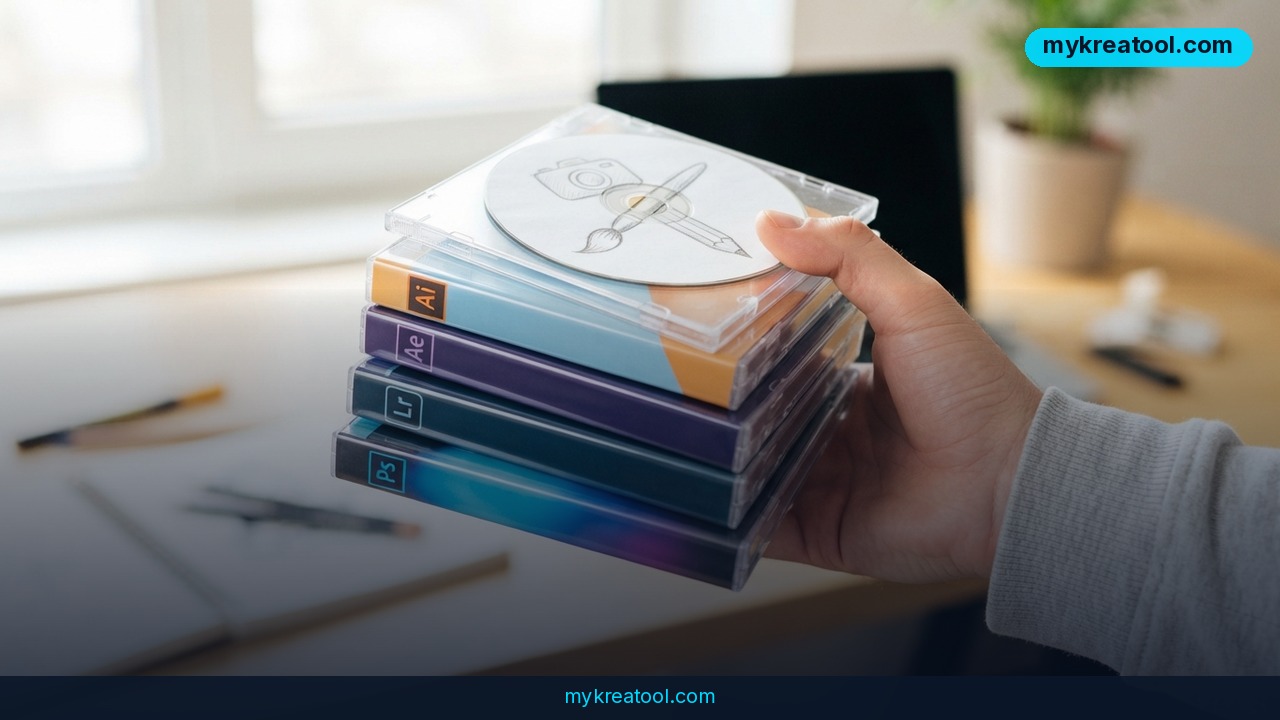
Adobe's grip on photo editing just loosened a notch. A Reddit user who got sick of paying a monthly subscription has shipped Lightcraft, a free Lightroom alternative that covers the tools most people actually touch — presets, RAW files, object removal and a proper photo library. He built it with help from an AI coding assistant, and he isn't stopping at one app.
What happened
Brandon Thomas, a Reddit user and a self-described home coder, got so fed up with Adobe's subscription model that he built his own replacements. Two of them, in fact: Lightcraft for Lightroom-style photo editing and Photocraft for Photoshop-style work. Both are free and open source.
The interesting part is how he built them. Thomas used Claude Code, an AI assistant from Anthropic that turns plain-English instructions — prompts — into working code. Think of it as a very patient junior developer who writes the tedious parts while you describe what you want. You don't need to write prompts or know what a variable is to use the finished app; that was the builder's job, not yours.
What's inside Lightcraft is what really matters. There are presets — saved bundles of edits you apply in one click, like a recipe you can reuse. There's RAW support, which means the app can read the unprocessed data straight off a camera sensor instead of the flattened JPEG your phone hands you. There's object removal for deleting a photobomber from an otherwise perfect shot. And there's library organization, so a decade of photos doesn't turn into an unsorted junk drawer.
Thomas is reportedly also working on versions for After Effects and Illustrator, though neither has landed yet. News of the project travelled fast: one post in the @DeepTechNET Telegram channel about it logged 3,601 views and 72 reactions, and Amateur Photographer was among the outlets that picked up the story.
What it means for you
Here's the plain-English version: one person, working in his spare time, has built a credible free replacement for two of the priciest pieces of software in the creative world. You don't have to care about open source or AI coding to benefit. You just have to own a camera.
At home, for family photos
Birthdays, holidays, a phone full of slightly blurry kids. Presets let you make a whole batch of pictures look consistent in a couple of clicks instead of nudging sliders for an hour. Object removal handles the classics: the stranger in the background, the bin by the beach.
At work, when someone asks for product shots
If you're the person in the office who "knows computers," product photography usually lands on your desk. RAW support matters here — it gives you room to fix bad office lighting after the fact instead of reshooting the whole thing.
For small business owners
Hiring a photographer for every new product, menu item or marketplace listing adds up fast. Editing your own shots gets you most of the way there for zero pounds, dollars or euros per month. If you want more free AI tools to round out the rest of your workflow, MyKreaTool collects them in one place.
For students
Design and media courses often assume you have the Adobe suite at home. If you don't have the student discount or the budget, a free editor that reads RAW files means you can hand in the same assignment without resorting to a sketchy download.
For creative projects
Photographers shooting personal work — street, film scans, portraits — can experiment without doing the mental maths of "is this worth another month of subscription?" Object removal also opens up compositing tricks that used to need a second app.
For side income
Retouchers, Etsy sellers and freelance photo fixers can take on small jobs without paying software rent upfront. Free tools make low-margin gigs actually worth doing.
How to try it right now
Start with the free option. Not a trial, not a credit card, not a "free plan" that watermarks your exports.
1. Find Lightcraft. Search for the project by name — Lightcraft by Brandon Thomas — or start from the write-up at Amateur Photographer, which links through to the project itself.
2. Import one RAW file first. That's the real test. Any app can open a JPEG. RAW is where free editors usually fall over, and it's the format you'll be shooting if you own anything better than a phone.
3. Apply a single preset. Take a photo you already like, hit a preset and see whether the result is something you'd post. If it is, you've just replaced a paid app for that job.
4. Test object removal on a throwaway image. Delete something obvious — a cable, a seagull, an ex — and check the edges. That tells you more about quality than any feature list.
5. Install Photocraft next if you need Photoshop-style retouching rather than whole-photo adjustments. Same deal: free, open source, built by the same person with the same tool.
6. Don't uninstall anything yet. Run Lightcraft side by side with your current editor for a week or two, ideally on the same batch of photos, and compare.
Upsides and what changes
The obvious win is cost. Photo editing has been a subscription business for years, and the pitch was always the same: pay every month or lose access to your own workflow. A free, open-source alternative breaks that. Your edits live on your machine, and nobody can raise the price on you next quarter.
The second change is quieter. Claude Code isn't a photo tool — it's a coding assistant — and it let one person in his spare time build what used to take a team. That's the pattern worth watching. Niche software that was never worth a company's investment is suddenly worth one person's evening. Expect more clones of expensive apps, and expect them to be rough but free.
Third, open source means the feature list isn't frozen. If enough photographers want a tool Lightcraft lacks, someone in the community can build it. That doesn't happen with closed software.
Limitations
Be realistic about what you're getting. This is a home-coder project, not a 20-year-old product with a support line, and the polish shows in the details — the long tail of niche tools, colour-managed printing workflows and the sheer depth of a mature editor won't all be there on day one. Documentation and tutorials will be thinner than Adobe's enormous library, so you'll do more figuring out on your own. Updates depend on one person's spare time and goodwill rather than a paid roadmap, which means a feature you're waiting for might take months or never arrive at all. Presets and plugins built for Lightroom won't necessarily carry over. And if you edit for a living, treat a free editor as a second option, not a replacement for your paid one — not yet.
Conclusion
The subscription era of photo editing isn't over, but it just got a free escape hatch. Lightcraft does the core job — presets, RAW, object removal, libraries — and costs nothing. Keep your paid editor if it earns its keep, but stop assuming there's no alternative.
Your one action today: download Lightcraft, import a single RAW photo, and apply one preset. Ten minutes will tell you whether a Reddit side project can replace a monthly bill.


Comments 0