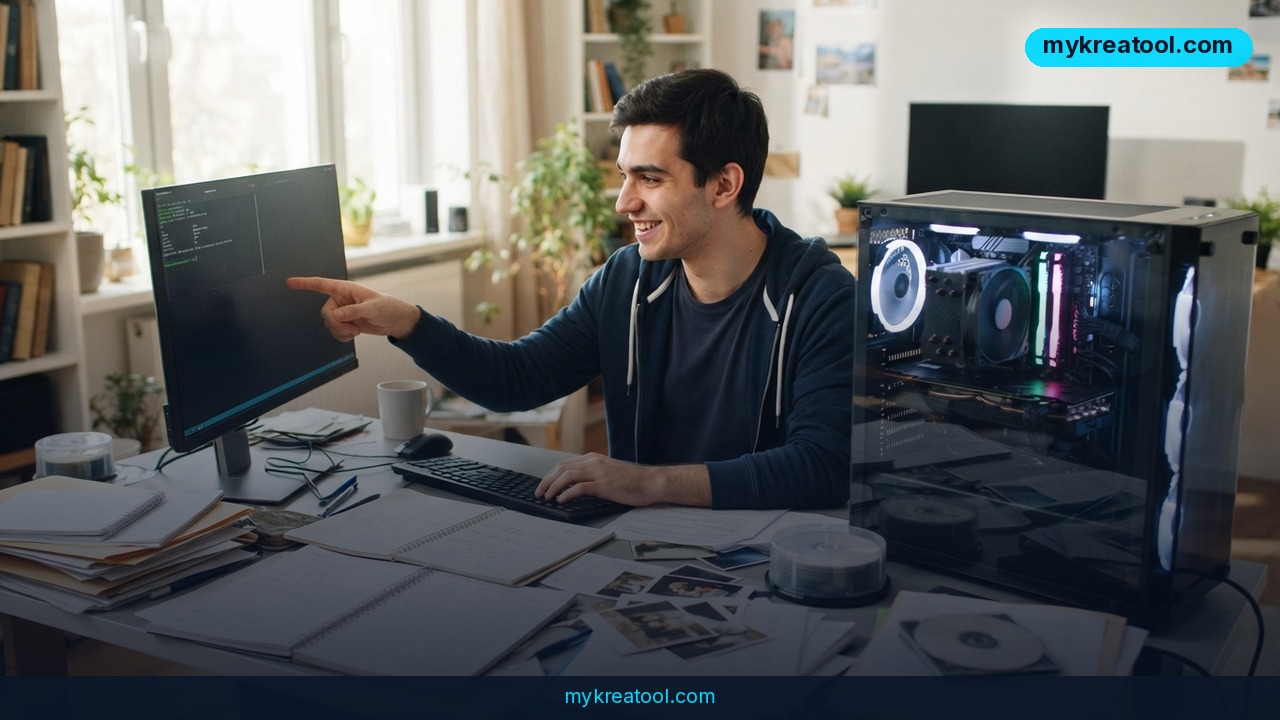
Your half-finished pitch deck probably doesn't need to travel through three time zones just to get a summary. That's the whole idea behind local AI — models that run on the machine in front of you instead of somebody else's server — and a new open-source app called Hob just made it a lot less painful to set up.
Hob is a free desktop app from the team at Frigade. You install it, it looks at your Mac, Windows PC or Linux machine, works out which open-weight model your hardware can actually handle, and sets the whole thing up for you. No account, no API key, no monthly bill. Once the model file is on your disk, it keeps working with the Wi-Fi switched off.
What happened
The project landed on GitHub under the MIT license — the permissive "use it, change it, even sell it" license. It's early but moving: at the time of writing the repository shows 118 stars, 4 forks and 194 commits, which for a niche desktop tool that most people have never heard of is a decent signal that someone is actively shipping.
This isn't a chat box glued onto a research script. Hob is a real desktop app built with Electron — the same shell that runs Slack and VS Code — and it runs models through llama.cpp. Its repo topics also list MCP, short for Model Context Protocol: a plug-in standard that lets an assistant reach out to other tools instead of sitting in a sealed box.
The headline feature, though, is the setup. Most "run AI locally" guides turn into a lost weekend of model files, compression settings and command-line flags. Hob skips that entirely — and that's the part worth paying attention to.
What "open-weight" actually means
Think of a model's weights as the trained brain — the files holding everything it has learned. With ChatGPT or Claude, that brain lives on the company's servers and you rent access to it by the message. With an open-weight model, the brain is a file you download and run yourself.
The models named on the project page are Gemma, Google's family of open-weight models, and gpt-oss, OpenAI's open-weight release. Both can be downloaded and run on ordinary hardware. "Open-weight" isn't the same as "fully open source" — the training data usually stays private — but for practical purposes it means nobody can switch the model off, change the price, or read your prompts.
It picks a model that fits your machine
Your computer's memory and graphics chip are the real bottleneck here, and this is where most people give up. Hob handles it like a tailor pulling a suit off the rack that matches your frame, rather than handing you one three sizes too big. It picks the best frontier open-weight model your hardware can handle and configures it for you — no spreadsheet of specs required.
What it means for you
You don't have to care how any of this works to get something out of it. Here's what changes in practice.
At home. Those dreaded PDF forms — insurance claims, school permission slips, tax paperwork — are exactly what Hob advertises: "Fill out PDFs, work through documents, and much more." You get help without uploading your family's details to a company you've never heard of.
At work. Drafting, rewriting, summarising a 40-page report: the usual grind. The difference is that internal memos and half-finished strategy docs stay on your laptop. Plenty of companies quietly ban pasting client material into public chatbots — this sidesteps the argument entirely.
In business. Contracts, customer notes, support tickets, price lists. If you run a small company, every one of those is data you'd rather not hand to a third party. A local model gives your team a drafting assistant without adding another vendor to your data-processing agreement.
The awkward stuff you'd never paste into ChatGPT
Medical letters. Legal drafts. A performance review you're still angry about. Redundancy paperwork. Most people have a folder like this and instinctively keep it away from cloud tools. Local AI removes the dilemma — nothing leaves the machine, so there's nothing to leak.
For study. Long reading lists, messy lecture notes, practice questions. On a train or a plane with no signal, Hob still works, which is more than you can say for a browser tab. If you also want free browser-based tools for the quick, non-sensitive jobs, MyKreatool collects a bunch in one place.
For creativity. Brainstorming names, loosening up a stiff paragraph, generating ten variations of an opening line at 1 a.m. without burning through a message quota. Unlimited use changes how freely you experiment — you stop rationing your ideas.
For side income. If you freelance, an AI subscription is one more fixed cost before you've earned a penny. Hob is free and open source, so the cost of trying it is a download and a few minutes of your evening.
How to try it right now
Start with the free option — that's the whole thing. Hob costs nothing.
1. Head to the project's site at hob.chat and download the build for your system: Mac, Windows or Linux. You can also grab it straight from the GitHub repository, FrigadeHQ/hob.
2. Install and open the app. There's no sign-up screen to fight through.
3. Let it scan your machine. Hob picks the open-weight model that best fits your hardware and handles the configuration.
4. Stay online for the first model download, then disconnect — that's your proof it's actually local.
5. Try a real task straight away: drop in a PDF form, or paste a document and ask for a summary.
6. If you want prompt ideas for the tasks you'll use most, grab a few from MyKreatool and keep them in a notes file.
If the app feels slow, that's a hardware conversation, not a bug in the instructions — close the heavy browser tabs and give it a try when nothing else is hogging memory.
Upsides and what changes
Free is the obvious one, and MIT-licensed free is better than freemium free — nobody can put your favourite feature behind a paywall next quarter. Private is the second: when the model runs on your disk, "we don't train on your data" stops being a promise you have to trust.
Offline is the third, and it's underrated. Flights, trains, bad hotel Wi-Fi, a client site with a locked-down network — the assistant keeps working. Beyond that, setup is the real innovation. Hob removes the step where normal people quit. A tool that configures a local model for you is worth more than a faster model you can never get running.
Who this is genuinely for
Anyone who has ever pasted something into a chatbot and felt a small twinge about it. Writers, freelancers, small-business owners, students, and the colleague who's been asking IT for a private AI option for a year. You don't need to understand quantisation to use this, and you shouldn't have to.
Limitations
Be honest with yourself about what a laptop-sized model can do. Open-weight models that fit on a normal computer are smaller than the giant cloud models, so expect solid drafting, summarising and document work — not always the same depth on genuinely hard reasoning. The first model download needs a decent internet connection and real disk space, and how well it runs depends entirely on your machine; the repo doesn't publish hardware requirements, so check what the app recommends. This is also a young project — 118 stars and 4 forks means a small community, so bugs may sit for a while, documentation is thin in places, and there's no support line. You're trading hand-holding for privacy and zero cost. For many tasks that's a great trade; for mission-critical work, keep a backup plan.
Conclusion
Hob won't replace the biggest cloud models at everything, and it isn't trying to. What it does is remove every excuse for not having a private AI assistant on your own computer: free, open source, offline-capable, and set up in one sitting instead of one weekend. For documents, forms, drafts and anything sensitive, that's most of what ordinary people actually need.
Here's your one action for today: go to hob.chat — or the FrigadeHQ/hob repository on GitHub — download the version for your system, and run a single real task on it, the messiest PDF or document you've been avoiding. Ten minutes tells you whether local AI earns a permanent spot on your desktop.

Comments 0