What happened
OpenAI just gave its ChatGPT dots agents a quiet but significant new power: the ability to pull one-time sign-in codes straight from your email and use them to log into websites on your behalf. If you've never heard of dots, think of them as a ChatGPT 'worker' that keeps running in its own cloud-based browser even after you close the app — it can click around websites, fill out forms, and complete tasks while you're off doing something else.
Until now, if a site asked for a one-time passcode (the six-digit code you get by text or email to prove you're really you), the dot would hit a wall. OpenAI's own help documentation told users they'd have to step in, grab the code themselves, or take over the browser session manually. That friction is gone. James Sun, who works on browser use for ChatGPT and Codex at OpenAI, announced the update and said more sign-in improvements are on the way.
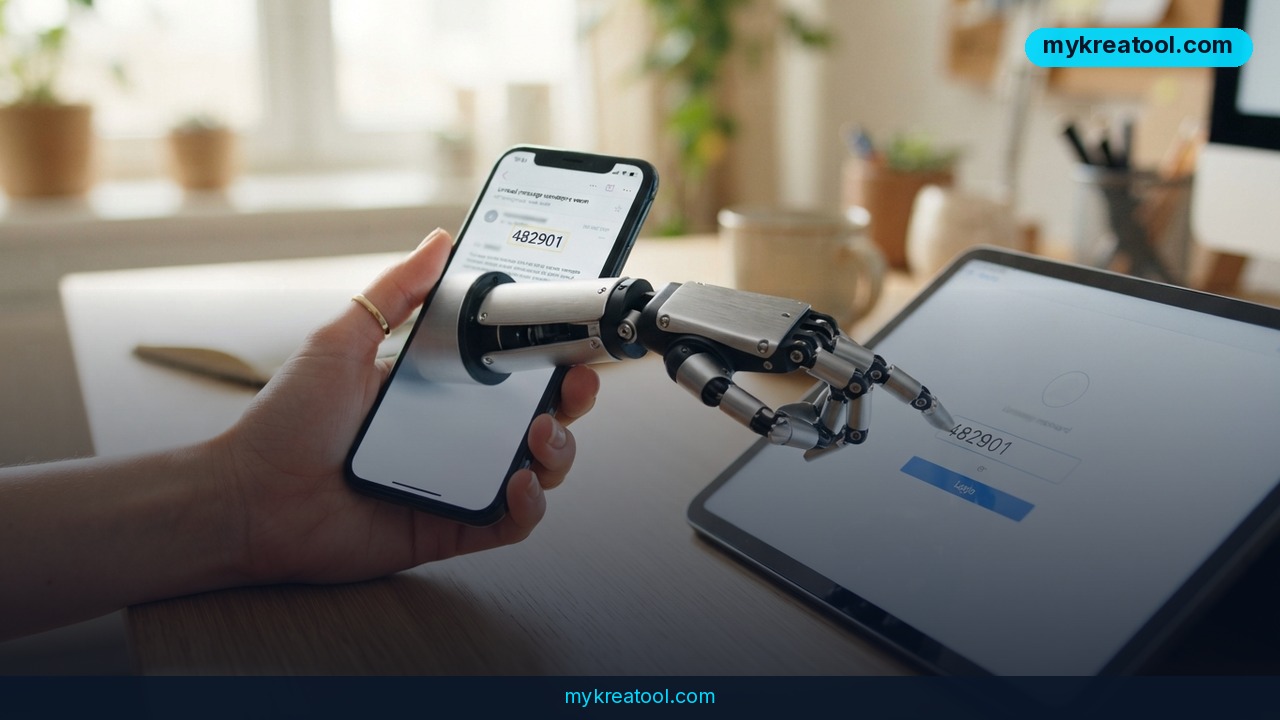
In a demo, a dot logged into Resy, the restaurant reservation app, by fetching the verification code sent to the user's connected inbox and typing it in automatically. You get a choice every time a code is needed: let the dot use it just once, or flip a setting so it always fills codes in without asking again.
Who gets this right now
The feature is rolling out to ChatGPT Pro subscribers, but with a geographic catch — it's not yet available to Pro users in the European Economic Area, the UK, or Switzerland, likely due to stricter data and privacy rules in those regions. It's also live for Business Premium and Enterprise workspace plans, meaning companies that pay for team-level ChatGPT access can turn it on for their staff. According to independent breakdowns of dots pricing and access, like the one from MindStudio, this is part of a broader push to make dots behave less like a chatbot and more like a digital assistant that can actually finish errands end to end.
What it means for you
At home: Imagine booking a table at a busy restaurant, renewing a subscription, or signing into your electricity provider's portal to check a bill — all without you touching your phone to copy a code from a text message. The dot handles the whole login dance itself.
At work: If your company uses Business or Enterprise ChatGPT plans, an agent could log into an internal tool, pull a report, or update a shared document overnight, without someone sitting there babysitting a two-factor code at 7 a.m.
Running a small business: A solo founder could set a dot to log into a booking platform, a supplier portal, or an invoicing tool to check order status or confirm shipments — freeing up an hour a day that used to go to repetitive logins.
Studying: A student researching across multiple academic databases or library accounts could let a dot handle the sign-in step for each site, so the actual work — reading, summarizing, comparing sources — starts faster.
Creative projects: If you manage several creative tool accounts (stock photo sites, print-on-demand platforms, portfolio hosts), a dot could log into each one as part of a bigger task, like uploading a batch of designs across platforms.
Earning extra income: Freelancers juggling client portals, job boards, and payment dashboards could automate the boring login part entirely, spending more time on billable work instead of password resets and code-checking.
How to try it right now
You don't need to be a developer to test this, but you do need the right plan and a bit of setup.
1. Check if you qualify. This feature is currently limited to ChatGPT Pro subscribers outside the EEA, UK, and Switzerland, plus Business Premium and Enterprise workspace users. If you're on a free or Plus plan, dots aren't available to you yet.
2. Connect your inbox. Dots need access to the email account where sign-in codes land. Guides like the one from Toolcolumn walk through how the connection and permissions work.
3. Start a task that needs a login. Ask the dot to do something that requires signing into a site — book a reservation, check an order, or pull data from an account.
4. Choose your permission level. When a one-time code pops up, you'll be asked whether to let the dot use it just this once or always handle codes automatically going forward.
5. Watch the usage limits. Dots on Pro plans have usage caps; Beam.ai's breakdown of dots usage limits explains what the ceilings look like so you don't get caught mid-task.
If you're not ready to connect a paid dot to your real inbox yet, it's worth warming up on free AI tools first — sites like mykreatool.com let you experiment with AI-assisted writing, summarizing, and automation tasks at no cost, so you get a feel for how AI agents behave before handing one the keys to your email.
For a closer look at how inbox connections and permissions are handled on the integration side, Dead Simple Email's dots integration page breaks down the technical plumbing in plain terms.
Upsides and what changes
The obvious upside is time. Two-factor codes exist for good reason, but they're also a constant small interruption — switch apps, find the code, switch back, type it in, hope it hasn't expired. Letting a trusted agent handle that step removes dozens of tiny friction points a week, especially for anyone managing multiple accounts across work and personal life. It also pushes dots closer to being a genuine assistant rather than a chat window — something that can start and finish a task without you standing over its shoulder for every step. For businesses, this could mean real automation of routine account work that used to require a human to sit through security checks.
Limitations
The honest trade-off here is trust and exposure: giving an AI agent standing permission to read your email and auto-fill security codes means you're relying entirely on OpenAI's safeguards to make sure that access isn't misused, intercepted, or extended to accounts you didn't intend. One-time codes exist specifically to stop automated systems from logging in as you, so automating around that check — even with your approval — narrows a security layer that was designed with humans, not bots, in mind. The feature also isn't available everywhere yet (it's blocked in the EEA, UK, and Switzerland for Pro users), and it only works within OpenAI's own ecosystem, so you can't yet extend this behavior to other AI tools or browsers.
Conclusion
ChatGPT's dots just got a lot more hands-off, trading a small security speed bump for real time savings — but that trade is only worth making if you're comfortable with an AI agent reading your inbox. Today's action: if you're eligible, test this on one low-stakes account — a restaurant app or a newsletter login, not your bank — before deciding whether to let it run on autopilot everywhere.



Comments 0