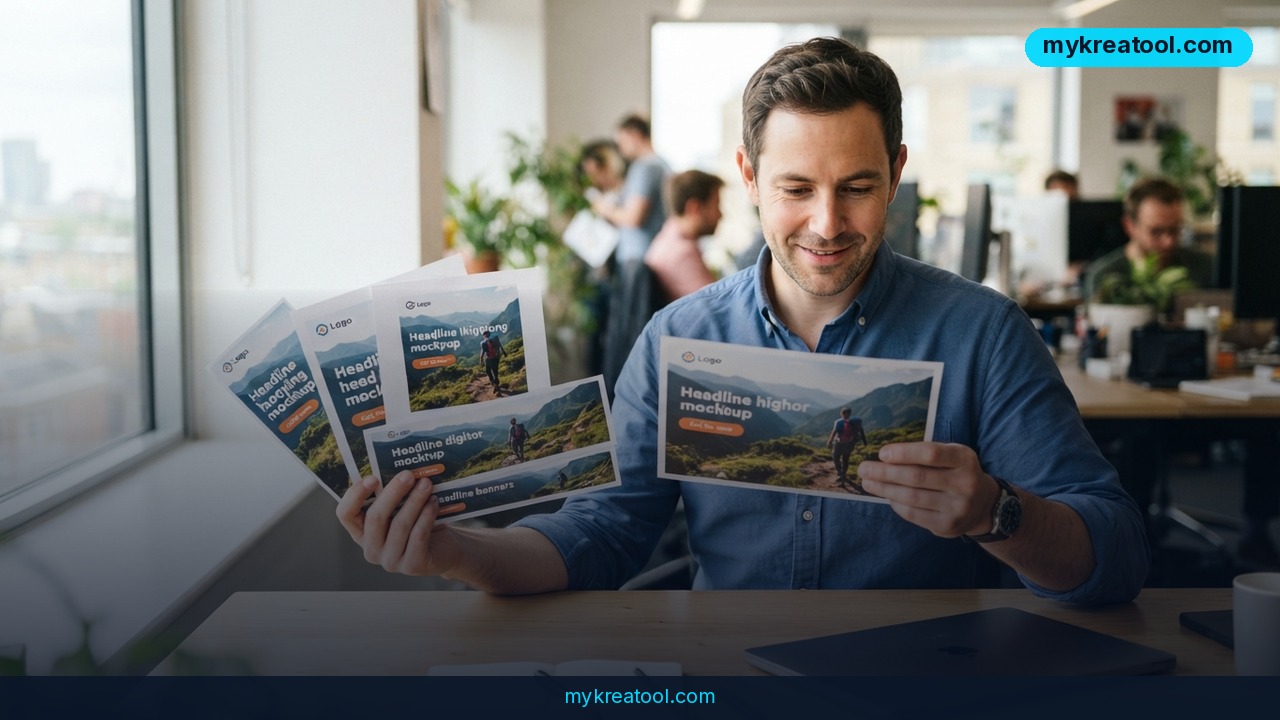
You've got one ad the client finally signed off on — and now it has to exist in six different shapes, in two languages, by tomorrow. That's the exact chore AI ad variants are built to erase, and Luma just made a serious play at it with a new feature called Variants.
Here's the short version: you upload one approved static ad, pick your formats and languages, and Luma builds every version for you. One ad in. Every variant out.
What happened
Luma launched Variants (you'll see it labeled as Ad Variants in the product), and it's live today. Any Luma user can take a single approved static ad, choose the formats and languages they need, and get a finished version back for each combination.
The core promise is that your brand stays put while everything else flexes. Your logo, headline, and call to action stay intact. What adapts is the layout and the copy — so a square feed post and a tall vertical Story both look like they were made for that slot, instead of being squeezed into it.
This is a bigger problem than it sounds. One approved ad usually has to run as a Story, a feed post, a display unit, and a widescreen placement, often in several languages at once. Most teams still rebuild each one by hand, and every manual rebuild is another chance for a clipped product shot, copy that overflows its box, a missing logo, or the wrong language going live.
The five placements you can generate from a single master
Luma Variants supports five standard placements:
• Story — 9:16 (tall and vertical, phone-first)
• Portrait — 4:5
• Square — 1:1 (the classic feed post)
• Medium Rectangle — 6:5
• Widescreen — 16:9 (the wide banner shape)
If those ratios mean nothing to you, think of it like picture frames. The same photo can hang beautifully in a tall narrow frame or a wide panoramic one — but only if someone reframes it. Cropping by eye is how heads get cut off. Variants does the reframing.
Pick your languages and Luma returns a version for every size-and-language combination. The example the company gives is the full matrix: 1:1 English, 1:1 Spanish, 9:16 English, and 9:16 Spanish — all from one master, in a single pass.
What it means for you
If you run a small business or a side hustle
You've got one good photo of your product and about twenty minutes to spare. Before, twenty minutes bought you one Instagram post. Now it can buy you a square feed image, a vertical Story, and a wider display placement — same logo, same offer, same headline, just framed correctly for each one.
If you work in marketing or at an agency
This is the headline use case. Luma built Ad Variants for agency and brand teams who take one approved ad across placements and markets. Multichannel rollout stops being a spreadsheet of export settings. Global launches stop being a translation request stacked on top of a redesign request.
If you're already assembling the rest of your creative workflow from free AI tools — the kind collected at MyKreaTool — Variants slots in as the last mile: the part that used to eat an entire designer's afternoon.
If you're a freelancer and want to bill differently
Here's the income angle. Resizing is the billable hour nobody enjoys selling, because clients assume it's instant. When that part is handled, you're free to sell what clients actually pay a premium for: the concept, the offer, the media plan, the review call. Same client, better hours.
If you're a student or a creator building a portfolio
A case study looks a lot more convincing when it's shown across five formats and two languages instead of one cropped screenshot. You can build a spec campaign from a single mockup and present it the way a real rollout looks.
If you sell into more than one market
Translation is where small teams get sloppy — usually a last-minute copy-paste into a template, done by whoever is still online. Variants generates the language version alongside the resized version, keeping the visual system consistent while the words change.
How to try it right now
Free option first: you don't need a design team or a paid template pack to test whether this workflow suits you. Build or clean up one strong master ad using free image tools, decide the two or three markets that actually matter, and you've already done the hard part. Everything after that is clicking.
The tool you want is exactly this: Luma Variants, inside the Luma app.
1. Prep your master. One approved static ad — static meaning a single flat image, not a video or an animation. Use the highest-resolution version you have.
2. Open Luma. Inside the app, go to the Discover tab.
3. Select the Ad Variants card. That drops you into the workflow.
4. Upload your master. This is the one ad you're multiplying.
5. Pick your formats. Choose from Story 9:16, Portrait 4:5, Square 1:1, Medium Rectangle 6:5, and Widescreen 16:9.
6. Pick your languages. Select the markets you need. More languages means more versions in the batch.
7. Check the preview. You see every variant before you commit, and you can regenerate anything that isn't right.
8. Ship the finals. Download them, or export straight to a Luma Canvas board if you'd rather review with your team in one place.
Upsides and what changes
Three things genuinely shift.
The first is speed. One upload replaces a stack of manual exports, and the tedious part — nudging a logo back into the safe area — disappears entirely.
The second is consistency. Because the logo, headline, and CTA travel together from the approved master, the thing that got signed off is the thing that ships. No more "wait, which version did legal see?"
The third is fewer mistakes. Every hand-off between a resize and a translation is a chance for a missing asset or the wrong file going live in the wrong market. Fewer hand-offs, fewer of those Fridays. And exporting to a Luma Canvas board keeps review in one place instead of scattered across a folder of filenames like `final_v3_ES_actualfinal.png`.
Limitations
Be clear-eyed about what this first release does. It covers static ads, resizing, and translation — that's the scope, and Luma says more is on the way. Today that means no video, no animated formats, and no concept generation; it multiplies an ad you already made, it doesn't make one for you. Machine translation is also a starting point rather than a proofread — if your brand voice depends on a specific idiom, or the copy makes a regulated claim, have a native speaker in that market give it a pass before it goes live. And no tool rescues a weak master file: if your source ad is low-resolution or visually cluttered, every single variant inherits that problem at five different sizes.
Conclusion
Getting an ad approved is one milestone. Shipping it everywhere is another — and that second milestone is where small teams lose days they never budgeted for. Luma Variants went live today and collapses that work into one upload, which is exactly the kind of unglamorous automation that quietly changes how much a small team can ship.
Your one action for today: open Luma, hit the Discover tab, select Ad Variants, and run one ad you've already approved through two placements in two languages. It takes minutes, and it'll tell you immediately whether this earns a permanent spot in your process.


Comments 0