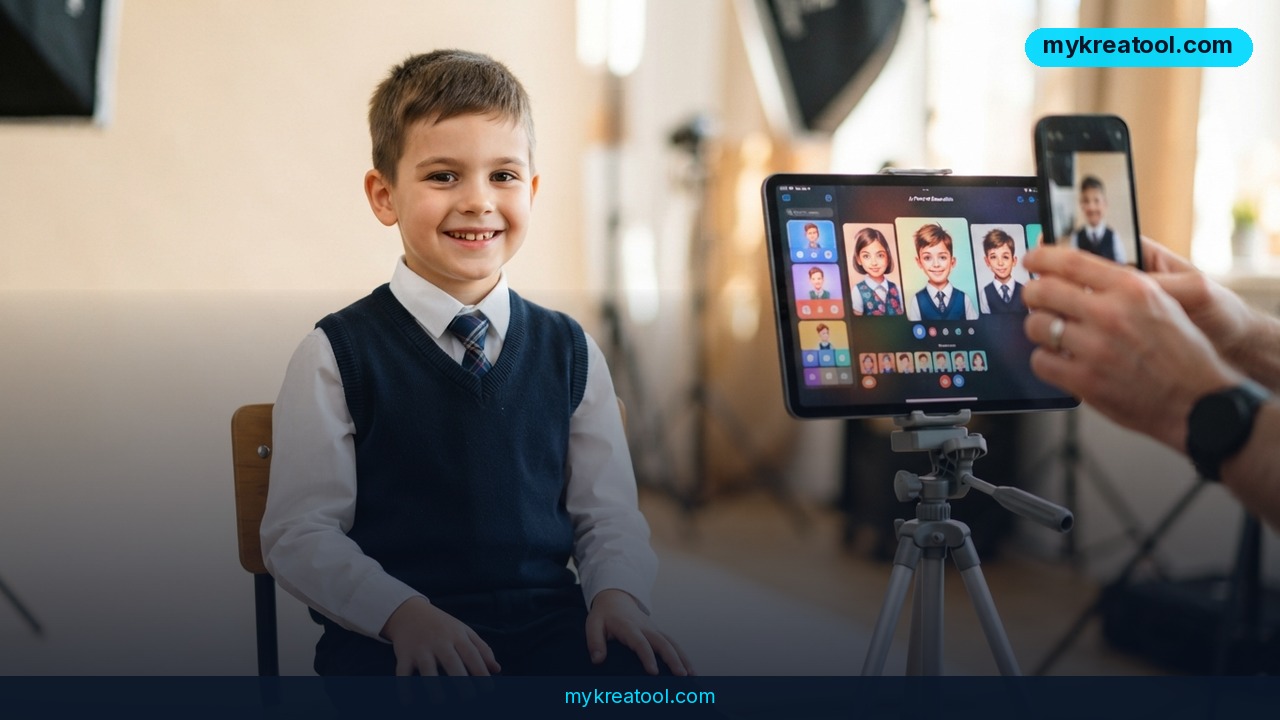
AI school portraits are becoming a popular shortcut for parents who'd rather not pay for a traditional photographer. A recent post from the Telegram channel @aipost (529 views, 5 reposts, 26 reactions) highlights two related trends: parents using AI to generate school pictures of their kids, and others using AI to strip watermarks from professional photos — a move that can carry fines up to $150,000.
What happened
The @aipost channel shared a simple observation: instead of booking a photographer for school portrait day, some parents are turning to AI image generators. They upload a photo of their child and ask the AI to create a polished school portrait — often for free or at a fraction of the cost. At the same time, the post warns that some people are using AI to remove watermarks from professional photos. That's not just shady; it's illegal. Copyright law allows fines up to $150,000. The post's engagement — 529 views, 5 reposts, and 26 reactions — shows this isn't a fringe idea. It's a conversation that's picking up steam.
Why parents are making the switch
School portraits used to be a rite of passage: the comb, the backdrop, the awkward smile. But they've also become expensive. AI tools offer a way to get a similar result without the bill. You can take a casual photo of your kid and ask an AI to put them in a blazer, add a classic blue background, and smooth out the lighting. It's like having a mini photo studio in your pocket. The catch? You need a good source photo and a tool that respects your privacy.
What it means for you
This shift isn't just about saving a few bucks on school pictures. It's a window into how AI is changing the way we create and use images. Here are a few real-life scenarios.
Home: family portraits without the studio
You've got a hundred photos of your kids on your phone. With an AI image generator, you can turn one of them into a framed-quality portrait. No appointment, no meltdown in the car, no pushy upsell for extra prints. It's especially handy for grandparents who want a recent picture but live far away. Just be careful about uploading your child's face to random websites — check the privacy policy.
Work: team headshots on a budget
Small businesses and startups often need professional headshots for their website or LinkedIn. Hiring a photographer for the whole team can be expensive. AI can take casual selfies and turn them into consistent, polished headshots. It's not perfect, but it's a huge step up from a cropped group photo. And it's fast: you can generate several variations quickly.
Business: marketing images without a photoshoot
E-commerce sellers and marketers need product images and lifestyle shots. AI can generate backgrounds, models, and props without renting a studio. But here's the caution: using AI to remove watermarks from someone else's photo is a one-way ticket to a lawsuit. The @aipost post specifically flags fines up to $150,000. Instead, use your own product photos and let AI handle the background.
Study: project visuals that pop
Students often need images for presentations, posters, or reports. AI can generate diagrams, illustrations, or even historical scenes. It's a creative boost when you don't have design skills. Just cite your sources and don't pass off AI-generated images as real photographs — especially in academic work.
Creativity: a new brush for artists
Artists are using AI to brainstorm, create mood boards, and experiment with styles. You can feed in a rough sketch and get a fully rendered image. It's like having a collaborator who never sleeps. The key is to use it as a tool, not a replacement for your own vision. And never train AI on copyrighted work without permission.
Income: a side hustle with caveats
Some people are selling AI-generated portraits on Etsy or Fiverr. It can be a quick way to earn extra cash. But you need to be upfront with customers about what they're getting. And you absolutely cannot use AI to strip watermarks from stock photos and resell them. That's the fast track to a $150,000 fine.
How to try it right now
Ready to make your own AI school portrait? Here's a step-by-step guide. We'll start with a free option.
1. Go to MyKreaTool — a free hub of AI tools. You don't need an account to start.
2. Pick an AI image generator. Look for an option to upload a photo.
3. Upload a clear photo of your child. A well-lit, front-facing shot works best. Avoid blurry or group photos.
4. Describe the school portrait style. For example: "Professional school portrait, blue background, smiling, wearing a collared shirt, soft studio lighting."
5. Generate and download. You'll get a few variations. Pick the one that looks most natural.
6. Don't remove watermarks. If you're using a professional photo that has a watermark, stop. That's illegal and can cost you up to $150,000. Instead, use your own photo or a licensed one.
If you want more control, you can explore paid AI image generators, but the free route works surprisingly well for a quick school portrait.
Upsides and what changes
The biggest upside is cost. You can create portraits for the whole family without booking a session. It's also fast — no waiting for prints. And it's creative: you can try different backgrounds, outfits, and styles without leaving your house. For businesses, it means professional-looking images on a startup budget. For artists, it's a new way to explore ideas. The broader change is that AI is democratizing image creation. You no longer need a studio, a photographer, or a graphic designer to get a decent portrait. That's a big shift.
Limitations
AI portraits aren't perfect. They can look uncanny — eyes that don't quite match, skin that's too smooth, or a smile that feels off. The technology struggles with fine details like hair strands and glasses. You also need a good source photo; if the original is blurry or poorly lit, the AI can't magically fix it. Privacy is another concern: uploading your child's face to a free tool means you're trusting that company with their data. Read the privacy policy. And the legal risk of watermark removal is real — don't do it. Finally, AI can't replace the skill of a professional photographer who knows how to pose a squirmy kid and get the lighting just right. For school portraits, it's a convenient shortcut, not a perfect substitute.
Conclusion
AI school portraits are a handy way to save money and skip the hassle of traditional photo day. But the same technology can be misused — like removing watermarks from professional photos, which can lead to fines up to $150,000. The smart move is to use AI on your own images or licensed content. Your one action for today: go to MyKreaTool, upload a favorite photo of your child, and generate a free AI school portrait. See for yourself how good it looks — and remember to play by the rules.
Comments 0