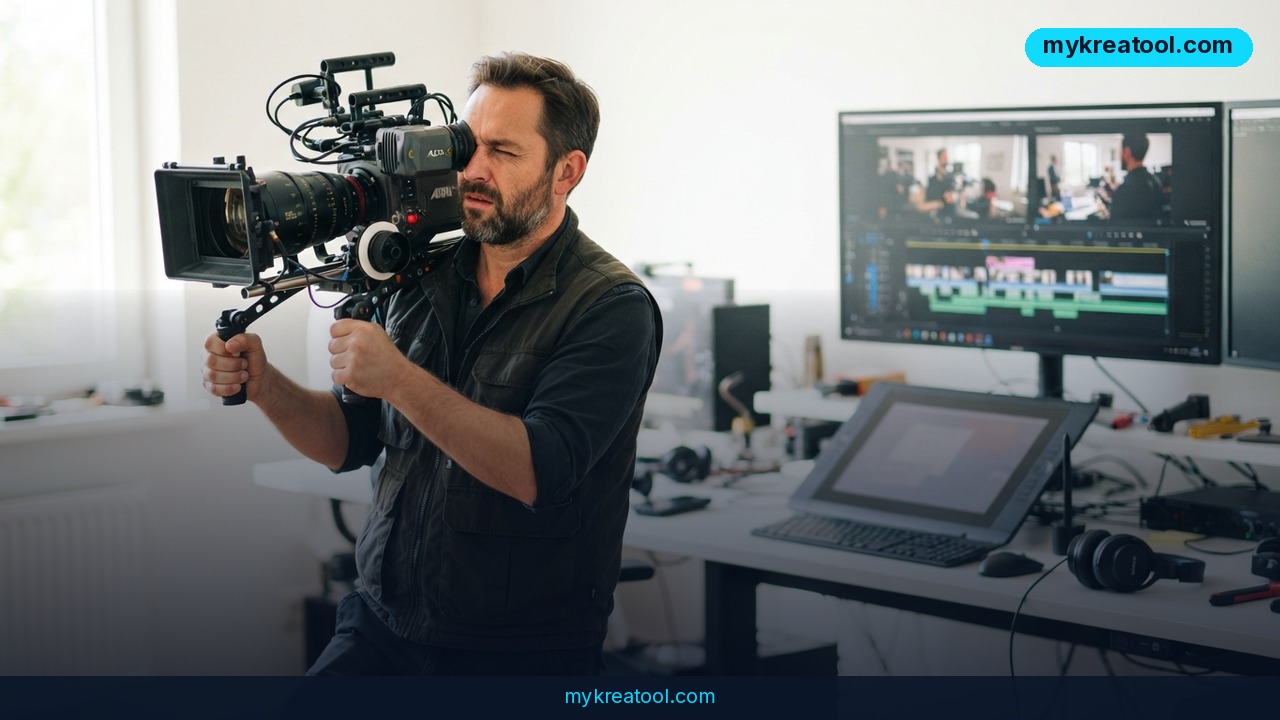
Kling 4.0 in Luma is now live for every Luma customer, and it's aimed squarely at the shots that usually eat your afternoon: the ones with fast movement, a big camera swing, and nowhere to hide. Kling 4.0 is an AI video generator built for exactly that kind of footage, and Luma has dropped it straight into the board where the rest of your project already lives — no extra tab, no export-and-reimport dance, no second subscription to babysit.
What happened
Luma has added Kling 4.0, a new AI video model, to its platform, and it's open to every Luma customer. Quick translation of the jargon: an AI video generator is software that turns a written description — or a single still photo — into a moving clip. A model is the engine underneath. Think of Luma as the camera body and Kling 4.0 as one more lens you can screw on. Luma already had its own tools, plus other video and image options in your workflow. Kling 4.0 sits right next to them, and you choose it the way you'd choose a lens: for the shots where it's the right tool, not necessarily for every shot.
What Kling 4.0 actually brings to a shot
The announcement lists five things, and they're all about movement:
• Fast action that holds together through the move
• Camera work that feels directed: tracking shots, orbits, push-ins, pans and changes in shot size
• Characters that stay closer to the brief, with more expression in the face
• On-screen text that stays put while the camera moves
• Text-to-video and image-to-video, in 16:9, 9:16, 1:1 and 21:9
In plain English: a tracking shot means the camera follows alongside your subject, like a steadicam walking down a hallway. An orbit is the camera circling someone. A push-in is a slow lean toward the face. A pan is a swivel on the tripod. A "change in shot size" just means going from a wide shot to a close-up inside one take. The four numbers are frame shapes: 16:9 is standard landscape video, 9:16 is vertical for Shorts and Reels, 1:1 is square for feeds, and 21:9 is the wide, cinematic look.
Why movement is the expensive part
Movement is where AI video usually gives itself away. A tracking shot that drifts, or a subject who loses their shape halfway through an orbit, means another render — and a render is the AI actually generating the clip. That costs time, and on most platforms it costs credits too. So the value of a model tuned for motion isn't that it makes every shot prettier. It's that you stop re-rolling the same three seconds six times. Luma's pitch is simple: reach for Kling 4.0 on exactly those shots, and keep your other tools for everything else.
What it means for you
At home: birthday videos that don't look like slideshows
You've got 60 photos from a party and one shaky phone clip. Instead of a slideshow, you can describe a slow push-in on the birthday cake or a gentle orbit around the family at the table, starting from a still you already own. That's the image-to-video part doing the heavy lifting — your photo becomes the first frame and the camera takes it from there. No tripod, no second take, no asking your uncle to hold the camera steady.
At work: social clips without booking a shoot day
Most teams don't have a videographer on standby. They have a product photo and a deadline. With Kling 4.0 you can write a short description of a tracking shot past a product on a desk, or start from a still of your talent, and judge the take right there on the same board as the rest of the edit. The feature that quietly matters most for social teams is the text stability — captions and on-screen labels that stay put while the camera moves instead of sliding off the frame.
For small businesses: motion without hiring a crew
A café, a gym, a consultancy — most small businesses need maybe ten seconds of polished motion a month, and that's not enough to justify a crew. A push-in on the storefront, an orbit around the new menu item, a pan across the workshop: these are the shots that make a feed look funded. If you want to experiment with other free AI tools before you commit any budget, MyKreaTool is a sensible place to browse. Then bring the shot you like into Luma and let Kling 4.0 handle the camera move.
For students: presentations that hold a room
A static slide deck loses people in about four seconds. A generated clip of a labelled diagram with the camera slowly pushing in — text still readable — is the kind of thing that buys you attention in a seminar or a class project. The 16:9 output drops straight into slides, and 9:16 works if you're posting a short explainer to socials instead.
For creators: more takes, less waiting in line
If you post regularly, your bottleneck isn't ideas, it's takes. Every failed render is a minute you don't get back. A model built for fast action and big camera moves lets you test a bolder shot — the spinning reveal, the sprint down a corridor — without gambling a whole evening on it. And because it lives on the same board as your other Luma tools, you're not managing five tabs to finish one edit.
For income: a skill you can sell by the clip
Short-form video is still the thing local businesses pay for and rarely have time to make. Being the person who can produce a clean 9:16 orbit of a product, or a 21:9 widescreen opener with stable text, is a sellable service. You don't need to be a filmmaker. You need to know which model to pick for which shot, and how to judge a take fast — both of which you learn by running twenty clips, not two.
How to try it right now
Start with the cheapest option you already have. Luma says Kling 4.0 is available to every Luma customer, so check what your current plan covers before you spend anything extra — that's your free route in. Then:
1. Open Luma and start a board, or open a project you're already working in. A board is just Luma's canvas where the shots for one project sit together.
2. Pick the shot that needs the most movement. Don't start with the easy one — you're testing the exact thing the model was built for.
3. Choose Kling 4.0 for that shot, the way you'd pick a lens.
4. Either describe the shot in words, or start from a still of your talent or product. Describe the camera move explicitly: "slow orbit," "push-in," "tracking shot from the left."
5. Set your frame shape — 16:9, 9:16, 1:1 or 21:9 — before you render, not after.
6. Judge the take and refine it in the same board, next to the rest of the cut. Then run the same prompt one more time and compare.
The whole point of the workflow is that you never leave the board. Luma's own call to action is blunt: try Kling 4.0 in Luma, on the shot that needs more movement.
Upsides and what changes
Three things genuinely shift. First, no context switching: the model lives where your project lives, so a refine-and-rerun loop takes seconds instead of a download-upload round trip. Second, movement becomes a deliberate choice rather than a coin flip — you pick this model for the big move and something calmer for the rest, which is how real productions work anyway. Third, the text-stability claim matters more than it sounds. On-screen copy that survives a camera move is the difference between a clip you can post and a clip you have to rebuild in an editor afterwards. Add the four aspect ratios and you can cover a feed, a Short and a widescreen intro from one project.
Limitations
Be realistic about what a model can and can't do. Kling 4.0 is a tool for a specific job — fast action and big camera moves — not a replacement for directing, and Luma says as much by telling you to keep other tools for everything else. AI video still struggles with the usual suspects: hands, faces in profile, and text that isn't meant to be there. "On-screen text that stays put" is a claim about the text you asked for, not a guarantee that every frame will be typo-free, so watch your takes before you publish. The announcement also doesn't spell out clip length, rendering time or extra costs, and the model is only reachable inside Luma, so you're committing to that board. And camera language takes practice: "orbit" and "push-in" get better results than "cool moving shot," which means your first few renders are tuition, not product.
Conclusion and one action for today
Kling 4.0 in Luma isn't a new universe of AI video — it's a sharper tool in a drawer you already own, aimed at the shots that used to cost you the most re-rolls. Fast action that holds, camera work that feels directed, characters that keep their faces, text that doesn't slide, and four frame shapes on one board. That's a practical upgrade, not a magic trick.
Your one action today: open Luma, pull up your most movement-heavy shot, select Kling 4.0, and type one clear camera move — a push-in or a slow orbit — in 16:9. Judge it in the board. That single take will tell you more than any review will.
Comments 0