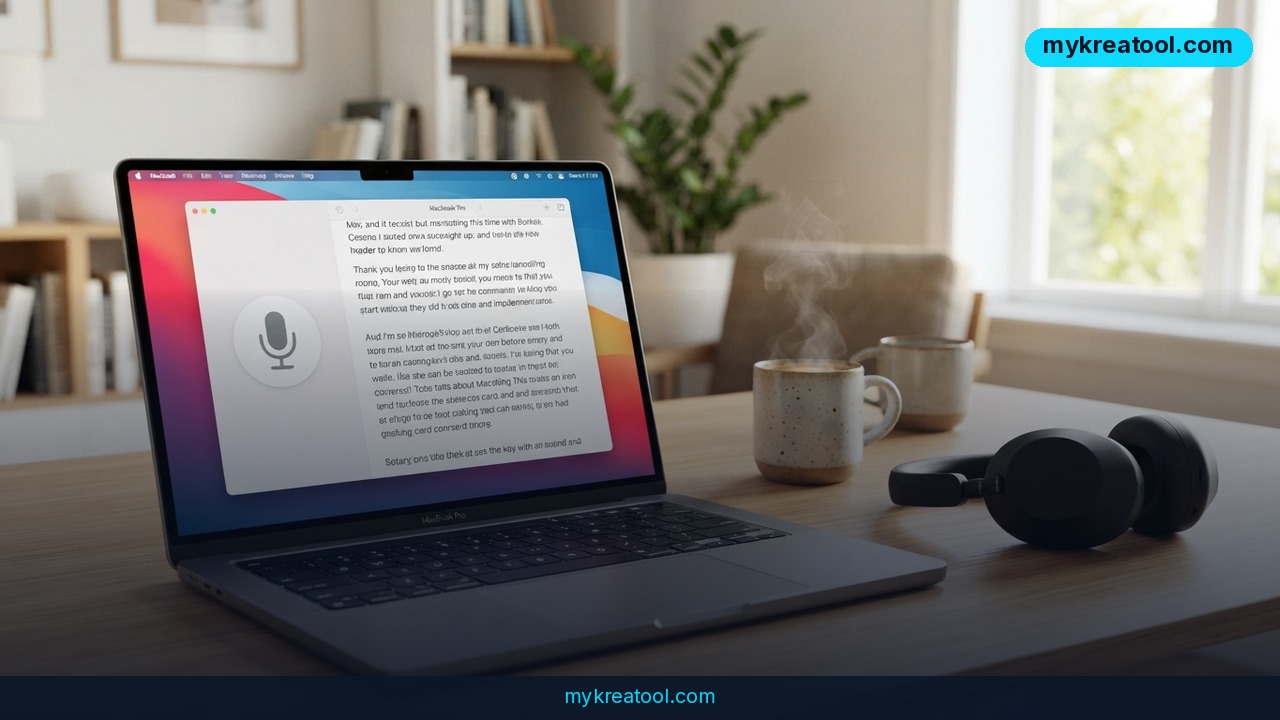
Offline transcription software — the kind that turns recorded speech into text without shipping the file off to somebody else's server — has always been the smart choice and the painful one. The smart part speaks for itself: your client calls, your therapy voice memos, your unreleased podcast episodes never leave your laptop. The painful part was the setup, which usually meant installing Python, wrestling with graphics drivers and typing cryptic commands into a black terminal window just to get started.
Buzz fixes the painful part. It's a free, open-source desktop app that runs Whisper — OpenAI's speech-recognition model — locally on your own machine, and it arrives as a normal installer for Windows, macOS and Linux. A single Telegram post about it pulled 2,363 views and 121 reposts, which tells you how many people have been quietly waiting for exactly this.
What happened
Buzz isn't brand new, but it keeps getting better, and the current version does a lot more than plain speech-to-text. Think of Whisper as the ear and the brain, and Buzz as the friendly face you actually deal with. Most Whisper setups assume you're comfortable living in a terminal. Buzz assumes you're not, and hides every bit of that behind buttons.
Yes, the app itself is written in Python. But that's the developer's problem, not yours — you never touch a dependency, a virtual environment or a command-line install. You download, you double-click, you drag in a file.
The feature list, in plain English
• Transcribes audio files, video files, and video pulled straight from a YouTube link
• Live transcription from your microphone, plus a separate window that displays the text on screen during events and presentations
• Speaker detection (also called diarization), so a four-person meeting comes back labeled by who said what instead of one anonymous wall of text
• Speech separation before transcription, which cleans up noisy recordings and sharpens accuracy
• Export to TXT, SRT and VTT — SRT and VTT are the standard subtitle formats that video players and editors accept
• A transcript viewer with search, playback controls and speed adjustment
• Keyboard shortcuts for fast navigation
• A Watch Folder that automatically transcribes any new file you drop into it
• A command-line interface for scripting and automation
• A plugin system, including AI summarization and automatic resizing and formatting
It also uses the hardware you already own: CUDA acceleration on NVIDIA graphics cards, Apple Silicon support on modern Macs, and Vulkan acceleration through Whisper.cpp on most GPUs — including the integrated graphics chips that don't have a marketing department.
What it means for you
Around the house
That 40-minute voice memo from your dad telling family history, the recording of your kid's first piano recital, the voice notes you keep meaning to write up. Drop them into Buzz, get text back, and stop scrubbing through a timeline hunting for one sentence ever again.
At work
Meetings are the obvious win. Record the call, transcribe it, and you've got searchable minutes in minutes — with names attached, thanks to speaker detection. Job interviews, client calls and training sessions all become Ctrl+F-able.
For your business
Subtitles aren't optional if you publish video. Buzz exports SRT files you can upload straight to YouTube or burn into a promo clip. Switch on the Watch Folder and every new recording your team drops into a shared drive gets transcribed automatically, with no human in the loop.
If you want more free AI tools to sit alongside it — summarizers, image generators, writing helpers — the curated list at mykreatool.com is a good place to browse.
For students and learners
Lecture recordings, language practice, research interviews. Transcribe a seminar and you can search the text for the exact phrase your professor used before the exam, instead of replaying 90 minutes of audio to find it.
For creators
Podcasters get show notes and full transcripts without touching a keyboard. YouTubers get captions without paying yet another subscription. Writers get raw material: talk through an idea for an hour, transcribe it, then edit the transcript into a first draft.
As a way to earn
Transcription and subtitling are real freelance categories, and most commercial services bill by the minute of audio. Running Buzz locally turns that cost into electricity. Suddenly the smaller jobs are worth taking, and captions become an easy add-on to work you're already doing.
How to try it right now
The free option is Buzz itself — there's no paid tier hiding behind it.
1. Download the installer. Go to Buzz Captions on SourceForge and grab the build for Windows, macOS or Linux.
2. Don't panic at the Windows warning. The Windows build isn't code-signed, so SmartScreen will grumble. Click 'More info', then 'Run anyway'.
3. Open the app and pick a model. Bigger Whisper models are more accurate and slower. Start small, see how your machine copes, then move up.
4. Drag in a file or paste a YouTube link. Buzz handles audio, video and links.
5. Turn on speaker detection if more than one person is talking, and switch on speech separation if the recording is noisy.
6. Export. Choose TXT for reading, SRT or VTT for subtitles. Or set up a Watch Folder and let it run by itself.
If you'd rather read the official steps first, the installation guide covers the per-platform details. Developers who want to dig into the code will find it in the Buzz GitHub repo, and there's a clean feature overview at AI Finder Tools.
Upsides and what changes
The privacy angle is the headline. Nothing you transcribe gets uploaded, so confidential recordings stay confidential by default rather than by policy. There's no account, no subscription and no per-minute meter ticking in the background.
Then there's the acceleration. CUDA on NVIDIA cards, Apple Silicon on Macs and Vulkan on most other GPUs means the same file that would crawl on a weak CPU finishes much faster on hardware you already own — including integrated graphics, which is exactly where a lot of local AI tools give up.
Finally, Buzz isn't a one-trick transcriber. The CLI, the plugin system, the Watch Folder and the live-caption window turn it from a neat gadget into something you can build a whole workflow around.
Limitations
Honest version: this is still Whisper underneath, and Whisper makes mistakes. Names, industry jargon, heavy accents and people talking over each other will all trip it up, so anything legal, medical or contractual deserves a human read-through. The Windows build is unsigned, which means a scary-looking warning the first time you install it. You'll want a reasonably modern machine — Buzz runs on CPU, but 'runs' and 'runs fast' are different words. Transcribing a YouTube link obviously needs an internet connection to fetch the video, the first run may need to pull down a model file, and live microphone transcription needs enough horsepower to keep up in real time. It's also a community open-source project, not a company with a support line and an SLA.
Conclusion
A year ago, transcribing your own recordings properly meant paying per minute, uploading private audio to a stranger's server, or spending a weekend learning command-line tools. Buzz collapses all three options into one download that works on the computer already sitting on your desk, in three operating systems, with speaker labels and subtitle export thrown in. It won't replace a human editor for a legal deposition, but for meetings, lectures, podcasts, client calls and side gigs, it's more than good enough — and it costs nothing.
One action for today: open the SourceForge download page, grab the build for your system, and run a single recording you've been putting off transcribing. That's the whole test.


Comments 0