What happened
Suno's Create page has a new input slot, and it takes the plainest musical data there is. You can now kick off a song from a MIDI file: drag a .mid or .midi file straight onto the Create page, or pick MIDI from the "+" menu and browse for one. Then you describe, in ordinary language, how closely the model should follow your file — and it turns those bare notes into a finished-sounding track.
That sounds like a small update. It isn't. Until now, every starting point on Suno was sound: a text prompt, or an audio clip you uploaded. A MIDI file contains no sound at all. Just notes, timing and expression — closer to a recipe than a meal. And that's exactly why it's useful.
What MIDI actually is, in plain English
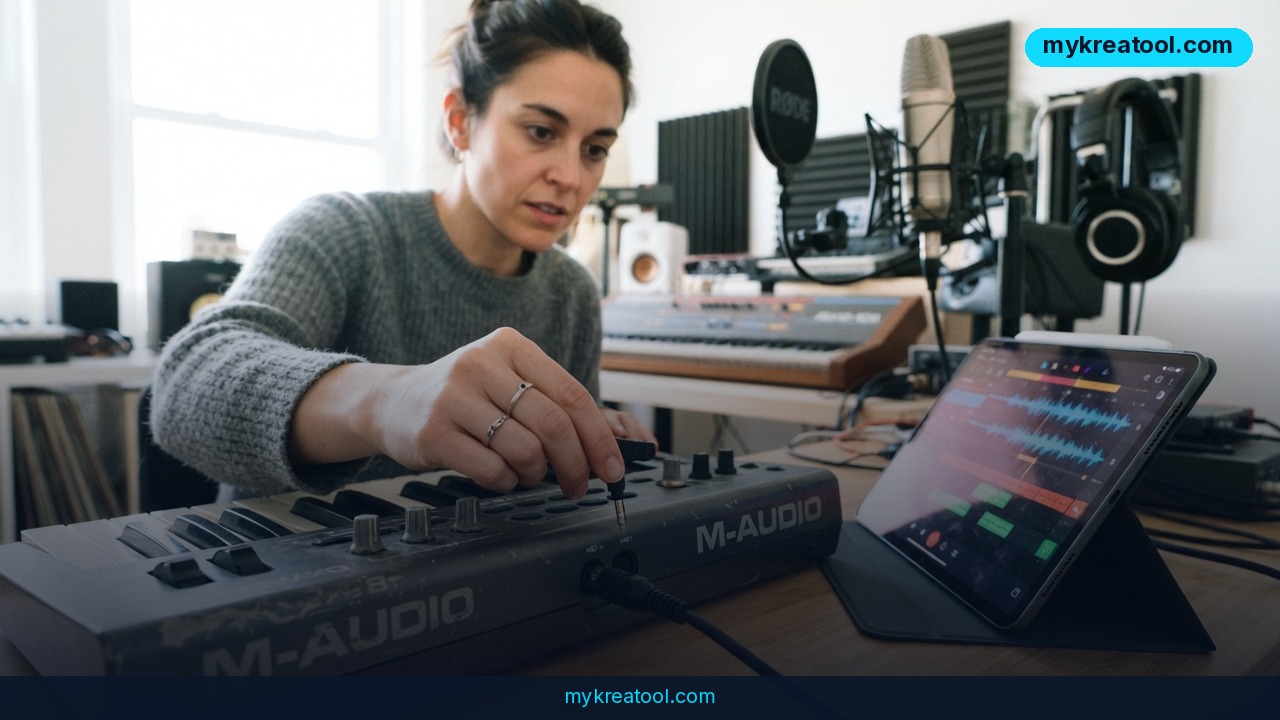
MIDI dates back to the mid-'80s, when hardware synthesizers, samplers and sequencers needed a common language. Those 5-pin cables let devices send, receive and pass data along, staying in sync, while the actual sounds came from whatever was plugged in — the same MIDI part could play back a guitar line or a trumpet part depending on how the receiving device assigned it. Today the 5-pin cable shares the job with USB, minijack and even Bluetooth, and most MIDI now travels "in the box" between a DAW channel and a virtual instrument plugin like Serum or Omnisphere.
It's also a file format: .mid and .midi. One file can hold up to 16 channels of pitch and timing data, each with up to 120 controller lanes covering things like modulation, volume and sustain. Loads of control over the performance — and not a single sound of its own.
Precision a text prompt can't give you
A prompt is a description of what you want. A MIDI file is the actual notes, with exact timing baked in. That's why it's a far more precise starting point than anything else Suno offers. You choose the faithfulness: ask the model to play your notes exactly as you wrote them, or let it lift a motif out of the file and grow something new from it.
What it means for you
Bedroom writers and weekend hobbyists
You've had a melody in your head for months and never finished it. Play it into a piano app, export the MIDI, drop the file on Suno, and hear it as a full production before dinner. Your file locks the notes; Suno brings the drums, the bass and the mix. No keyboard, no interface, no plugins.
At work and in small business
Every small team needs music it can actually use: a 20-second intro for a product video, a bed under a podcast segment, hold music that doesn't sound like hold music. A four-bar MIDI loop is now a brief you can hand over in one sentence — "keep the top-line motif, make it warm and lo-fi" — instead of an afternoon lost in a DAW. That's the difference between "we'll add music later" and shipping this week.
For study, creativity and side income
Music students can sketch an orchestration as MIDI and hear a plausible rendering without owning a sample library. Songwriters stuck mid-verse can feed the same motif in five times with five different prompts and keep the take that unlocks the next line. Freelancers who sell music beds can spin one MIDI idea into genre variations fast — same notes, different world — though it's worth reading the licensing terms of your Suno plan before you put anything up for sale.
When you don't have a MIDI file yet
Half the challenge is simply having something in the right format. If you've only got a hummed idea or a voice note, free AI tools at mykreatool.com can help you shape it into something usable before it ever reaches Suno. Get the notes down first; the arrangement is the easy part now.
How to try it right now
1. Get a .mid file. Export a melody from your DAW, or grab a free MIDI loop from any sample site. A single melodic line is plenty for a first test.
2. Open Suno and go to the Create page. You don't need extra gear, plugins or a studio — a browser and one .mid file is the whole toolkit.
3. Drop it in. Drag the file onto the prompt area, or click the "+" menu and choose MIDI.
4. Say what you want in plain words. For example: "play this melody exactly as written, indie pop, live drums, female vocal" — or "take the top line and develop it into a cinematic build with strings."
5. Generate, then generate again. Two or three takes from the same file will show you how much your wording steers the result. That's your faithfulness dial.
6. Iterate from the file, not the output. Extend, remix or write new sections, but keep the MIDI as your anchor so the song still sounds like your idea.
Upsides and what changes
Hearing MIDI properly used to be painful. Stock synthesizers sound thin without detailed programming, so you spend the writing session listening to fake instruments. Turning raw MIDI into a full-sounding arrangement with big sample libraries like Spitfire Audio or EastWest takes specific skills, thousands of dollars and hundreds of gigabytes of disk space. Suno's MIDI input skips all of it. No library, no install, no programming — you go straight to the only question that matters: does this arrangement work? You keep the idea, and you hand off the rendering.
Limitations
Be clear-eyed about this one. MIDI carries no sound information, and even well-programmed MIDI can't express certain articulations or timbre adjustments — a bowed swell, a breathy sax, the way a guitarist digs into a note. Those details don't survive the trip, so Suno fills the gaps with its own choices. What comes back is an interpretation of your file, not a faithful read of your score, and the precision you get is precision of notes and timing rather than of feel. That's a great starting point and a poor substitute for a session player when the small stuff is the whole point.
Conclusion
MIDI upload turns Suno from a generator into a collaborator that respects what you wrote. It won't replace a real musician, and it won't read your mind about articulation — but it will get you from a scribbled motif to a full-sounding track in the time it used to take to load a sample library. Your move: export one four-bar melody as a .mid file today and drop it on the Create page. That single test will tell you more than any review.



Comments 0