What happened
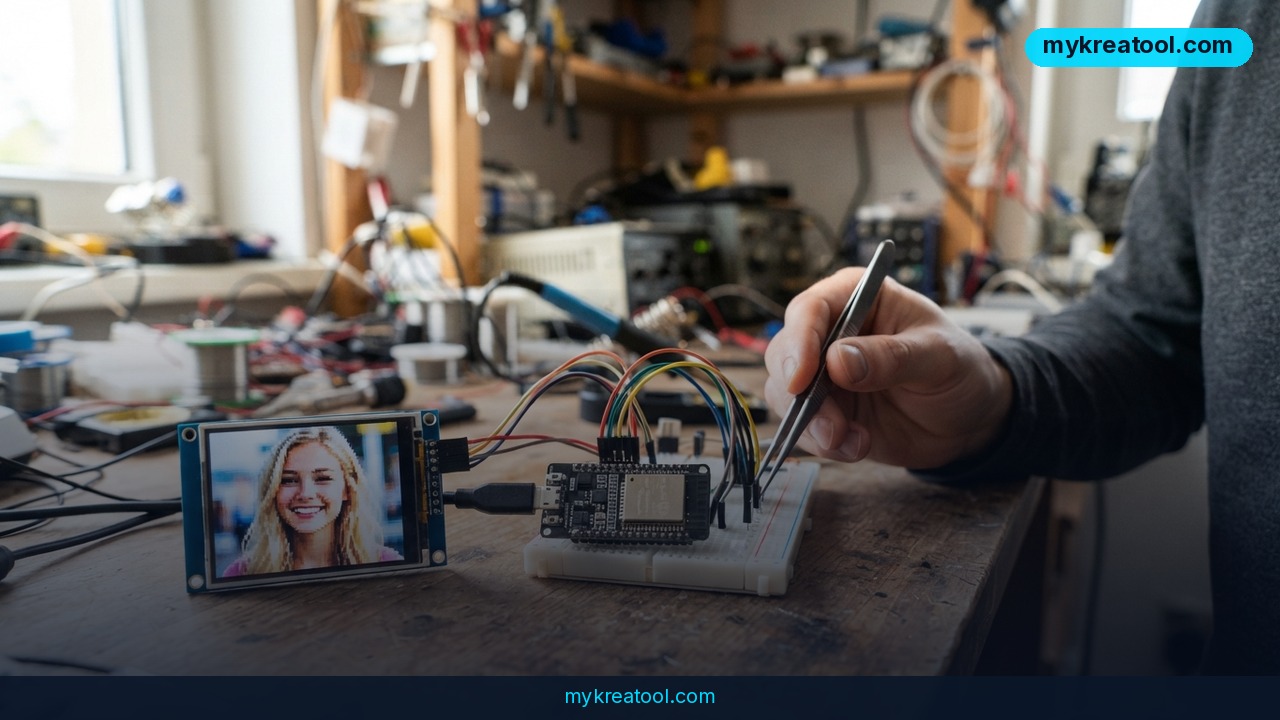
A developer who posts as Nikuson just published a deep dive on Habr that does something I genuinely didn't expect to see for another few years: real text-to-image generation on a microcontroller, with no cloud, no API call, and no GPU anywhere in the chain. His board is an ESP32-S3 — the kind of chip that costs a few hundred rubles and usually ends up blinking LEDs in somebody's garage. You type "a smiling girl with blonde hair," send it down the USB cable, and 5.4 seconds later the chip hands back a 64×64 pixel face.
The whole diffusion process runs on that one chip. Nothing leaves the board.
Meet the hardware — it's smaller than you think
Here's everything the ESP32-S3 brings to a neural network:
• CPU: two Xtensa LX7 cores at 240 MHz, plus single-precision floating point. But no tensor cores — the specialized math units that make big AI chips fast.
• SRAM: 512 KB on paper, roughly 320 KB actually free for the model.
• PSRAM: 2 MB, and it's slow, because it talks over quad SPI.
• Flash: 8 MB, mapped into the address space through a cache.
• SIMD: a PIE vector unit with 128-bit registers that can do 16 int8 multiplications in a single instruction.
That last bullet is the entire ballgame. It's the one part of the chip that acts like a tiny AI accelerator.
Why Stable Diffusion was never going to fit
For scale: Stable Diffusion wants a graphics card with 4–8 GB of video memory. Flux wants 12 GB, and 24 GB if you've got it. The CLIP text encoder from Stable Diffusion alone weighs 250 MB — that's 500 times more memory than the whole chip has.
So Nikuson didn't shrink an existing model. He built a new one from scratch, starting from the silicon and working backwards.
The five trade-offs that made it possible
1. Faces only. Ask it for a cat riding a skateboard and it'll shrug. He trained on CelebA, a public dataset of face photos tagged with 40 yes/no attributes like "smiling," "glasses," and "beard." Narrow — but instantly readable to a human.
2. 64×64 pixels. Any smaller and you can't tell it's a face. Any bigger and it won't fit.
3. Diffusion in a compressed sketch. Instead of diffusing every pixel, it works on a latent grid of 16×16×4 — about 12× less data. Think of roughing out a mural on a sticky note before you commit paint to the wall. The decoder that turns the latent into real pixels runs once, at the very end.
4. A transformer instead of a U-Net. The diffusion transformer (DiT) processes 64 tokens, which is basically a big pile of matrix multiplications. That means the entire network boils down to one core operation — int8 × int8 → int32 — and that one operation can be hand-tuned in assembly for the S3's vector instructions. That's where the "dirty tricks" live.
5. A micro text encoder. No CLIP. Instead, a tiny transformer and a vocabulary of just 45 "words."
Two more tricks that buy real speed
int8 quantization everywhere — weights and activations in int8, accumulator in int32. Quantization just means rounding your numbers to a coarse scale, like measuring with whole inches instead of micrometers. It saves memory and lets the vector unit chew through 16 pairs of int8 per instruction.
Rectified flow instead of classic DDPM. The older approach can need anywhere from 50 to 1000 denoising steps. Rectified flow gets a decent picture in 8.
There's also batched classifier-free guidance: normally that means running the network twice per step, so he glues both branches into a single batch and the weights get read from flash once instead of twice.
And the training captions? CelebA has no text at all, just binary tags, so he generated Russian captions on the fly — different ones on every pass, with proper gender agreement — so the model learns from incomplete descriptions instead of memorizing fixed sentences.
What the demo actually looks like
The prompt goes out over USB. The chip logs each step, then sends back an image the client draws in your terminal using half-block characters. Roughly 4.8K people have read the write-up so far, and it's flagged "Hard" with a 14-minute read.
What it means for you
The headline isn't "a chip drew a blurry face." It's "the floor under AI image generation just dropped through the basement." Here's how that lands in real life.
At home
Your smart doorbell could eventually tell you who's at the door without uploading footage anywhere. No subscription, no cloud bill — the chip inside the device does the thinking.
At work
Anything that has to be fast and offline gets more interesting: a factory camera spotting a missing label, a kiosk that sketches a customer's logo idea on the spot. Work that used to need a server can now sit in a chip that costs pocket change.
For a small business
Product mockups, menu illustrations, quick concept art — you don't need this board for any of it, and that's exactly the point. Things that once required a rented GPU are already free in a browser tab. The ESP32 demo just proves how cheap the underlying math has become.
For students and teachers
This is a fantastic teaching artifact. Everything is small enough to actually read: a 45-word vocabulary, a tiny network, 8 steps. You can see the entire thing instead of trusting a black box.
For creators
The creative upside isn't the 64×64 output — it's that generation can happen inside a device with no internet. Sketch tools that work in a basement, on a plane, on a farm. Ideas that stay yours because nothing leaves the hardware.
For income
Small, private, offline image tools are a genuine niche: hardware art toys, offline prompt stations, custom badge makers. And the author's own path — building something that sounds impossible and writing it up — is a business model in itself.
How to try it right now
The free route (start here)
You don't need to solder anything, not even close. If what you actually want is to turn a sentence into a picture in seconds, use a free browser tool. MyKreaTool runs text-to-image generation for free with no GPU and no install, and you'll have your first image before an ESP32 would finish booting. Write a specific prompt — subject, lighting, style — then iterate.
The hardware route, step by step
This one's for tinkerers, and it's honest work:
1. Get an ESP32-S3 dev board. A few hundred rubles. Any S3 variant with 2 MB PSRAM and 8 MB flash in roughly that ballpark.
2. Read Nikuson's write-up on Habr. It's rated "Hard" and takes about 14 minutes to read — that's the reading part, not the building part.
3. Set up your toolchain. You'll be compiling and flashing firmware, and the speed-critical kernels are hand-written assembly for the S3's vector unit.
4. Prepare the tiny models. A small DiT over 64 tokens plus the tiny text encoder, quantized to int8.
5. Flash it and talk to it over USB. Send a prompt, watch the step log, and get your 64×64 face drawn in half-blocks.
There's no app store download waiting at the end of this. It's a build, not a product — expect an evening-plus of fiddling and bring patience.
Upsides and what changes
The real takeaway is that diffusion doesn't need a data center anymore. Strip away the fat — narrow domain, 64×64 output, latent space, int8 math, 8 rectified-flow steps — and it runs on a chip with 320 KB to spare. Those exact same tricks are what make the big cloud models cheap to serve. Here they're just cranked to the extreme.
Second, it's private by design. When the model lives on the device, nothing gets uploaded. For anyone who worries about where their prompts and photos end up, that's a real answer, not marketing.
Third, latency. 5.4 seconds on a 240 MHz chip is slow next to a GPU, but it's local — and local beats fast-and-round-trip the moment your connection is bad or your data legally can't leave the room.
Limitations
Let's be straight about what this isn't. It draws faces and nothing else: 64×64, from a 45-word vocabulary, and it will happily ignore anything outside its tiny world. No photorealism, no text rendering, no hands, no scenes, no editing. The 320 KB memory ceiling and the slow quad-SPI PSRAM set a hard wall, and the captions it learned from were Russian attribute strings, not rich descriptions. It's also a research build on a blog rather than a supported product — nobody is shipping you a firmware update. And the comparison to Stable Diffusion cuts both ways: the big model still wins on everything except fitting on your desk.
Conclusion
A microcontroller with no tensor cores just drew a face from a sentence in 5.4 seconds. That's not a party trick — it's a signpost. The interesting question stopped being "can AI run at the edge?" and became "what should you build now that it can?"
Your one action today: open a free text-to-image tool like MyKreaTool in your browser and generate an image from a prompt. No hardware, no GPU, no waiting. Then, if you're the type who owns a soldering iron, go read Nikuson's build on Habr and see how deep the rabbit hole goes.


Comments 0