What happened
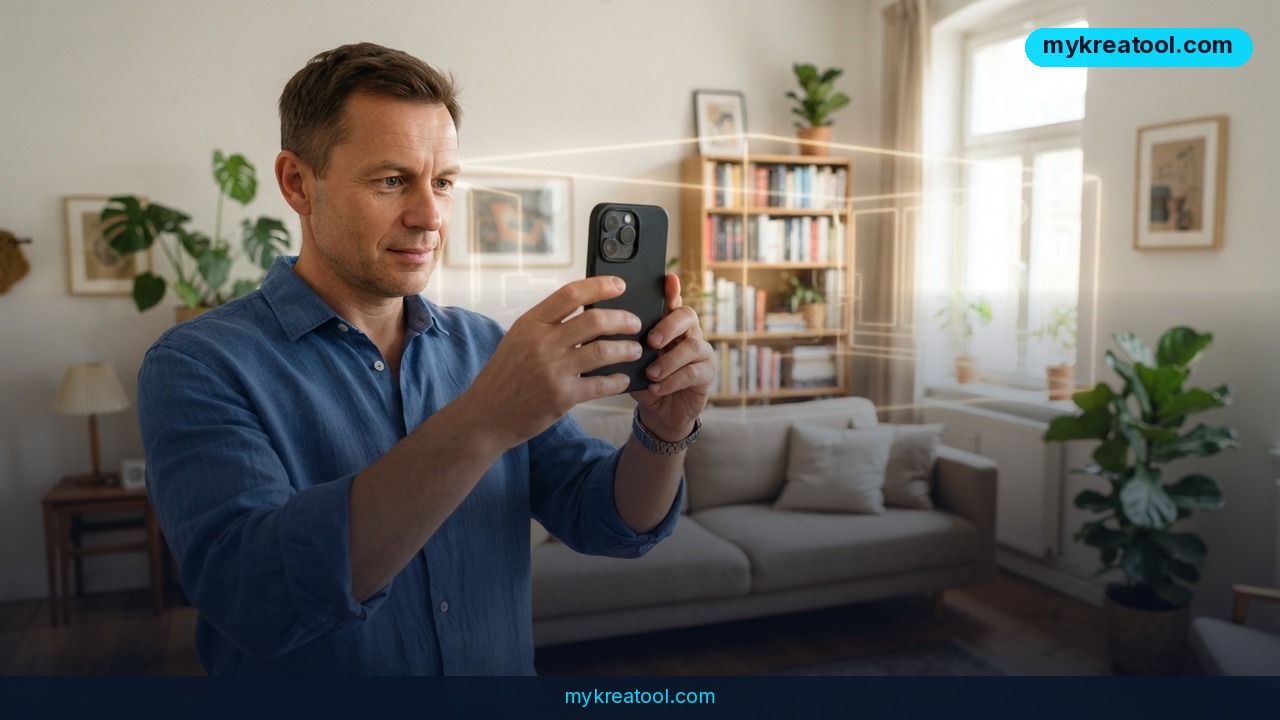
SpAItial has launched Echo-3, an app that makes iPhone 3D scanning about as much effort as shooting a home video. You open the app, walk slowly around a room for a few minutes, and it hands back a photorealistic 3D scene you can fly through on screen. The company calls Echo-3 a "world model" — a piece of AI that doesn't just record what the camera saw, but builds a model of the space itself.
The engine underneath is Gaussian Splatting. In plain terms: the older generation of 3D capture tools tried to wrap a solid skin of triangles around a space, the way a wireframe mannequin gets dressed. Splatting skips the mannequin. It fills the volume with millions of tiny colored blobs, each carrying a bit of color and light, and when you look at that cloud from any angle it reads as a photograph. Think of a pointillist painting you can walk into.
What's actually new here isn't the pretty pictures. It's the guessing.
The part that feels like magic
Echo-3 doesn't only rebuild what your camera genuinely saw. If you walked past a chair too fast, or never got behind the kitchen island, the model fills in the missing geometry with something plausible. That's a real shift in how these tools behave. Until now, a hole in your scan stayed a hole. You'd reshoot the room or spend an evening patching it by hand.
SpAItial also claims the model keeps true-to-life scale, so a 4-meter wall stays 4 meters and the gap between two sofas stays honest. And the demos go well beyond a single bedroom: apartments, public spaces, factory floors, multi-storey buildings, even street exteriors.
The release has been covered by Startup Fortune and Radiance Fields, and the details are on SpAItial's own release post and in this Spatial Insiders breakdown. The short version: iPhone only for now, first month free for new subscribers, Android promised somewhere down the line.
What it means for you
Strip away the jargon and this is a camera that produces rooms instead of photos. Here's where that actually lands in ordinary life.
At home
You're moving out and the landlord wants the deposit back. Instead of 60 blurry phone photos of every scuff and tile, you walk the flat once and keep a 3D record with real dimensions. Six weeks later, nobody can argue about what the kitchen looked like. Same trick works before a renovation — capture the "before" state properly, then hand the scan to a contractor instead of trying to describe your hallway over the phone.
At work
Anyone who's tried to explain a floor plan to a remote colleague knows the pain. A scan of the actual office — desks, doors, that awkward pillar nobody remembers — kills an entire meeting's worth of confusion. Facility teams, safety inspectors and IT crews who need to plan cable runs all get something more useful than a marked-up PDF.
For business
Real estate listings are the obvious one. A walkthrough you can explore beats twenty staged photos, and it takes minutes to shoot. Retailers can capture a store layout before a refit, event planners can scan a venue and sketch setups in place, and small manufacturers can document a production line without hiring a 3D scanning contractor.
For study
Architecture, interior design and engineering students usually work from photos and CAD plans. Being able to capture a real building's actual proportions, then compare your model against reality, closes a gap that used to need lab equipment. Field trips suddenly produce data instead of camera-roll clutter.
For creativity
Game artists, set designers and filmmakers use captured spaces as backdrops and reference. Photoreal environments that used to mean a week of modeling can start as a ten-minute walk around a warehouse. You're not getting a finished game asset — but you are getting a starting point that looks like the place you stood in.
For income
There's a small but real market in shooting spaces: virtual tours for estate agents, digital twins for property managers, reference scans for studios. The barrier to entry just dropped from "own a LiDAR rig and know the software" to "own an iPhone." That's the kind of shift that quietly creates a side hustle.
How to try it right now
Start with the free option, then look at the alternatives.
1. Get the app. Install SpAItial Echo-3 from the App Store. It's iPhone only for now — if you're on Android, you'll have to wait.
2. Sign up for the free month. New subscribers get the first month free, which is enough time to figure out whether it earns a place on your home screen.
3. Pick an easy room first. A furnished living room with decent light is a better first target than an empty white corridor. Flat, blank surfaces are the hardest thing for any capture tool to lock onto.
4. Walk, don't spin. Move smoothly and slowly, keeping walls, furniture, ceiling and floor in frame. No tripod, no LiDAR, no special anything — that's the whole point.
5. Cover the awkward bits. Because Echo-3 fills gaps, a sloppy scan still produces a model. But the more you actually film, the less the AI has to invent on your behalf.
6. Check the scale before you trust it. Drop the result into whatever you're using it for and verify one known measurement — a door frame, a standard desk — before you build a quote around it.
If you want free AI tools to prep images, clean up textures, or generate supporting visuals for a listing or pitch deck, MyKreaTool has a solid free set worth bookmarking.
The alternatives worth knowing
Postshot runs on Windows and processes everything locally on an NVIDIA CUDA GPU. It accepts MP4, MOV and still photos, rebuilds the scene, lets you create and animate a virtual camera, render video, and it plugs into After Effects. Local processing means no upload queue and full control — but you need the hardware.
Polycam is the other name people reach for, and it's a solid choice for quick captures straight from an iPhone. Less of a world model, more of a reliable everyday scanner.
Upsides and what changes
The headline win is that the hardware requirement just collapsed. Photoreal 3D capture used to sit behind dedicated sensors and desktop software. Now it's a free-first-month app and a phone that's already in your pocket.
The second win is gap-filling. It sounds like a detail; it isn't. Most of the labor in 3D capture has always been fixing what the camera missed. Automating that turns a two-hour chore into something you do on a coffee break.
The third is scale. A tool that knows a room is 4 meters wide isn't a toy — it's something a contractor, insurer or property manager can actually work from.
And the category signal matters too. "World models" are where a lot of AI money is heading right now, and seeing one ship as a consumer iPhone app rather than a research demo tells you how fast this is moving.
Limitations
Be clear-eyed about what you're getting. Echo-3 is iPhone-only today, Android is a promise rather than a date, and the first month free means a subscription sits behind it — the pricing past that point is something you'll want to check before you commit. "Photorealistic" comes with the company's own quiet caveat: almost. Gaussian Splatting looks stunning from the angles you filmed and gets softer where it's guessing. That gap-filling feature is genuinely useful and genuinely a guess — if the AI invents a wall where there was a doorway, nothing warns you. Real-scale claims are the developer's, not an independent surveyor's, so treat the models as visually accurate rather than legally accurate. Large spaces, multi-floor buildings and streets are shown in demos, which is not the same as saying every phone handles them smoothly. And the whole category is young: independent accuracy testing on Echo-3 specifically is still thin, so don't bet a client deliverable on it until you've run your own comparison.
Conclusion
A phone that turns a five-minute walk into a photoreal 3D room is a genuinely different tool from a phone that takes photos — and Echo-3 is the first one aimed at ordinary people rather than studios. It won't replace a surveyor, and it will occasionally make things up. But for documenting a flat, pitching a venue, or starting a 3D scene from something real, the entry price is now a free month and a slow walk around the room.
One action for today: open the App Store, install SpAItial Echo-3, and scan the room you're sitting in right now. Ten minutes from now you'll know whether this belongs in your workflow — and you'll never wonder what your kitchen looks like in 3D again.

Comments 0