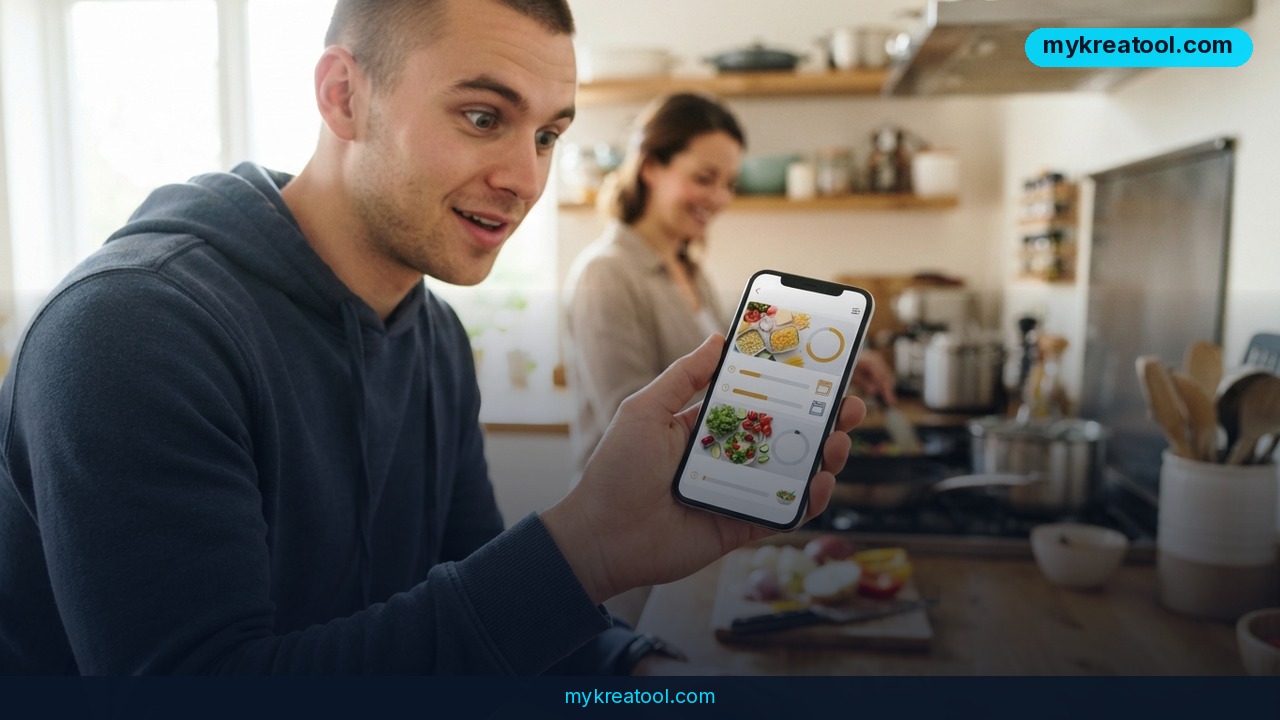
ChatGPT has stopped answering every question with a wall of text. The chatbot's new Intelligent UI — a layer that decides on its own whether to reply in words or with a working, clickable tool — is now live for free accounts, running on a model called GPT-6 Luna. If you've ever typed "help me split this bill" and gotten back three paragraphs of algebra, this update was built for you.
What happened
OpenAI rolled the feature out in two waves. Paid subscribers got it first, running on GPT-6 Sol. Free users got the same interactive answers a day later, on GPT-6 Luna. The update is going out gradually rather than all at once, so plenty of people still don't see it yet.
The core idea is simple: ChatGPT now picks the format for you. Ask it to explain gross domestic product and you might get an interactive walkthrough instead of a dictionary definition. Paste in a dinner receipt and ask for a "splitter" and you'll get a tool you can actually type numbers into. Want a savings calculator? You don't build one — you just ask for one. Coverage of the launch also points to faster responses overall, so it's not only about the visuals.
What "Intelligent UI" actually means in plain English
Think of the old ChatGPT as a waiter who describes the cake. The new one hands you the cake and a fork. Or, if you prefer: you used to get a recipe read aloud to you — now you get a kitchen timer that's already set. "UI" simply means user interface, the part you click, type into and look at. "Intelligent" means the model, not you, decides whether that interface should exist at all for a given question.
Why that matters more than it sounds
Every earlier version of ChatGPT had exactly one output: text. You adapted to it. Now the output adapts to you. That removes the most annoying step in everyday AI work — the follow-up prompt where you say "okay, now put that in a table" or "can you make that a checklist instead?" Those cleanup prompts are where most people give up.
The official sources
The rollout has been covered widely, and the details line up: MacRumors, Mashable India, The Indian Express and Engadget all confirm that the interactive layer has reached the free tier.
What it means for you
At home: dinner for six, actually solved
Give it a real chore with real constraints. The example OpenAI's own coverage uses is a good one: ask for a plan to cook dinner for six people by 7:00 pm with everything ready at the same time. Instead of a wall of instructions you have to re-sequence in your head, you get a timeline you can glance at with one eye while stirring a pan.
At work: receipts and budgets
The receipt trick isn't a gimmick. Send a photo of a group dinner bill, ask for a splitter, and you skip the spreadsheet and the awkward "who had the lobster?" conversation. The same instinct — "turn this mess into something I can interact with" — works on project budgets, staffing plans and week-by-week timelines.
For your business: mini tools for clients
If you sell anything with numbers attached, this is quietly useful. A savings calculator, a rough quote estimator, a "how much will this cost over 12 months" widget — you can now spin these up inside a chat instead of hiring someone or wrestling with a plugin. It's not a finished web app, but it's a working prototype in under a minute, which is often all you need to test an idea with a customer.
For studying: GDP in pictures
Abstract concepts are where interactive answers shine. Ask ChatGPT to explain what GDP is and it can walk you through it visually rather than making you parse a paragraph of economics. For students and anyone teaching themselves a new field, being able to poke at an idea beats reading about it.
For creative work: plans you can reshape
Once dinner-planning becomes interactive, so do shoot days, content calendars, episode outlines and event run-of-show documents. Instead of rewriting a paragraph to move one item, you can adjust the thing itself and see the knock-on effects.
For extra income: calculators as a service
Freelancers, consultants and coaches charge real money for exactly this kind of small tool: the pricing calculator, the ROI estimator, the savings planner. Being able to mock one up in a chat in two minutes changes how you pitch and how fast you can say yes to a client's "can you show me what that'd look like?"
If you want to pair these interactive answers with other free AI tools for writing, design and image work, mykreatool.com keeps a curated set of them in one place.
How to try it right now
Start with the free option — that's the whole point of this update. You don't need a paid plan to see interactive answers.
1. Open ChatGPT on a free account. Free users are on GPT-6 Luna; paid subscribers are on GPT-6 Sol.
2. Ask for an outcome, not a document. Describe what you want to be able to do when the answer arrives.
3. Paste this exact prompt: "Build a plan for cooking dinner for 6 people by 7:00 pm so that everything is ready at the same time."
4. If you get plain text back, nudge it: "Turn this into an interactive timeline" or "Make this a calculator I can enter numbers into." The model decides the format, but it takes direction.
5. Try the receipt version too: upload a photo of a bill and ask for a splitter.
One thing to expect: the update is being rolled out in waves, so if nothing interactive shows up, it's not you. It'll land on your account later.
Upsides and what changes
Fewer follow-up prompts, less copy-pasting into spreadsheets, and answers you can read at a glance instead of decoding. The bigger shift is psychological: you stop thinking of ChatGPT as a text box and start treating it as a tool that builds tools. That changes what you bother asking for. A question you'd never type because "the answer would just be a blob of text" suddenly becomes worth asking.
And the free tier is where the real story sits. Intelligent UI reaching free accounts on GPT-6 Luna means the interactive layer isn't a premium perk — it's the default.
Limitations
Let's be honest about what this isn't. Interactive widgets inside a chat aren't finished software: you can't necessarily save them, hand them to a colleague as a standalone tool, or trust them the way you'd trust a tested app. The model decides when to go interactive, which means you can't always force the format you want — you can steer it, not command it. The rollout is staggered, so availability depends on your account and your timing. And while free users get the same Intelligent UI, they're on GPT-6 Luna rather than GPT-6 Sol, and OpenAI hasn't published a detailed breakdown of how the two differ in practice. Treat it as a fast way to think with numbers, not as a replacement for the tools your business actually runs on.
Conclusion
ChatGPT's Intelligent UI on GPT-6 turns a text box into something closer to a workspace, and it's now available to free users too, not just paying ones. For entrepreneurs, marketers and creators, the practical upside is speed: less prompting, fewer cleanup steps, more finished-looking answers on the first try.
One action for today: open ChatGPT, paste the dinner-for-six prompt above, and watch how it responds. If you get an interactive plan, you've got your hands on the new default. If you get plain text, try the nudge — and check back in a day or two, because the update is still making its way around.

Comments 0