What happened
There's a new shortcut for anyone who's ever wanted a custom tool but couldn't justify hiring a developer. DeepSeek has published a collection of seven prompts for Harness Creator Mode — the feature that lets its coding agent assemble working no-code AI tools right inside the app. Paste a prompt, and the model builds the interface for you: panels, buttons, a timeline, a viewer. No markup, no framework, no contractor.
The prompts are printed in full on DeepSeek's own CDN. Nothing is blurred out, nothing sits behind a waitlist. You can copy one, run it, and see what lands.
What Harness and Creator Mode actually are
Harness is DeepSeek's coding agent — picture a junior developer who works entirely inside a chat window. Creator Mode is the corner of it that builds tools instead of scripts. A "plugin," in this context, is just a small app that lives inside the bigger app.
The analogy that works best is your phone's home screen. The phone is Harness; each widget is a plugin. Creator Mode is the factory that stamps out new widgets on demand. That's the whole idea, and it's why the prompts matter more than they look: each one is a blueprint a non-technical person can actually use.
MindStudio's walkthrough of the Harness agent and a community repo that mirrors the prompt collection are both worth a skim if you like checking receipts before you click.
The seven prompts, and the six DeepSeek names
The collection has seven entries; DeepSeek spells out six of them with descriptions:
• A 3D visualization of a Transformer architecture — you can rotate the model and watch how the math flows through each layer.
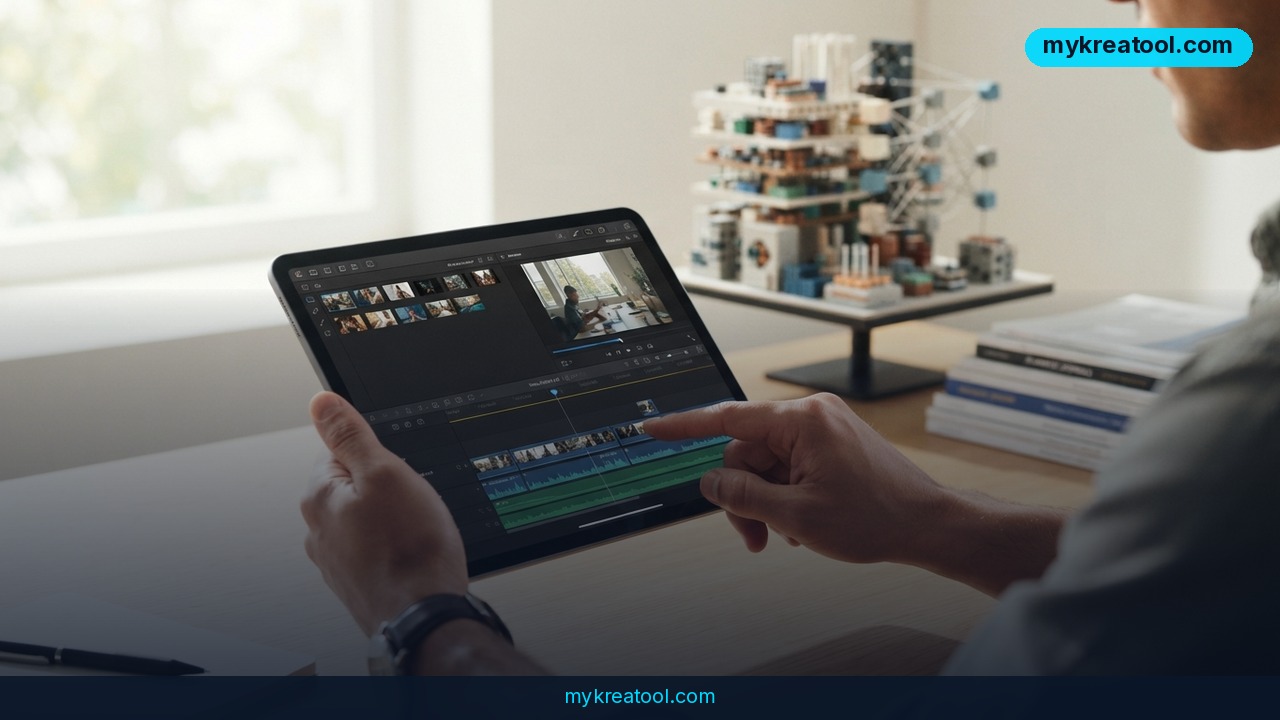
• A full video editor with a real timeline, a preview window, and editing you control by typing in chat.
• A research paper reader that keeps the original PDF layout intact, lets you highlight passages and leave notes, and lets you discuss the document with the model.
• A poster editor.
• An interactive gallery of landmarks.
• A monitoring dashboard that shows token usage, the rough cost of each request, and CPU load.
One honest caveat straight from DeepSeek: some of these plugins needed several rounds of back-and-forth before they worked properly. The first output is a starting point, not a finished product.
What it means for you
Strip away the demo gloss and this is a time shortcut. Normally, "build me an internal tool" means scoping calls, a designer, a developer, and a budget line. Here it means one prompt and a handful of follow-ups. You're not learning to code — you're learning to describe what you want with enough precision that a very literal assistant can build it. Most people already half-have that skill from writing clear instructions to a colleague.
If you want to stack this with other options while you experiment, mykreatool.com keeps a running list of free AI tools worth trying.
At home: find out what your AI habit actually costs
The token dashboard is the sleeper hit of the bunch. Most people have no idea what a long chat session costs them — it feels free because it doesn't show up as a receipt. A panel that shows spend per request, plus how hard the processor is working, turns that vague anxiety into a number you can look at. Build it once, keep it open in a tab.
At work: read dense documents without losing the page
The paper reader solves a genuinely annoying problem. Convert a PDF to plain text and the layout collapses — tables scramble, footnotes drift, figures lose their captions. This viewer keeps the original page intact and layers highlighting and notes on top. For anyone who reads reports, contracts, or academic papers for a living, that's the difference between skimming and actually understanding.
For business: skip the designer for small jobs
The poster editor covers the requests that are too small for a design retainer and too important to do badly: a sale announcement, a hiring notice, a menu update. And the monitoring dashboard is a real operations tool — if you're paying per token, knowing which prompts are quietly expensive changes how your team writes them.
For study: see inside a Transformer
Attention, embeddings, layers — these words get thrown around constantly and explained badly. A rotatable 3D model you can poke at does more for comprehension than three chapters of theory. If you're a student, a teacher, or just curious, this is the one to build first.
For creativity: edit video by talking to it
A timeline, a preview, and chat-based editing in one window. The chat part is what's interesting: "cut the pause at the start," "swap these two clips," "tighten the ending." Instead of hunting for a menu, you describe the change. For creators who think in sentences rather than shortcuts, that's a genuinely different way to work.
For extra income: build the tool, sell the setup
Small businesses don't want prompts — they want a finished thing that works. If you get fluent at iterating on these plugins, you can sell the result: a custom dashboard, a branded document reader, a simple editor tuned to one client's workflow. The prompts are free; the taste and the iteration time are what you're charging for.
How to try it right now
1. Open the source. Go to the DeepSeek Harness Creator Mode prompt collection. It's free and in English.
2. Open DeepSeek Harness and switch on Creator Mode. That's the exact tool name — Harness, Creator Mode.
3. Start with the simplest prompt. Don't open with the video editor. The dashboard or the gallery will teach you how the model responds before you ask for anything complicated.
4. Paste the prompt whole. Resist the urge to trim it. The specificity is the point.
5. Expect to iterate. DeepSeek is upfront that some plugins took multiple passes. Treat round one as a draft and reply with corrections the way you'd redline a document.
6. Swap in your own data. A landmark gallery is a demo; a gallery of your product line is a tool. Change the content, keep the structure.
7. Save the working version. Once a prompt produces something you like, store the final prompt alongside it. That's your reusable template.
If you'd rather browse before you build, this plain-English breakdown explains how the mode fits into DeepSeek's lineup.
Upsides and what changes
The big shift here isn't the tools themselves — it's who gets to make them. Until recently, "I want a dashboard that shows my token spend" was a request you sent to someone else and waited on. Now it's a paragraph you type. That collapses the distance between having an idea for a small tool and holding it in your hands, and it does so without asking you to learn a syntax you'll forget in a month.
Second upside: the examples are unusually honest. A collection that includes the messy bits — the iterations, the plugins that fought back — is more useful than a highlight reel, because it sets your expectations where they should be.
Limitations
DeepSeek says outright that some plugins needed several rounds of refinement, and that's the real cost: your time, spent correcting and re-prompting. The demos are also demos — a landmark gallery is not a production app, and none of this comes with the things real software needs, like user accounts, permissions, backups, or a support line when it breaks at 2 a.m. The outputs are also tied to the Harness environment, so a tool you build lives there rather than on a server you control. And like any generated interface, the polish varies: the 3D visualization looks impressive, while a poster editor may still feel like a rough sketch you keep nudging. None of that makes it useless — it just means you should judge the results as prototypes, not finished products, and budget a few rounds of iteration before showing anyone.
Conclusion
Seven prompts won't replace a development team, but they will get you from "I wish I had a tool for this" to something clickable in an afternoon, and that's a meaningful change for anyone running a small business, slogging through PDFs, or trying to actually understand what a Transformer does.
The action for today: open the prompt collection, pick the token monitoring dashboard, and run it once. It's the lowest-risk starting point — you'll learn how Creator Mode responds, and you'll end up with a tool that tells you something you probably don't know about your own AI spending.


Comments 0