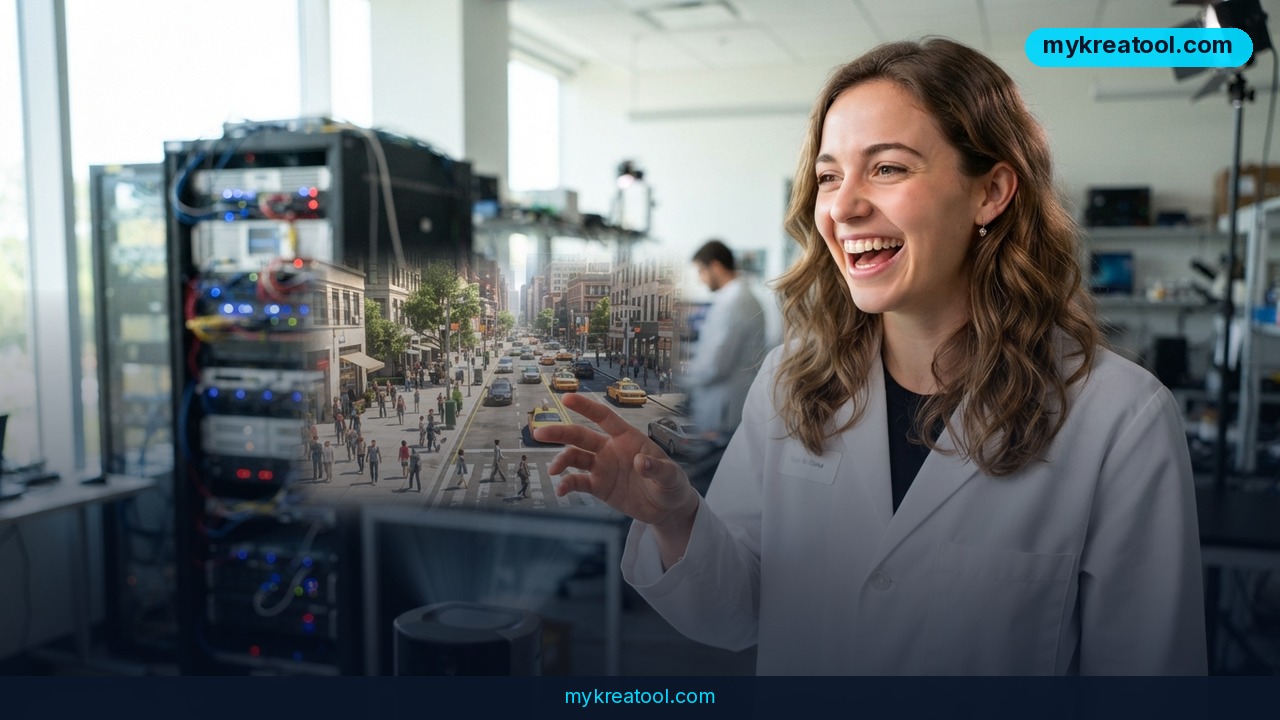
Genie 4, the new world model from Google DeepMind, doesn't just paint a scene — it plays it forward, with music, ambient noise and characters who actually speak. Announced on October 27, 2026, it takes a line of text and turns it into a world you can steer in real time with ordinary keyboard controls, while the software keeps the place feeling like the same place from one second to the next.
A world model, in plain English, is software that has learned how things behave — how fog drifts across water, how a person shifts their weight, how a room sounds when someone walks in — so it can predict what happens next instead of drawing one pretty frame. Think of it as a flight simulator for everyday reality, except you type the destination.
What happened
The announcement, minus the jargon
DeepMind's Raia Hadsell, Diego Rivas and Hang Qi introduced Genie 4 as "a new generation of world simulation." The pitch comes down to three upgrades: sharper, more photographic visuals; smoother, more fluid movement; and native audio. That last one is the headline. The music, the background hum, the voice of the character you're talking to — Genie 4 generates all of it itself, at the same time as the picture. Nothing gets dubbed in afterwards.
The post also lists four key capabilities, and the one it demos most closely is real-time shaping: you type a change, and the world changes around it immediately while Gemini adapts your instruction to fit what's already on screen.
What "natively multimodal" actually means
Multimodal means one system handles several kinds of information — text, images, sound — instead of a chain of separate tools passing files to each other. "Natively" means it was built that way from the ground up rather than having audio bolted on later. A useful analogy: a band jamming together in one room versus four musicians recording alone in four studios and hoping the tracks line up. Genie 4 is the band.
Where Gemini fits in
Genie 4 doesn't work alone. Gemini Omni, part of Google's Gemini family, anchors each simulation in real-world appearance and behavior — the set designer making sure a lake looks like a lake. Other Gemini models supply the reasoning that keeps a scene coherent: change the weather, and they help the light, the sound and the way people move adjust together instead of falling apart. Call them the script supervisor, quietly fixing continuity between takes.
Why DeepMind is calling it a step toward AGI
AGI, or artificial general intelligence, is the industry term for AI that can handle virtually any task a human can. DeepMind says outright that understanding and simulating the world is a crucial part of getting there. There's a practical angle too: endlessly variable simulations are a cheap way to train robots and AI agents before they touch anything real and breakable.
What it means for you
At home: cheaper daydreams
You don't need a studio to mock up a room makeover or a garden layout anymore. Describe the space, walk around it with your keyboard, then change the light from overcast to sunset with a sentence. It's a sketchpad that answers back.
At work: practice without the risk
Robots and software agents learn by trial and error, and errors in a real warehouse or on a real road are expensive. Simulated worlds give them a place to fail a thousand times for free. If your job involves training people — safety drills, onboarding, customer conversations — the same logic applies with a human in the chair.
In business: prototypes that talk back
Static mockups and slide decks have a ceiling. A prompt like "floating platform on a quiet lake, thin fog, pale overcast light" becomes a scene a client can wander through, and the dialogue feature means a virtual character can answer their questions inside it. Before you spend a budget on that kind of concept work, it's worth getting fast at describing scenes clearly — the free prompt tools at MyKreaTool are a low-stakes place to practice the wording that world models respond to.
For study: walk through the lesson instead of reading it
Teachers burn hours hunting for the right clip. With a world model, a student can step inside a described setting and ask questions about it — the soundscape doing a lot of the teaching, since a noisy harbor and a silent one tell different stories.
For creativity: the saxophone demo
The showcase prompt in DeepMind's post asks for a floating concrete platform with weathered edges, wild grasses, ferns, a twisted small tree, a warm amber sphere and a middle-aged man in a loose brown suit playing a brass saxophone. It then specifies 16mm film, subtle grain, low contrast, lifted shadows, no HDR and no glossy digital rendering. If that sounds like a cinematographer's brief, that's the point — that level of art direction now fits in a text box.
For income: selling scenes, not clips
The people who get paid first are usually the ones who learn the new format before clients ask for it. Interactive experiences — demos, virtual showrooms, training scenes — are a service you can quote for, and prompt fluency is the main skill separating a rough prototype from something a client will sign off on.
How to try it right now
1. Join the waitlist in Project Genie. It's free, and today it's the only door open to the general public. DeepMind is running Genie 4 as a research preview with trusted testers and collecting feedback before a wider release.
2. Check whether you're a Google AI Ultra subscriber. As the rollout widens, Genie 4 lands in Project Genie for AI Ultra subscribers first — that's the earliest consumer access route named in the announcement.
3. If you're a developer, look at the Gemini API and Google AI Studio. Early access partners on those two platforms are next in line, so a partner account is the fastest professional path.
4. Practice the prompt half now, for free. You don't need access to Genie 4 to get good at writing scene briefs: subject, setting, camera, lighting, texture, and what you don't want. Free AI tools will let you rehearse that structure today, so when your invite arrives you're not starting from zero.
Upsides and what changes
Sound is the big unlock. Silent AI footage has always felt like a screensaver; audio makes a scene feel inhabited, and it changes what you can build with it — a training environment where alarms and machinery actually register, a demo where a character answers a question out loud. Real-time editing is the second shift: instead of generating, waiting, and regenerating, you adjust as the scene runs, closer to how a director works on set than how a designer works in a render queue. And because Gemini models are doing the continuity work in the background, longer interactions become possible without the world quietly mutating on you.
Limitations
Here's the honest part. Genie 4 isn't something you can sign up for and use tonight — it's a research preview for trusted testers, and everyone else sits on a waitlist with no promised date. DeepMind hasn't published pricing, usage limits or a public release schedule, and what you've seen is a curated set — a slide carousel of demos and a few videos hand-picked by the team, not a random Tuesday afternoon with a vague prompt. World models also drift: ask for a busy street, come back two minutes later, and the crowd, the shadows and the soundscape can wander off-model, which is exactly why Gemini models are babysitting the scene at all. Audio adds a second place for things to go wrong, since a convincing voice with slightly wrong timing is more distracting than silence. And photoreal humans raise questions about likeness, consent and credit that no demo answers.
Conclusion
Genie 4 is the clearest sign yet that AI video is turning into AI places — worlds with weather, movement and a soundtrack, generated on the fly from a sentence. You probably can't get in today, but the skill it rewards is available right now: describing what you want precisely enough that someone else could build it. So do one thing today — write a single 60-word scene brief, covering subject, setting, camera, lighting and mood, and put it in a note on your phone. When the waitlist opens up, you'll already have your first world ready to paste in.

Comments 0