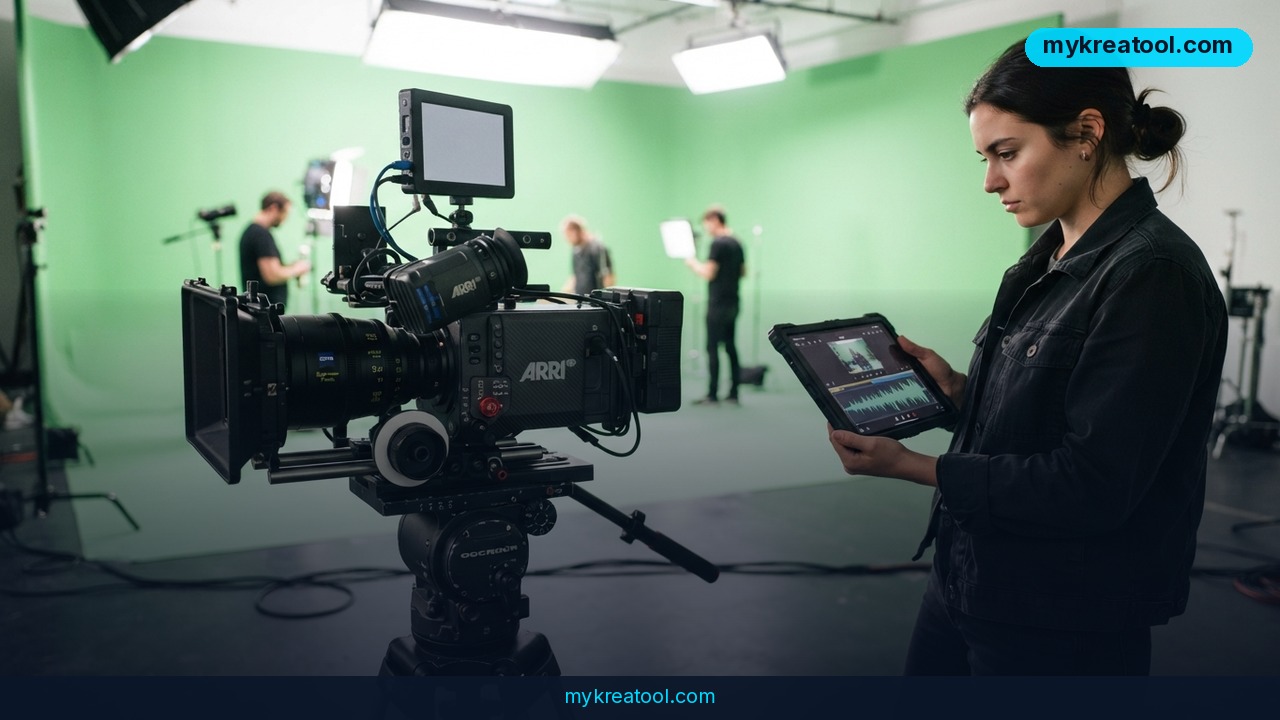
Three weeks from brief to a signed-off 4K product film used to be a punchline in agency war rooms. Google Veo 3.1 turns that punchline into a project plan. Built by Google DeepMind, it's an AI video generator that folds 4K upscaling, spoken dialogue, sound effects and ambient audio into a single generation pass — no separate audio session, no manual lip-sync, no timeline stuffed with patched-together tracks.
That's the promise. The reality comes with sharp edges, and knowing where they are is the difference between a clean delivery and a week of re-renders.
What happened
Veo 3.1 is Google's flagship video model, and the headline feature sounds simple until you try to build it: the model makes picture and sound in the same pass. Dialogue, sound effects and room tone arrive already matched to the visuals.
One pass instead of three
The old workflow was a three-kitchen restaurant — the steak gets cooked in one place, the sauce in another, the plating done by a third person, and you just hope it lands on the table warm. You generated the video, generated audio somewhere else, then nudged the timing until mouths matched words. Veo collapses all of that into one order.
4K, reached by upscaling
The 4K output arrives through upscaling — the video version of blowing up a photo and having it stay crisp instead of turning to mush. For nature and landscape scenes, the photorealism holds up under scrutiny, which is the bar most buyers actually care about.
The 4–8 second heartbeat
Here's the detail that shapes every project: a base clip runs just 4 to 8 seconds. A 60-second brand film is therefore a chain of eight to fifteen separate generations stitched end to end. Scene extension can carry a sequence past 140 seconds, but every link is a chance for the look to drift — a jacket that shifts shade, a room that quietly grows a window.
Where the controls live
Camera controls and first/last frame guidance sit inside Google Flow, Google's workspace for driving the model. You describe the shot, optionally feed in reference images, and set where a clip should start and end. What you don't get is multi-keyframe precision — the frame-by-frame timing control an editor uses to land a cut exactly on a beat. Generation itself takes 5 to 7 minutes for a standard clip: slower than some rivals, and mostly fine until revisions start piling up.
What it means for you
At home: family videos with sound that fits
The everyday win is dialogue. A birthday toast, a kid explaining a science project, a grandparent telling a story — Veo generates the voice and the mouth movement together, so you're not fighting a mismatch afterwards. Because clips are short, you'll naturally shoot in beats of a few seconds each.
At work: marketing teams skip the sync session
If you produce a product explainer with a voiceover, the audio step basically disappears. That's the biggest workflow change: one generation instead of video, then audio, then sync, then adjust, then re-sync. Fewer handoffs means fewer people standing around waiting.
For a small business: a launch film in three weeks
That classic brief — 4K footage, synchronized dialogue, cinematic quality, three-week turnaround — is now a scheduling question rather than a budget question. A café, a skincare brand, a tool maker can plan a launch film around a chain of short clips instead of a full shoot day.
For studying: explainers that talk
Turning a textbook chapter into a talking explainer used to mean slides plus a separate voice track. Now narration and visuals come out of one pass. The catch is length: each clip is short, so a ten-minute lesson is a very long chain, and consistency is on you.
For creative side projects: camera language without a camera
First and last frame control lets you set a start image and an end image and let the model bridge the gap — genuinely useful for music-video transitions and title sequences. Budget for several regenerations to keep the look steady.
For income: freelance video work with new math
Clients pay for delivery, not renders. The trade-off is time: 5 to 7 minutes per generation sounds quick until you're on revision four and re-chaining ten clips. Price the work around iterations, not just the final cut. Before you build a paid workflow around one model, it's worth testing the free alternatives — MyKreaTool rounds up free AI tools you can compare side by side.
How to try it right now
Step 1: Start on the free tier
Google Veo 3.1 offers limited free access for testing. Two things to know: free output is watermarked, and it only gives you the Veo Lite model. That's fine for exploring a look and useless for client delivery.
Step 2: Open Google Flow and write a shot list, not a wish
Open Google Flow — it's the workspace where you drive the model. Prompt like a shot list: subject, action, setting, lighting, and the exact line of dialogue you want spoken. Vagueness is what burns your render minutes.
Step 3: Set your frames, then generate
Add reference images if you have them, and lock the first and last frame when the shot has to land in a specific place. Hit generate and wait the 5 to 7 minutes a standard clip takes.
Step 4: Watch with the sound on
Check lip sync and ambience before you judge the picture. If the dialogue drifts, change the line, not the whole prompt.
Step 5: Chain clips carefully
For anything longer than a few seconds, use scene extension — it can push a sequence past 140 seconds. Save the last frame of each clip and feed it forward as the next start frame. That's the cheapest insurance against your character changing wardrobe mid-film.
Step 6: Plan delivery before you promise it
Free-tier output is watermarked, so any commercial handover needs the paid route. Confirm your plan before you tell a client a date.
Upsides and what changes
The real shift is that audio and picture stop being two jobs. Dialogue-driven content — product explainers, brand films with ambient sound, talking-head style pieces — gets dramatically simpler, because the sync step that used to eat a day is gone. 4K upscaling puts the output in the range clients expect. Google Flow adds camera controls and first/last frame guidance, which is enough to storyboard a sequence rather than fire off one-off clips. Scene extension carries you past 140 seconds. And if your team already runs on Google Cloud, the Vertex AI integration slots into existing authentication, billing and compliance frameworks, so procurement doesn't become the project.
Limitations
Be honest with yourself about the ceiling. A base clip is only 4 to 8 seconds, so longer stories are chains, and every link invites consistency breaks. You get first and last frame guidance, not multi-keyframe precision, so beat-perfect timing isn't on the menu. There's no HDR or EXR export, which rules Veo out for pipelines that need proper color grading or visual-effects work. Generations run 5 to 7 minutes, and free access is watermarked and capped at Veo Lite. None of that is fatal — it just means Veo 3.1 is a fast, dialogue-friendly production tool, not a finishing suite.
Conclusion: One Action for Today
Open Google Flow, write one 4-second prompt with a single spoken line, and generate it on the free tier. Then listen. If the voice and the mouth land together, you've just found a workflow that can carry a dialogue-heavy project from brief to delivery in weeks instead of months — and you'll know exactly where to spend the rest of your budget.
Comments 0