What happened
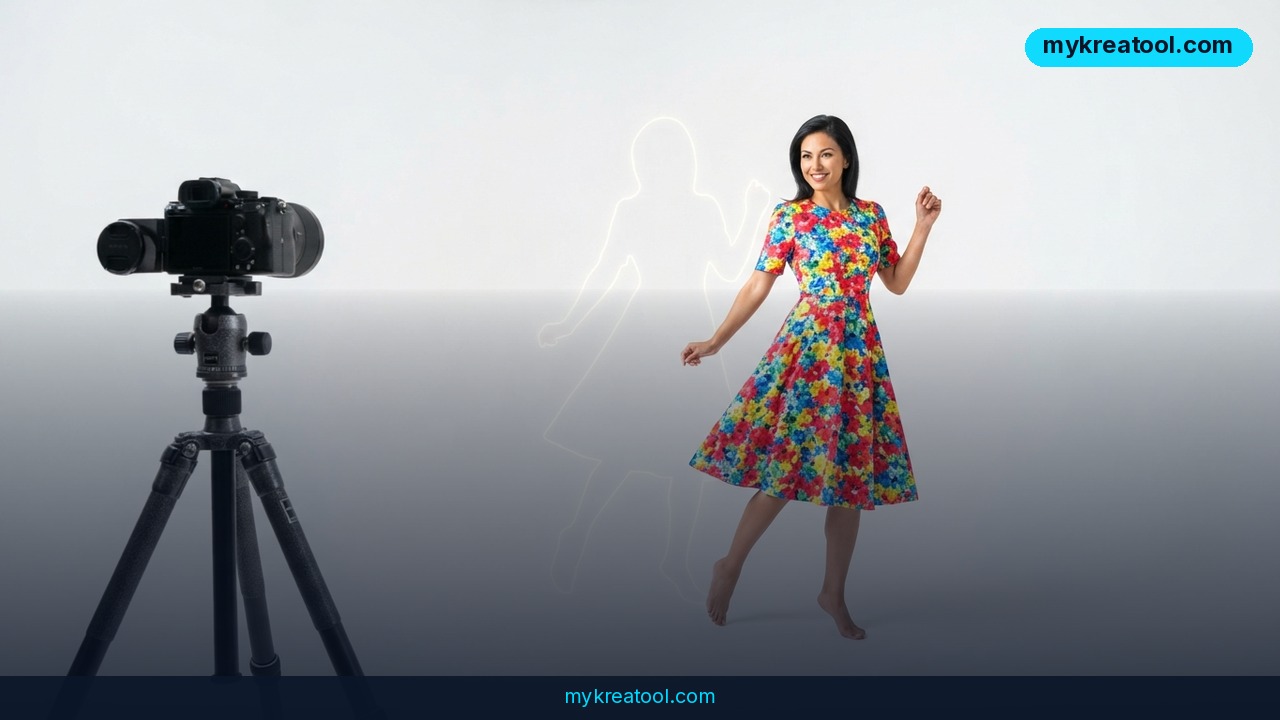
OpenAI has rolled out transparent background support for GPT-Image-2, its image generation model, available now through the OpenAI API. Instead of generating an image and then stripping the background out afterward, the model bakes transparency directly into the file as it creates the image, producing a true PNG with an alpha channel and no background to remove.
The feature is documented in OpenAI's Cookbook, which walks through four practical use cases: product shots for online stores, diagrams for slide decks, design elements like icons and stickers, and merchandise artwork for things like T-shirts and mugs. Each example shows the same basic workflow — call the API, set one parameter, and get back a ready-to-use transparent asset.
According to OpenAI, generating transparency natively beats traditional background removal, especially on notoriously difficult edges: transparent glass, wisps of hair, thin fibers, and soft shadows that clipping-path tools and even AI cutout services tend to mangle. Because the model never draws a background in the first place, there's nothing left behind to erase imperfectly.
To activate it, developers add a single parameter — `background=transparent` — to their API call. OpenAI also flags a quirk worth knowing: if your prompt still describes a scene or setting, the model may render one anyway, so the company recommends leaving background details out of the prompt entirely when you want a clean cutout.
Why it matters
Background removal has long been one of the most repetitive tasks in visual production. E-commerce teams alone can spend thousands of hours a year isolating product photos for catalog listings, and freelance designers routinely bill for what amounts to manual masking work. Folding transparency into the generation step removes an entire pass from that pipeline.
It also matters for quality, not just speed. Rule-based or even AI-driven background removal tools work by analyzing a finished image after the fact, which means they're guessing where the subject ends and the background begins. GPT-Image-2 skips that guesswork because it knows what it drew and where the edges are as it draws them — a structural advantage that's hard to replicate with post-processing alone.
For teams building products on top of image generation — marketplaces, design tools, ad platforms — this closes a gap that previously required stitching together a generation API and a separate background-removal API, each with its own cost, latency, and failure modes. One call now does both jobs.
How to use it today
Getting started requires a standard developer setup: Python, the official `openai` Python library, the `Pillow` image library, and an active OpenAI API key. From there, the flow is simple — send a prompt describing only the subject (no background details), add `background=transparent` to the request, and save the returned image as a PNG.
For anyone who wants to test transparent generation without writing code first, browser-based AI tools are a fast way to prototype prompts and see results before wiring up an API integration — free options like the tools at mykreatool.com let creators experiment with AI image workflows before committing to a coded pipeline.
One caveat OpenAI is upfront about: the model produces raster graphics, not vector output, and it doesn't guarantee pixel-perfect precision. For diagrams or charts that include exact numbers or labels, OpenAI explicitly recommends manually verifying the generated values rather than trusting the image at face value.
Who benefits
E-commerce sellers are the most obvious winners. Product photography for online stores almost always needs a clean, background-free shot for listings, ads, and marketplace feeds like Amazon or Shopify — a job that traditionally goes through a photographer, a retoucher, or a paid cutout service before it's usable.
Marketers and presentation builders benefit too. The Cookbook specifically calls out PowerPoint diagrams and design elements, meaning anyone producing slide decks, pitch materials, or internal reports can generate icons and illustrations that drop cleanly onto any colored slide background without a stray white box around them.
Merchandise and print-on-demand businesses gain a similarly direct advantage: artwork for T-shirts, mugs, and stickers needs to sit on the product's base color, not a rectangle of white or gray. Native transparency means designs generated by the model are immediately print-ready.
Small design and marketing teams without dedicated Photoshop expertise stand to gain the most in relative terms, since this collapses a task that used to require software licenses and manual skill into a single API parameter or a few clicks in a no-code interface.
Risks
The biggest practical risk is accuracy, not aesthetics. Because GPT-Image-2 outputs raster images rather than structured data, any diagram containing specific numbers, labels, or measurements needs a human check before it goes into a real presentation or report — OpenAI's own guidance says as much.
There's also a workflow trap: prompts that still mention a setting or environment can cause the model to render a background anyway, undermining the transparency parameter. Teams automating this at scale will need to sanitize prompts carefully or add validation steps to catch cases where transparency didn't apply.
More broadly, as with any generative image tool, there are open questions around rights and originality for commercial merchandise and product imagery — brands using AI-generated product shots or designs for sale should apply the same review and compliance checks they'd use for any other AI-generated commercial asset.
Conclusion
Transparent background support turns GPT-Image-2 from a general image generator into a genuine production tool for e-commerce, design, and marketing teams. By baking the alpha channel into generation instead of relying on after-the-fact cutout software, OpenAI is targeting one of the most tedious parts of visual production — and for teams willing to verify the details, especially on data-heavy diagrams, it's a workflow that's ready to use today.
Comments 0