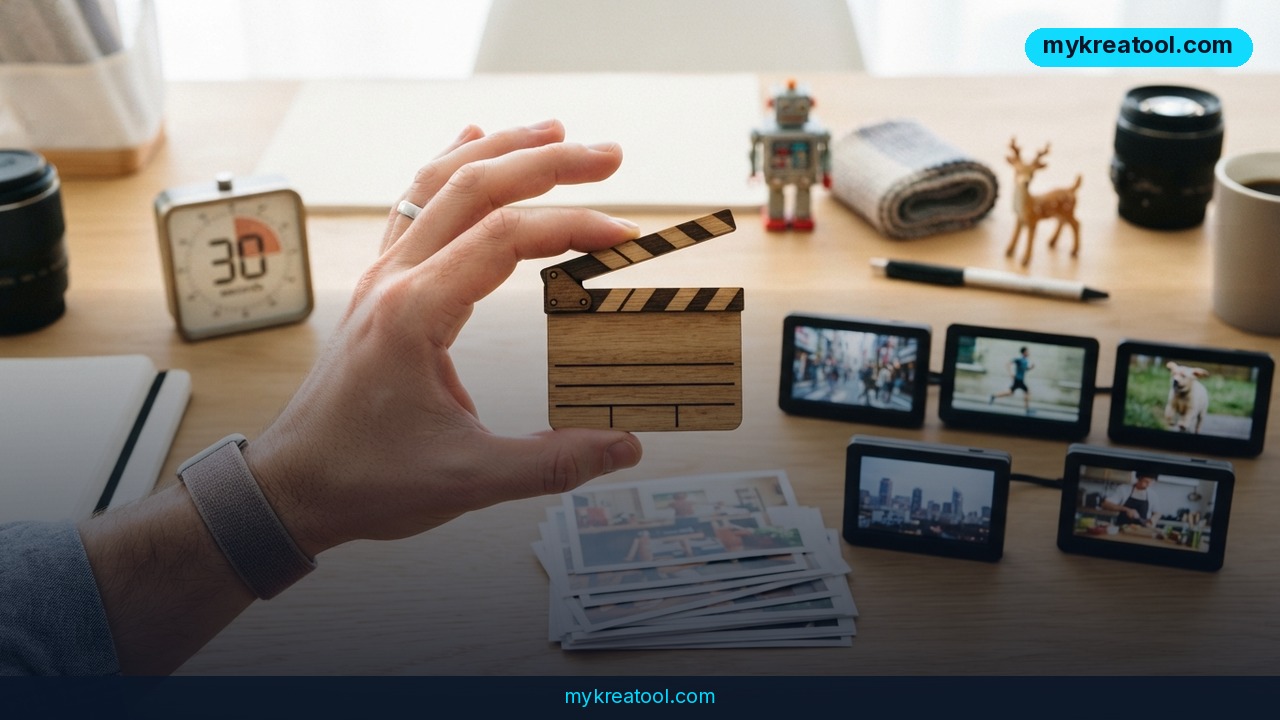
Kling 4.0 is out, and the number everyone's quoting is 30. That's how many seconds a single generation runs now — double what Kling 3.0 gave you — and it's the jump that turns an AI video generator from a five-second novelty into something you can actually build a scene around.
It's a wide release, too. Kling didn't hide Kling 4.0 behind a waitlist; it's available to everyone, and it shows up with more knobs than most of us will ever turn: keyframes, references, stereo sound, an ultrawide format, and two new ways to drive the whole thing without ever opening the web interface.
What happened
Short version: Kling 4.0 is a bigger, more controllable version of the video model, and the control is arguably the bigger story. If Kling 3.0 was a 15-second camcorder, Kling 4.0 is that same camcorder with a longer tape, a viewfinder and a tripod mount.
Twice the length, ten points of direction
A single generation now goes up to 30 seconds instead of 15. That sounds like a spec bump until you try to tell a story: 15 seconds is a moment, 30 seconds is a scene. You don't have to glue two clips together and pray the lighting matches.
Then there are keyframes. You can now place up to 10 reference frames across a generation — think of them as pins on a map. "She's at the door at second 3, walking past the sign at second 12, sitting down by second 25." The model fills in the gaps. In plain English: you're directing instead of hoping.
Up to 15 references — images, video, characters and voice
Combined scenarios now accept up to 15 reference materials, mixing stills, video, characters and voice. So you can lock in a face, a jacket, a location and a voice, and have all of them survive the full 30 seconds. That consistency problem — the thing that made AI video look like AI video — just got a lot smaller.
Video references get their own budget: up to 5 clips, up to 30 seconds of footage total. That's the "match my existing footage" button plenty of brands have been asking for.
Stereo sound, better lip sync, more languages
Audio now comes out in stereo rather than mono, speech synchronization is improved, and multilingual generation got an upgrade. Practically speaking, you can generate a talking shot with the words landing on the right lips, then spin out versions in other languages instead of starting over from scratch.
21:9 and editing video you already have
Kling 4.0 supports 21:9 — the ultrawide, cinematic ratio — and expands multimodal editing of existing video. The tool stopped being purely a generator; now it also cuts and trims.
Brand-new: MCP and CLI
Two genuinely new capabilities showed up. MCP connects Kling to AI agents, including Claude and other compatible clients, so an agent can submit work on your behalf. The CLI lets you run Kling from a terminal, a script or an automated pipeline.
Both support submitting tasks, tracking progress and retrieving results, and both spend your Kling account credits. If you've ever hand-queued 40 product shots in a browser tab, you already understand why that's the real headline.
Announced, but not live yet: 10-bit HDR and API
Two things were announced but aren't publicly available: 10-bit HDR export at 1080p and 4K with extended dynamic range, and an API. Worth noting — 4K resolution was already supported, so the new part there is HDR, not the pixel count.
What it means for you
At home
Birthday montages, pet superhero movies, "here's our trip in 30 seconds" clips. The length change means you get a beginning, a middle and an end instead of a fragment, and 10 keyframes means the dog actually ends up where you wanted him.
At work
Short-form ads fit neatly into 30 seconds: hook, point, call to action. Better speech sync and stereo audio mean you can generate a talking-head spot without editing around mangled mouths.
For business
Product demos are the obvious win. Feed in real product photos, a character, a voice and some existing footage — up to 15 references — and keep the look consistent across the whole clip. With 5 video references (30 seconds combined), you can hand over your current brand film and say "like this," instead of typing "warm, cinematic, slightly grainy" and crossing your fingers.
If you'd rather not burn credits while you figure out your shot list, free AI tools like the ones at MyKreaTool are handy for drafting scripts and storyboards before you generate anything.
For study
A paragraph of text becomes a 30-second explainer with a character who looks the same in every shot. Multilingual generation means one lesson can go out in two or three languages without a second production.
For creativity
Short films, music videos, mood pieces. 21:9 gives you the letterbox look without cropping in post, and 10 keyframes is basically a shot list you can hand straight to the model.
For income
Freelancers can now sell "30-second AI spot" as a package instead of a 15-second one, which is a better line item. And the automation crowd — people running faceless channels, batch content or catalog-scale product video — can wire Kling into a pipeline instead of babysitting browser tabs.
How to try it right now
1. Start with what's free. Kling 4.0 is open to everyone, no invite required. Sign in and look at the credits your account already includes before you buy more — every task spends Kling account credits, so the low-cost path is to spend what you've got on tests rather than finished shots.
2. Select Kling 4.0 in the model picker. Stay on 3.0 and you won't see any of the new limits.
3. Plan your 30 seconds as three beats. Ten seconds each is a solid default: setup, turn, payoff. Your keyframes follow from that plan.
4. Place your keyframes. Up to 10, spread across the timeline. Two or three is plenty for a first run.
5. Load references. Up to 15 combined — images, video, characters, voice. Video references: up to 5 clips, 30 seconds total.
6. Pick your ratio. 21:9 for the cinematic look, standard widescreen for social.
7. Turn on sound and write real dialogue. Stereo plus better sync means it's worth writing the line instead of mumbling it.
8. Watch your balance after the first render. Credits are the real budget here.
9. Automate when you're ready. The MCP guide walks through connecting Kling to agents like Claude; the CLI handles scripts and pipelines. Background on everything that changed is in the Kling 4 vs 3 release notes.
Upsides and what changes
The obvious upside is fewer seams. Long shots with real continuity mean less editing, fewer mismatches and a better chance your clip survives a client review.
The subtler shift is control. Keyframes plus 15 references plus 5 video references turns prompting into something closer to assembling a shot — you're specifying what you want instead of negotiating with a slot machine.
Then there's consistency across markets. Stereo audio, better sync and multilingual generation add up to one scene and several language versions.
And for teams producing at volume, MCP and the CLI move Kling from "a website someone visits" to "a step in a pipeline." Tasks in, progress tracked, results out — all on your account credits. That's the part that quietly changes how businesses budget their video time.
Limitations
Be clear-eyed about this one. The two most business-relevant features — 10-bit HDR export at 1080p and 4K, and the API — were announced but aren't publicly available yet, so if your workflow depends on either, you're waiting. Remember too that 4K resolution itself isn't new; the HDR is. Longer clips cut both ways as well: 30 seconds gives the model more room to drift, which means references and keyframes aren't optional extras for consistency — they're the whole method. The automation side, MCP and CLI, assumes you're comfortable with agents, terminals or scripts, and not everyone is. And every generation, automated or not, draws on Kling account credits, so it pays to plan your shots before you hit generate.
Conclusion
Kling 4.0 is mostly a story about control: 30 seconds per generation, up to 10 keyframes, up to 15 references, 5 video references totaling 30 seconds, stereo sound, 21:9 support, and automation through MCP and CLI. HDR and the API are promised, but not here yet.
One action for today: sign in to Kling, pick Kling 4.0, and generate a single 30-second clip using three keyframes. You'll learn more about what this model can actually do in five minutes than from any changelog.
Comments 0