What happened
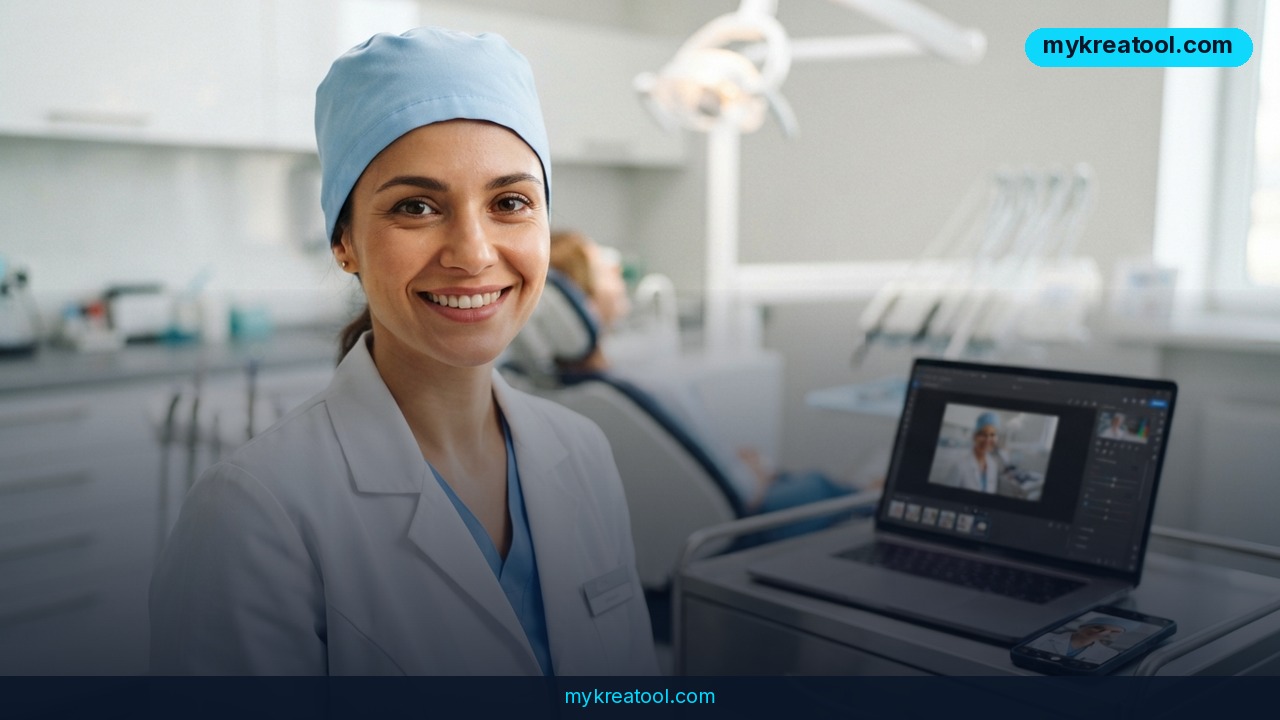
A marketer who buys paid traffic for dental clinics built himself an AI photo generator that turns one website portrait into a full set of professional shots — 290 approved images across more than 20 doctors for about $3 in compute. No photographer, no studio, no pulling dentists away from patients.
The pain he was solving is boringly familiar. Ads with a real doctor's face in a real room beat stock photos, but a clinic shoot is a whole project: doctors are booked with patients, rooms are in use, and a good photographer isn't cheap. A month later the creatives burn out and you need new pictures anyway.
The raw material was a single portrait
Every clinic already has at least one photo of each doctor — the headshot on the team page. He used that as the seed and asked for six setups per doctor: a dentist in loupes treating a patient, a doctor at a monitor reading a CT scan, a surgeon mid-operation, a pediatric dentist holding a toy dinosaur. All of it inside that clinic's own interior, in its uniform, with its logo on the badge.
The pipeline is short on purpose: paste the link to the clinic's doctors page on one end, get a folder of approved images on the other. Building it took about a week. It now serves several clinics, 20+ doctors and those 290 signed-off frames.
A coding agent did the heavy lifting
All the code and configuration was written by Claude Code Opus 5.5 (High Effort). The human touched four things: the brief, the architecture, final approval and the boring setup — a RunPod account, some balance, an API key, and installing `runpodctl`. The agent spun up the rented machine, wrote the scripts, ran the generations, reviewed every image against a checklist, and shut everything down at the end of a session. Project state and decisions live in a `CLAUDE.md` file, so the next run picks up exactly where the last one stopped.
In plain terms: the person was the art director, not the operator. That's the interesting part for anyone who doesn't write code.
The stack, explained without jargon
FLUX.3 klein is the image model — the part that actually draws. ComfyUI is a free visual workbench where you snap steps together like Lego: load the photo here, add the prompt there, save the result at the end. RunPod rents you a graphics card in the cloud by the hour, which is why a whole run costs pennies instead of a few thousand dollars of hardware.
The wiring matters if you want to copy it. Models and ComfyUI sit on a 60 GB network volume — a hard drive that survives when the machine is off — at $0.07 per GB per month, which works out to a few dollars a month, billed even while the pod is stopped. GPUs are picked by price: RTX 4090 at $0.89/hour, RTX PRO 4500 Blackwell 32 GB at $0.72/hour, RTX PRO 4000 Blackwell 24 GB at $0.57/hour. Availability on RunPod is marked 'Low' and shifts within minutes, so the script walks down that list and, when the card is gone, deletes the pod and rebuilds it in the same data center while the disk stays put.
Security was kept deliberately dull: only port 22 is exposed, ComfyUI is reachable through an SSH tunnel on 127.0.0.1:8188, the API key lives in a `.env` file, and the pod gets its own SSH key that is never added to the RunPod account. Two house rules keep the bill honest — estimate the cost before starting, always stop the pod afterwards. That second rule needed real engineering: `down` retries until the pod actually reaches EXITED, because one API timeout would otherwise have left a machine running and billing.
What it means for you
You don't need dental clients to use this. The trick is generic: one decent photo in, a matched set of images out.
At home
Family albums, profile pictures, a shot for a birthday card — the kind of thing you always promise to do later and never do. Feed in one good phone photo and you get variations in different lighting and backgrounds. It saves the awkward half hour of posing in the kitchen while someone holds a lamp.
At work
Small companies need headshots for the website, the pitch deck and LinkedIn. Instead of herding eight people into one calendar slot, you collect one photo each and generate a consistent set: same background, same crop, same tone. Consistency is exactly what a real shoot fails to deliver when three people are out sick on the day.
In business
This is the clearest win. Any local service business — dentist, lawyer, physio, salon — runs on trust, and trust needs faces. Instead of a seasonal shoot, you regenerate creatives when the old ones fatigue. If you want to see what a model can do before renting anything, try a free tool like mykreatool first: it costs nothing and tells you whether your source photo is good enough.
For study and creative projects
Slides, posters, a portfolio page — a believable photo of a person doing the thing beats another stock image. Writers and game designers use the same loop to keep a character's face consistent across dozens of images, which is otherwise a nightmare of mismatched noses and hairlines.
As income
A freelancer can sell headshot sets to small businesses: collect one photo per employee, deliver a set, charge for taste and speed rather than studio time. Your cost is now measured in dollars instead of days. The margin lives in knowing which images are good enough to ship, and that's still a human skill.
How to try it right now
Take the free route first
Run your best photo through a free AI image tool and test prompts — 'same person, white clinic background, blue scrubs, natural light' — until you get one result you'd actually use. Treat that free ceiling as your quality bar. If a free generator can't get close, no amount of paid GPU time will rescue a bad source photo.
Then the roughly $3 version
1. Sign up at RunPod, add a small balance, create an API key, and install `runpodctl`.
2. Create a 60 GB network volume in Secure Cloud and put ComfyUI plus the FLUX.3 klein model on it. This is the slow part — one download, then it's reused forever.
3. Start a pod on the cheapest card available from the price list above.
4. Open ComfyUI through an SSH tunnel, load your single portrait, and write a prompt with the setting, clothing and logo details spelled out.
5. Generate a batch, review each frame against your own checklist, keep the good ones, delete the rest.
6. Stop the pod. Every time. The disk keeps your models for next session.
7. If you'd rather not touch a terminal, hand steps 1–6 to a coding agent — that's precisely what this case study did.
Upsides and what changes
Cost is the obvious one: about $3 for GPU rental, model tests and storage, against a photographer's day rate. Speed is the second: once the pipeline exists, a set takes minutes. The third and most underrated is refresh rate — when creatives fatigue, you don't wait three weeks for a reshoot, you generate a new batch on Tuesday afternoon.
It also removes the logistics tax. Nobody needs to be in the building, no rooms get blocked, no patients get displaced. And the clinic's actual interior, uniform and badge can show up in images that were never photographed there.
Limitations
Honest version: this is not a photoshoot, and it starts from a real portrait — you still need one decent photo per person, plus permission to use their face, which for a business means writing that consent down. Likeness drifts, especially on hands, small text and logos, so every frame needs a human review; the published examples have faces blurred, so you can't judge fidelity from them. The technical path is real work — CLI, YAML, SSH keys, an agent that writes code — and the author leaned on Claude Code rather than doing it by hand. GPU stock on RunPod sits at 'Low' and moves by the minute, storage still bills you a few dollars a month while the pod sleeps, and forgetting to stop the pod means paying for a nap. Add the usual caution about AI-generated people in advertising and any local rules on disclosure, and treat the whole thing as a fast sketchpad — not a replacement for a real portrait when one genuinely matters.
Conclusion: One Action for Today
Pick one person — you, a colleague, a client — and pull the single best photo you already have of them. Run it through a free tool with one clear prompt: same person, new setting, professional lighting. If the result still looks like them, the roughly $3 pipeline is worth an afternoon of setup. If it doesn't, you just learned that for free.
Comments 0