What happened
Openjutsu just landed on GitHub: a free, open-source clone of Higgsfield Genjutsu, the paid tool that swaps people, clothes and props inside a video you've already shot. You hand it a clip and a photo, and it drops a new person into the scene.
The origin story is part prank, part quiet uprising. ComfyUI — the node-based interface plenty of AI creators already use — kicked off a challenge tagged #OpenSourceHiggsfield with a needling slogan: Higgsfield promised it would open up its platform, so let's help it along. People took the dare seriously. A few weeks later, the jokes had turned into installable software.
It's the same energy as reverse-engineering everything in sight, cloning abandoned games, and rebuilding paywalled services with a prompt and a free weekend. A Telegram post tracking the release pulled 1,795 views and 150 reposts — modest numbers, but this is a niche crowd that actually ships.
What Genjutsu is, in plain words
Higgsfield Genjutsu is a closed, paid tool for video transformation: you select a person, a garment or a product in an existing frame, and the software redraws just that element while the rest of the shot stays exactly where it was. "Proprietary" simply means the company keeps the recipe secret and charges you for the meal. Higgsfield has been pushing hard into synthetic creator content too, which is why so many people were watching this release closely — their own AI influencer announcement gives you the flavor.
What Openjutsu actually does
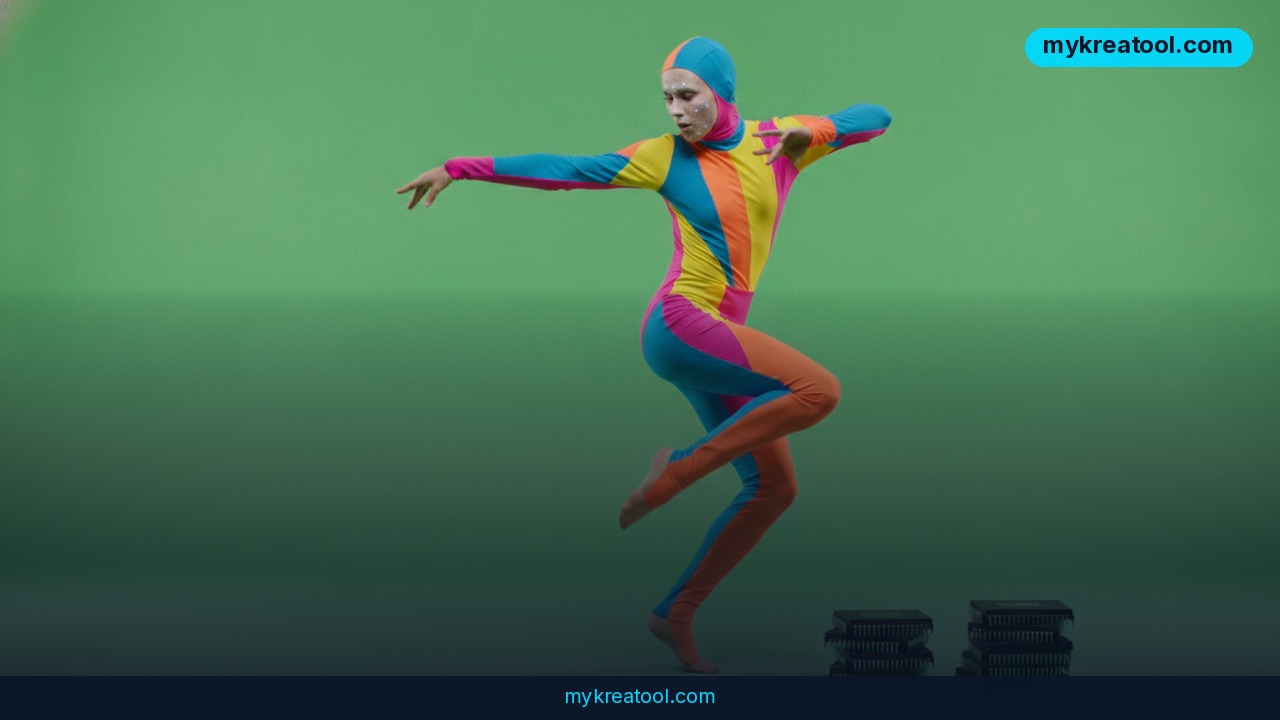
Here's the plain-English version. Upload a TikTok dance clip, add a photo of somebody else, and Openjutsu replaces one dancer with your person — trying to hold on to the movement, the gestures, the camera work, the edits and the original soundtrack.
Crucially, it isn't a face glued onto a skull. The system redraws the whole figure: hair, build, clothes. That's the difference between a deepfake you can spot from across the room and a clip you'd actually post.
Quick glossary, because the jargon gets thick fast. A deepfake is synthetic video where a real person's face or body gets swapped out. Local means the software runs on your own machine instead of somebody's server. Open source means the code is public — anyone can download it, inspect it and run it without a subscription.
Three modes, one download
• Character swap. Replace one person, or up to four at once, each with their own photo. You could recast an entire band in a music video without reshooting a single frame.
• Object editing. Change clothes, restyle hair, swap out a prop, delete an unwanted object, or repaint the background.
• Result fixing. Separate tools clean up badly drawn faces and tone down color that comes out too harsh.
And the part that got people genuinely excited: all of it runs locally. Your footage doesn't have to be uploaded to a commercial server first.
What it means for you
At home
Got an old family video where the dog photobombs every shot? Or a kid who'd lose their mind seeing themselves inside a movie scene? This is the fun, low-stakes end of the tool. Stick to footage you own or have permission to use — swapping strangers from public clips is where people get themselves into trouble.
On a tighter budget and just want to see what's possible? You can warm up on lighter stuff first — these free AI tools are a zero-risk way to get comfortable with image and video generation before you install anything heavier.
At work
Marketing teams spend real money on reshoots for reasons that feel silly in hindsight: the model wore the wrong jacket, a logo was outdated, a prop wasn't approved. Openjutsu lets you change the outfit or the object instead of booking the studio again. Same footage, new wardrobe.
For small business owners
One photoshoot of your product on a real person can now become ten variations — different outfits, different backgrounds, different hairstyles — without hiring anyone twice. If your social feed runs on volume, that's the whole ballgame.
For students and teachers
History presentations, language practice, drama class. "What if this speech were delivered by someone else?" becomes a two-minute experiment instead of a group project. Teachers can also use it to explain how deepfakes work — showing the trick is the fastest way to teach people not to fall for it.
For creators and side income
This is the obvious one. Freelancers can offer "make your mascot dance" edits, musicians can mock up a video with a different lineup before committing to a shoot, and small agencies can pitch three visual directions for the price of one. The tool is free; the skill and the taste are what you sell.
How to try it right now
The free route first — Openjutsu is the tool, and it's on GitHub. A good walkthrough of the setup and what it can do lives in this write-up on local character swaps, with a practical companion piece here.
1. Check your hardware. Because everything runs on your machine, a decent graphics card matters. A gaming laptop will work; an ancient office PC will make you wait.
2. Grab the code. Search "Openjutsu" on GitHub, read the README, and follow the installation notes. If you already use ComfyUI, the workflow will feel familiar.
3. Pick one clean clip. Short, well lit, one subject. Dance videos are the classic test because the motion is obvious when something breaks.
4. Pick one sharp photo. Front-facing, good lighting, no sunglasses, no heavy filters. The output is only as good as that single image.
5. Choose your mode. One character, or up to four with separate photos. Start with one — you'll learn faster.
6. Run it, then fix it. Use the correction tools on faces that come out smudged and on color that looks oversaturated.
7. Compare before you commit. If the result isn't there yet, run the same clip through Higgsfield Genjutsu and see what the paid version adds. That comparison tells you more than any review will.
Upsides and what changes
The big one is price: a closed subscription becomes a folder on your hard drive. The second is privacy — footage of your family, your clients or your unreleased product never leaves your computer. The third is freedom: because the code is open, people can modify it, add modes, and strip out the limits they don't like.
There's a cultural shift buried in here too. For years the assumption was that serious video AI would live behind an API key. A weekend challenge just proved otherwise, and it happened fast — fast enough that the paid tools now have to justify themselves on polish rather than access.
Limitations
Let's not oversell it. Openjutsu is a community project, not a product — you'll install dependencies, read error messages and troubleshoot things nobody documented yet, and the interface won't hold your hand. It runs on your own graphics card, so render times depend entirely on your machine and long or high-resolution clips will test your patience. Character swaps work best with clean, well-lit footage and a straight-on photo; a dancer half-turned in low light is going to look rough no matter which mode you pick. And the ethics are yours to manage: the same tool that recasts a music video can impersonate someone without consent, so stay on your own footage and get permission in writing. The paid version still wins on convenience, speed and support — Openjutsu wins on cost and control.
Conclusion
Openjutsu is the clearest sign yet that features once locked behind a subscription can be rebuilt by a determined crowd in a matter of weeks — and handed out for free. It won't replace a polished paid tool for everyone, but for creators, small businesses and curious beginners, it's a genuinely useful piece of kit that costs nothing but a download and an evening.
One action for today: find a 10-second clip you own and a clean photo of yourself, and run one single swap in Openjutsu — just to see where the rough edges are. You'll learn more in 20 minutes than from a week of reading about it.

Comments 0