What happened
Sber — Russia's largest bank and one of the country's biggest AI labs — has released Kandinsky Avatar 1.0 as open source. In plain terms, open source means the model's files and code are public: you can download them, run them on your own hardware, and use whatever you make commercially without paying a licence fee or asking permission first. That last part matters, because most talking-avatar tools bill you per minute of video.
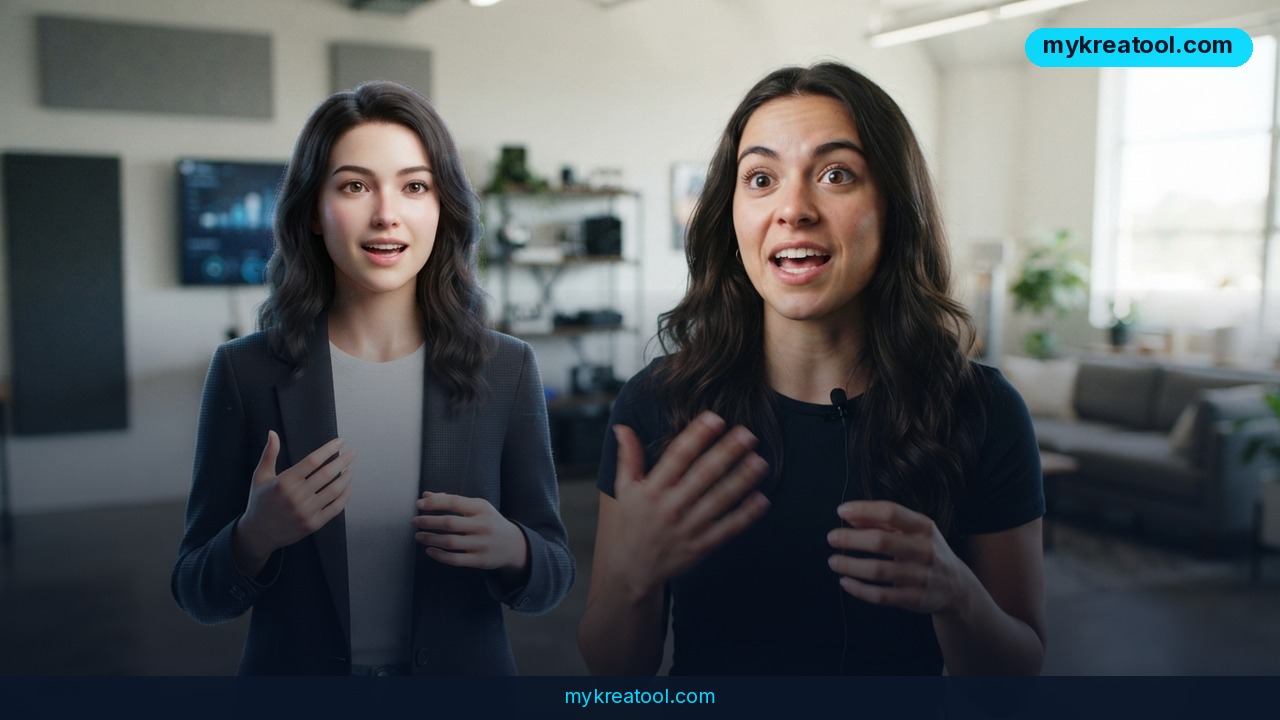
The model has one job: turn a still photo of a person into a talking video. You hand it an image, an audio recording and a short text description of the scene, and it hands back footage of that person speaking. Output tops out at 60 seconds and runs at 24 frames per second. If frames per second sounds technical, think of it as the number of still pictures stitched together to make one second of motion — 24 is the same cadence traditional cinema uses, so movement looks natural instead of choppy.
What you actually feed it
Three inputs, no studio required:
• A photo. A clear, front-facing shot works best.
• An audio file. Your own voice, a voiceover, a podcast clip. The model doesn't generate the voice — it animates the face to match whatever audio you give it.
• A text description. One line describing the scene, so the model knows what it's aiming for.
Beyond lip-sync, Kandinsky Avatar 1.0 adds facial expressions, head movement and hand gestures. That's the difference between a creepy mannequin and something you'd actually put in front of an audience. Sber trained the system on more than a million video clips spanning 95 languages, so it isn't locked to Russian.
Pro versus Lite
There are two builds. Pro renders in HD, and Sber rates its quality as comparable to HeyGen IV, a well-known commercial avatar platform. Lite renders in SD — standard definition, meaning smaller and softer video — but it's light enough to run on a home graphics card, the chip inside a gaming PC. Both versions are downloadable, with the model weights published on Hugging Face, which is basically GitHub for AI models. You can find the Pro distill build here, with demos and details on the official Kandinsky Avatar page. Independent coverage from Sostav and iCHIP confirms the details.
What it means for you
Strip away the lab-speak and this is a free tool that turns a headshot into a presenter. Here's what that looks like in ordinary life.
At home
Ever tried to record a birthday message and given up after twelve takes? You can feed a good photo and a voice note into the Lite build and get a clean 30-second clip instead. Same trick works for family history projects: record Grandma telling a story, pair it with an old portrait, and you've got a keepsake that moves and speaks. Practical caveat — this is a tool for your own photos and your own voice, not for animating other people without their say-so.
At work
If you sit anywhere near marketing, internal comms or HR, you already know the pain of re-recording a video because one number changed. With an avatar, you update the audio and re-render. Training modules, onboarding welcome videos, product walkthroughs and weekly update clips can all be produced without booking a studio, a camera operator or a presenter's calendar. A 60-second limit sounds tight until you remember that most internal videos should probably be 60 seconds anyway.
For business owners
Small teams feel this most. A one-person shop can put a consistent face on the brand across a website, a landing page and a social feed without hiring anyone. Sber itself points to virtual consultants, educational services, localisation tools and video-content apps as the obvious builds on top of the model — and since commercial use is allowed, you can put those avatars in a paid product.
For students and teachers
Teachers can turn a slide deck and a script into a narrated explainer without appearing on camera. Students learning a language can hear a sentence in their own voice and watch a face pronounce it, which is a surprisingly effective way to catch the mouth shapes you're getting wrong. And because the model handles 95 languages, one recorded lesson can be re-voiced for several classrooms.
For creators
Faceless channels suddenly get a face. You can write a script, record the voiceover, and ship a short in the time it used to take to set up lighting. If you'd rather test ideas before installing anything locally, free AI tools like the ones at MyKreaTool can cover the scriptwriting and voiceover side of the job first — then you only animate the concepts that actually work.
As an income stream
Localisation is the clearest money-maker. Take a video that already performs in English, dub the audio into Spanish or German, and re-render the same presenter speaking the new language. Multiply that across a catalogue and you've got a service other businesses will pay for. Real-estate agents, course sellers and e-commerce brands are the usual first customers.
How to try it right now
Start with the free route — that's the Lite build, which is designed to run on a normal home graphics card.
1. Look before you download. Open the Kandinsky Avatar project page and watch the sample clips. Two minutes there will tell you whether the look suits your project.
2. Grab the weights. The Pro distill model lives on Hugging Face at Kandinsky-S2V-1.0-Pro-distill-Diffusers. The Lite files are published alongside it in the same Kandinsky lab collection.
3. Prepare your inputs properly. This is where most people lose an afternoon. Use a sharp, well-lit, front-facing photo with a neutral expression. Use clean audio with no background music. Write a one-sentence scene description.
4. Run it. The model ships in Diffusers format — Diffusers being a free, widely used library for running image and video models. If you don't code, the practical option is a one-click installer or a web interface built on top of it; search the model name plus your operating system and you'll find community setups.
5. Render short, then extend. Generate 15 seconds first. Check the lip-sync on a hard consonant like 'p' or 'b'. Once that holds, push toward the full 60 seconds.
6. Mind the rules. You're working with someone's face. Keep a written record of consent for anyone whose likeness you animate, and label synthetic video as synthetic.
Upsides and what changes
The headline win is cost. A commercial avatar platform typically charges a subscription and meters your minutes; here you download the model and the only bill is electricity and your own hardware. Commercial use is explicitly permitted, which is the clause most open models bury in small print.
The second win is language reach. A single photo plus 95 supported languages means a small team can look like it operates in a dozen markets. The third is that Lite runs locally — your raw footage and your client's face never leave your machine, which is a real advantage for anyone under a strict data policy.
Sixty seconds at 24 frames per second also happens to be exactly the shape of short-form video. That's not a coincidence; it's the format most people actually publish.
Limitations
Be honest about what you're getting. Sixty seconds is a hard ceiling, so long-form is out unless you stitch clips together and hide the seams. The model animates a face and adds gestures — it doesn't give you a walking, full-body presenter. It also doesn't make the voice: you supply the audio, so you still need a script and either your own recording or a separate text-to-speech tool. The Pro build's comparison to HeyGen IV comes from Sber itself, not from an independent head-to-head test, so treat it as a claim rather than a benchmark. You'll need a reasonably capable graphics card, and the setup process involves files, folders and a command line — this is not yet a drag-and-drop app. Finally, open weights cut both ways: the same freedom that lets you build a virtual consultant lets someone else make a convincing fake, so consent and labelling aren't optional extras.
Conclusion
Kandinsky Avatar 1.0 is a free, commercially usable model that turns one photo and one audio file into a 60-second talking video at cinema frame rate, in 95 languages, with a Lite version that runs on a home GPU. That combination didn't exist at this price point a year ago.
Your one action today: open the Kandinsky Avatar page, watch two sample clips, and decide whether your next project needs a face at all. If it does, download the Lite build tonight and render fifteen seconds before you commit to anything bigger.



Comments 0