What happened
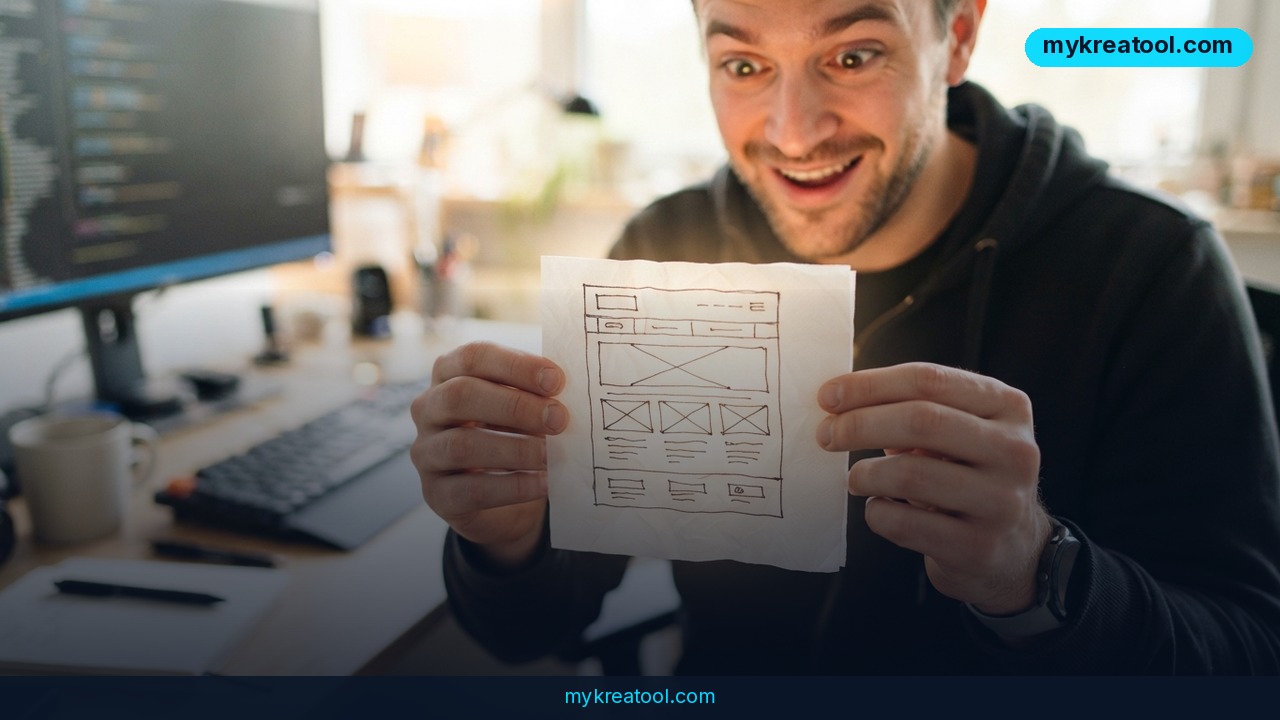
A solo developer just released SketchCode AI, a free sketch-to-code tool that converts a hand-drawn wireframe — literally a napkin sketch — into a working, responsive HTML and Tailwind CSS interface. Upload a photo of your drawing, connect a free Gemini API key or an OpenRouter key, and the tool compiles a semantic, dark-themed live UI in roughly 1 to 2 minutes. No design software, no component library, no manual CSS. The project is live now at sketchcode-ai.netlify.app, and it was built entirely by one developer who says the goal was simple: stop hand-coding flexbox layouts from wireframes every single sprint.
What makes this notable isn't the novelty of AI code generation — plenty of tools already turn prompts into components. It's the input format. Instead of typing a description or picking from templates, you draw the layout the way you would on a whiteboard during a client meeting, and the model interprets the boxes, arrows, and rough proportions directly into production-ready markup.
The core mechanic
The pipeline is straightforward: image upload, AI vision analysis, then a code-generation pass that outputs semantic HTML paired with Tailwind utility classes. The result renders as a live, responsive page you can inspect and export immediately, styled by default in a premium dark theme.
Why it matters
For front-end developers and freelancers, the gap between a rough concept and a coded prototype has always eaten hours. A typical wireframe-to-code pass — margins, breakpoints, spacing, semantic tags — can run two hours or more for a moderately complex page. Compressing that into a 90-second wait is a meaningful shift in how fast an idea can go from a sketch to something a client or teammate can click through in a browser.
This also lowers the barrier for non-developers. A founder or marketer who can't write a line of CSS can now sketch a landing page layout on paper, snap a photo, and hand a working prototype to their dev team the same afternoon — instead of writing a spec document that gets reinterpreted three different ways.
The privacy angle is worth noting too: the API key is stored locally in the browser's localStorage rather than on a remote server, so credentials aren't held by the platform itself. That's a reasonable default for a free tool handling third-party API keys, though it also means users are trusting their own browser environment with that key.
How to use it today
Getting started takes three steps. First, grab a free Gemini API key from Google AI Studio, or use an existing OpenRouter key if you prefer a different model provider. Second, go to sketchcode-ai.netlify.app and paste the key in — it never leaves your browser. Third, upload a photo or scan of your wireframe, however messy, and hit convert.
Expect the compile step to take 1 to 2 minutes on the current free-tier infrastructure. Because the underlying model runs on shared, high-demand endpoints, you may occasionally see a "model is experiencing high demand" message from the provider — the fix is just to wait roughly 60 seconds and retry.
Once you have working code, the natural next step is often assembling a broader toolkit around it — pairing a sketch-to-code generator with other free utilities for copywriting, image generation, or SEO checks, similar to the collection of no-cost AI tools available at mykreatool.com, can save an extra round of manual work before a prototype goes in front of a client.
What the output actually gives you
The generated code isn't a locked-down template — it's exportable semantic HTML and Tailwind classes you can drop straight into a project, version-control, or hand off to a development team for refinement.
Who benefits
Front-end developers get the most obvious win: fewer hours spent translating static mockups into markup, especially for early-stage prototypes that will be revised repeatedly. Freelancers and agencies pitching new clients can turn a napkin sketch from a discovery call into a clickable demo before the meeting even ends, which is a real differentiator when competing for contract work.
Product managers and founders without coding backgrounds benefit differently — they can validate a layout idea visually before writing a single ticket for a dev team, cutting down on the back-and-forth that usually happens over a static wireframe image or a written spec.
Educators and bootcamp instructors may also find use here, showing students how a rough layout concept maps onto real HTML structure and utility-first CSS, which shortens the feedback loop when teaching responsive design fundamentals.
Risks
The most immediate limitation is speed and reliability at scale. Running on free-tier server architecture means compile times of 1 to 2 minutes per conversion and occasional "high demand" errors from the underlying model provider — not ideal if you're trying to iterate quickly on multiple layout variations in a single session.
There's also the single-developer risk factor. A tool built and maintained by one person, hosted on a free Netlify deployment, doesn't carry the same uptime or support guarantees as a funded product. If the developer moves on or the free-tier limits get exhausted, availability isn't assured long-term.
Code quality is another consideration. AI-generated markup from a photographed sketch is a strong starting point, not a finished deliverable — expect to review accessibility attributes, cross-browser behavior, and edge-case responsiveness before shipping anything to production. And because the tool depends on a user-supplied third-party API key (Gemini or OpenRouter), functionality is only as reliable as those external services' own quotas and uptime.
Conclusion
SketchCode AI is a compact but genuinely useful example of where AI-assisted development is heading: not just prompt-to-code, but sketch-to-code, collapsing the distance between a rough idea on paper and a live, responsive interface. At 1 to 2 minutes per conversion and free to try with your own API key, it's low-risk to test on a real project. Treat it as a fast first draft generator rather than a production pipeline, and it can genuinely cut hours out of the prototyping phase for developers, freelancers, and non-technical founders alike.


Comments 0