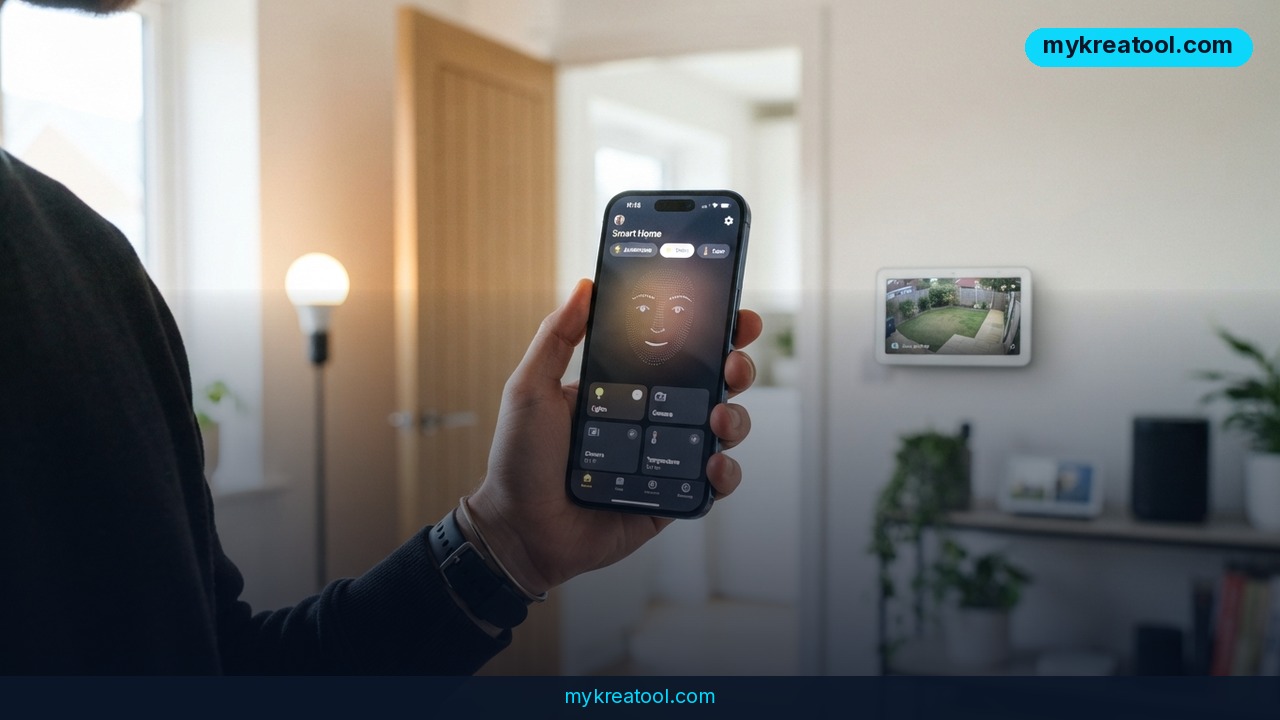
Google just made it possible for AI agents to control your smart home devices directly, turning tools like ChatGPT and Claude into a voice for your lights, thermostats, and doorbell cameras.
What happened
On September 16, 2026, Google rolled out early access to something called the Home MCP server. MCP stands for Model Context Protocol — think of it as a universal adapter, the same way a USB-C cable lets almost any phone plug into almost any charger. Before this, an AI chatbot like ChatGPT or Claude had no direct way to see your security camera feed or flip a light switch. Now, any AI agent that supports MCP can connect to your Google Home account and act on it using plain English.
Google names several agents that already work with the standard: Claude, ChatGPT, Hermes, OpenClaw, and its own Google Antigravity. Once connected, you can ask one of these agents to review camera summaries, check your home's event history, control connected devices, or even build a custom dashboard out of your smart home data — no coding required on your end, just a sentence typed or spoken.
The system supports every device already in the Google Home ecosystem: Nest doorbells, Nest thermostats, and anything labeled "Works with Google Home" or built on the Matter standard, which covers a large share of third-party smart bulbs, plugs, and sensors on the market. For now, access is limited to subscribers of Google Home Premium Advanced, the $20-a-month tier, and only in the U.S. Google hasn't said when — or whether — it will extend this to cheaper plans or other countries, though it's collecting feedback from early testers through its Smart Home for Developers Community.
What it means for you
At home
Instead of opening four different apps to check who rang the doorbell, adjust the thermostat, and confirm you didn't leave the porch light on, you ask one AI agent a single question — "did anyone stop by today, and is the porch light still on?" — and get both the answer and the fix in one go.
At work
If you work from home, you can have an agent watch for anything unusual — a door opening mid-afternoon, motion in the garage — and only ping you when something's actually worth interrupting your meeting for, instead of you babysitting a security app tab all day.
Running a small business
A shop owner with Nest cameras could ask an agent to summarize the day's foot traffic or flag the exact moment a delivery arrived, effectively getting a low-cost activity log without hiring anyone to watch a screen.
Studying and family life
Parents can set natural-language rules on the fly — "tell me if the kids' bedroom light is still on after 10 PM" — without digging through automation menus that usually assume some technical comfort most people don't have.
Creativity and side projects
Because the agent can read event history and not just flip switches, hobbyists and developers can build unusual custom tools: a dashboard that turns a day's worth of home activity into a short written recap, for example, or a smart home "diary."
Income opportunities
Being an early adopter and writing up the setup — a walkthrough, a short video, a comparison of which AI agent handles the smart home best — is a realistic bit of content to publish while the feature is new and people are actively searching for help with it.
How to try it right now
You don't need to be a developer to get a feel for what "AI plus smart home" looks like in general, but connecting Google Home MCP itself does take a few technical steps, laid out by Google as follows:
1. Make sure you're subscribed to Google Home Premium Advanced ($20/month, U.S. only for now) — it's currently required for MCP access.
2. Create a Google Cloud project and configure it to use Home MCP; Google publishes a setup guide in its Google Home Developer Center.
3. Hand the MCP connection details to the AI agent you want to use — Claude, ChatGPT, or any other MCP-compatible agent — and ask it to complete the setup for you.
4. The agent will prompt you to sign in with your Google account and approve permissions, the same way any app asks for calendar or photo access.
5. Once it's connected, just talk to it in plain sentences: "show me this morning's camera summary" or "turn off the hallway light."
If you'd rather test what an AI agent can do with everyday tasks before touching Google Cloud settings or paying for a premium tier, a free option like mykreatool.com lets you experiment with AI-driven text, summaries, and automation ideas with no setup and no subscription — useful for getting comfortable with how these agents "think" before you hand one the keys to your house.
Upsides and what changes
The real shift isn't the smart home part on its own — Google Home has controlled lights and thermostats for years. What's new is that any AI agent, not just Google's own Assistant, can now reach into your house and act on your behalf using ordinary language instead of a rigid menu of app screens. That means less time tapping through settings, more control just by describing what you want, and the option to fold your smart home into whatever else your agent already manages — email, scheduling, notes — inside one conversation. Google has already added MCP support across its cloud platform, developer tools, and Workspace, so this fits a broader pattern: making Google's products speak the same "language" as outside AI tools instead of locking you into a single ecosystem.
Limitations
This is an early-access feature, not a polished consumer product. It currently requires the most expensive Google Home subscription tier, U.S. residency, and a Google Cloud project you have to configure yourself, which isn't a five-minute task if you've never touched Google Cloud before. Google hasn't committed to a timeline for cheaper tiers or other countries. And handing an AI agent access to your home cameras and event history raises the same privacy questions any smart home data does — you're trusting a third-party AI company, not just Google, with a live feed of your daily routine, so it's worth actually reading what permissions you're granting instead of clicking through approval screens on autopilot.
Conclusion
Google just opened the door for AI agents like Claude and ChatGPT to see and control your smart home, not just chat about it in a text box — a small technical update with a genuinely big everyday implication. If you already pay for Google Home Premium Advanced, your action for today is simple: open the Google Home Developer Center, follow the Home MCP setup guide, and ask your AI agent for one thing — a camera summary or a quick light check — before you build anything more ambitious on top of it.


Comments 0