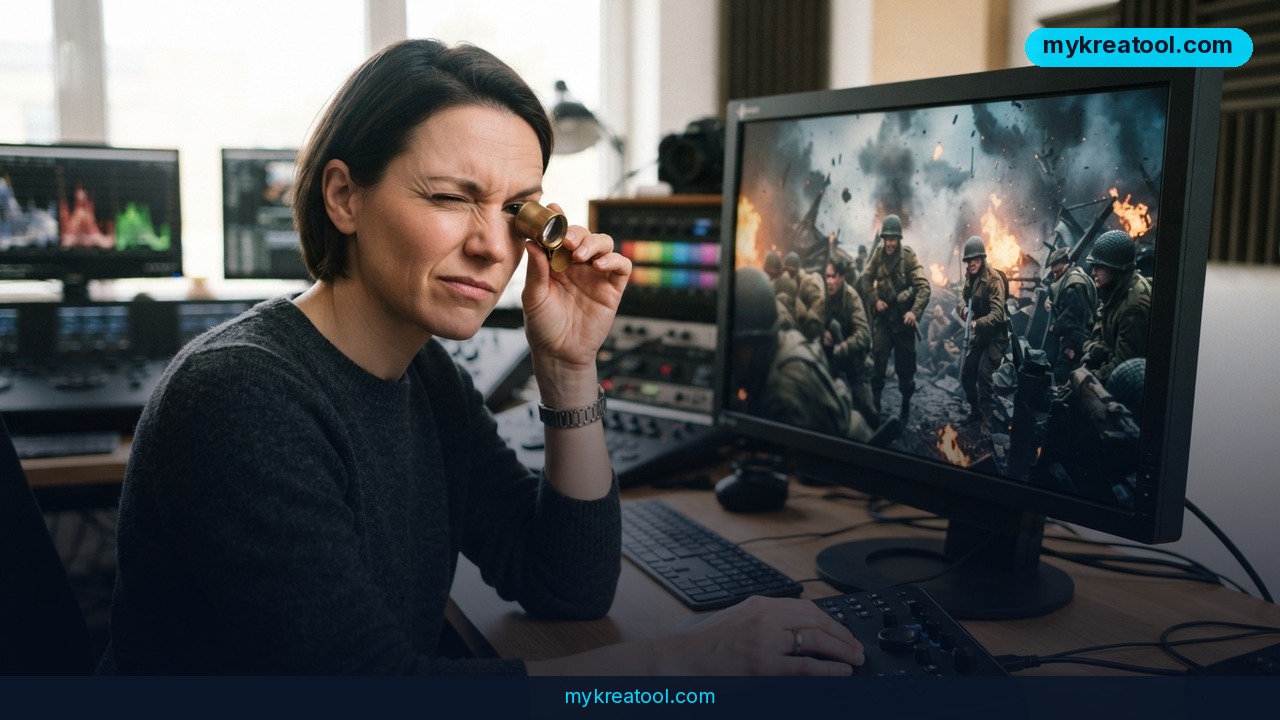
What happened
Shengshu Technology quietly pushed out Vidu Q4 Preview on October 7, and the spec sheet reads like someone dared them to stop. The new model generates 4K AI video with 10-bit color, runs clips up to 16 seconds long, and — this is the part that'll get passed around every agency Slack channel — can cost as little as 22 cents per clip during the launch promo. The company's own launch announcement frames it as flagship video creation made accessible to everyone.
That's not a typo. Sixteen seconds of footage for less than a quarter.
What it actually does, in plain English
Strip out the marketing language and here's what you're working with:
• 4K resolution, up to 16 seconds. Roughly the length of a TV bumper ad, or two or three TikToks stitched together.
• Image-to-Video and Reference-to-Video. You hand it a still image or a set of reference pictures and it animates them — like giving a photographer a mood board instead of a written brief.
• Up to 15 reference images to hold characters, clothing, objects and environments consistent across shots. That solves the "same person, same jacket, different kitchen" problem that's dogged AI video for two years.
• Up to 3 audio references for character voices.
• Dialogue and sound effects synced to the picture — mouths move when words come out.
• Multiple shots and camera changes inside one clip, so you get something that looks edited rather than one long take.
• Better facial expressions, emotions, motion, lighting, explosions, smoke and other VFX work.
The 10-bit color detail, explained
Bit depth is basically the size of your crayon box. The older eight-bit standard hands you a fairly limited stack of shades per color channel; ten-bit hands you a much deeper one, so the gaps between one shade and the next shrink to the point where your eye stops noticing them. In practice, that means smoother gradients and fewer ugly bands across skies, skin and shadows — which matters a lot if you plan to color-grade the footage afterward.
Here's the catch, though: Vidu hasn't published the export codec, the color space, or whether HDR is supported at all. And 10-bit color by itself doesn't guarantee HDR or a wider color gamut. It's a bigger bucket, not a promise about what's in it. Don't tell a client you're delivering a Dolby Vision master just yet.
The price is the real story
Launch pricing starts at $0.014 per second, and Image-to-Video and Reference-to-Video come with an extra launch discount that runs through the end of November. Run that math on a sixteen-second clip and you land at about 22 cents. Vidu's own positioning is refreshingly blunt: this is for cheap iterations. Generate ten versions, throw nine away, and you're still out less than a cup of coffee.
What it means for you
At home
If you've ever wanted to turn a folder of old family photos into something that moves, this is now a coffee-break project. You upload a few pictures, describe the moment, and get a short clip. It won't replace a videographer at a wedding, but it'll absolutely win you the group chat at Thanksgiving.
At work
Marketers and comms teams burn absurd amounts of money on "good enough" video for social, internal updates and landing pages. At 22 cents a pop, you can produce five versions of the same 16-second spot, test which one lands, and never book a studio. The bottleneck stops being budget and starts being your imagination.
For business owners
Cheap iteration changes what's realistic to test. Instead of one hero ad, you can spin up variations with different hooks, different products, different opening frames, and let the data pick a winner. For small e-commerce shops, that's the difference between guessing and experimenting. If you want to stretch the free budget further, the free AI tools at MyKreaTool are handy for scripting, captions and thumbnails before you ever hit generate.
For students
Group presentations just got a lot less painful. You can build a short animated explainer for a class project without learning After Effects. Two honest warnings: check whether your school allows AI-generated media, and always cite it. Passing off a generated clip as hand-made footage is the kind of thing that ends up in a disciplinary hearing.
For creators
This is where it gets interesting. Early impressions suggest the photorealism still has that slightly-off, uncanny-valley look — faces especially — but anime, stylized animation and motion graphics look genuinely promising. If you're making animated shorts, lore videos or stylized explainers, you've got a new toy that costs almost nothing to play with.
For a side income
People already sell short-form video services, run faceless YouTube channels, and package stock-style clips for small businesses. When a 16-second clip costs 22 cents, your margin stops depending on how good your camera is and starts depending on how good your taste is. The free tier alone is enough to build a portfolio piece in an afternoon.
How to try it right now
Free option first, because that's the smart way to test any new model:
1. Go to Vidu Q4. That's the official page — ignore the lookalikes.
2. Sign in with Google. You'll get three free renders, each 10 seconds long. One comes out at 1080p, one at 720p, and the third at a smaller resolution. Three attempts, total.
3. Plan before you spend them. Write your prompt, upload your reference images, decide on your shot list — don't waste attempt one on "cat, maybe."
4. Upgrade only if it earns it. Paid generation starts at $0.014 per second, with the same launch discount on Image-to-Video and Reference-to-Video running through the end of November.
5. Building something? The API identifier is `viduq4-preview`, and you'll find the developer docs on the same site.
Upsides and what changes
The headline upside isn't quality — it's cost. When video iteration gets this cheap, the whole creative process flips. You stop treating every generation like a precious final take and start treating it like a sketch. Filmmakers, marketers and teachers have been waiting for that shift for years.
The second upside is consistency tooling. Fifteen reference images and three audio references is a serious attempt at the "keep the same character across a whole scene" problem. Anyone who's tried to make a two-minute narrative with AI video knows exactly how big a deal that is.
And the third is scope. Multiple shots, camera changes, synced dialogue, sound effects — Vidu is clearly aiming at footage you can actually cut into a timeline, not just a pretty loop for social.
Limitations
Be clear-eyed about this one. Vidu Q4 Preview's photorealism doesn't appear to be a leap forward — the early read is that it looks closer to Kling from a couple of years back, and faces in particular can fall into uncanny-valley territory. The company hasn't disclosed export parameters, codec, color space, or HDR support, so "10-bit" is a spec-sheet line rather than a guarantee you can build a professional color pipeline on. Clips cap out at 16 seconds, which is fine for ads and social but short for storytelling. And the free tier gives you exactly three shots at mixed resolutions, so you'll burn through it fast — plan your prompts before you click generate.
Conclusion
Vidu Q4 Preview isn't trying to win an Oscar. It's trying to make AI video cheap enough that you stop thinking about the price and start thinking about the idea — and at $0.014 per second with a 22-cent sixteen-second clip, it's doing exactly that. For anime, animation and stylized work, it looks like a genuine step up. For photoreal faces, temper your expectations.
One action for today: sign in to Vidu Q4 with Google and spend one of your three free 10-second renders. Pick something simple, realistic and short — a product shot, a logo animation, a character you already have reference images for — and see what this model actually gives you. You'll learn more in ten minutes than in ten hours of reading spec sheets.

Comments 0