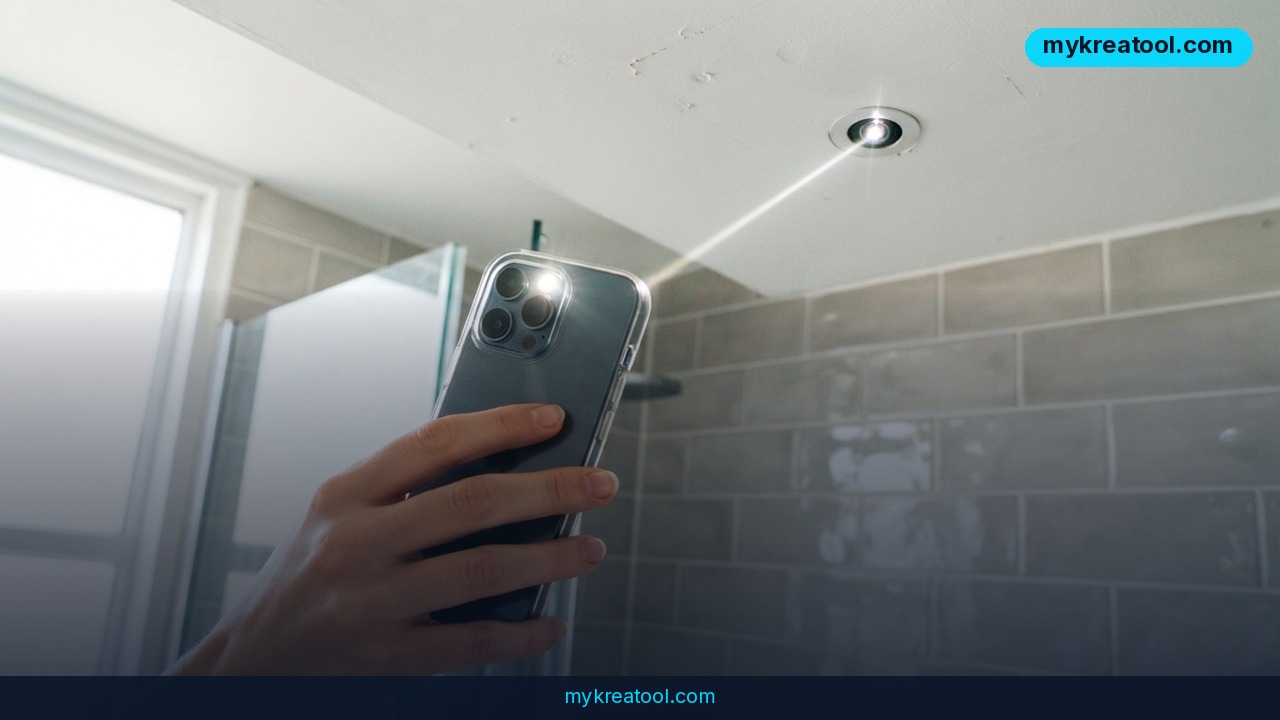
How to detect hidden cameras with your smartphone's LED and AI
A growing number of privacy apps now turn an ordinary smartphone into a hidden camera detector, using nothing more than the phone's LED flash, its front and rear image sensors, and an AI model trained to recognize the tiny reflective glint of a lens. This matters because covert cameras are cheap and small enough to hide in smoke detectors, USB chargers, alarm clocks, and wall outlets, and short-term rental guests and hotel travelers increasingly want a fast way to check a room before they unpack. The core trick isn't new — it's the classic infrared reflection method photographers have used for decades — but AI has made it fast, automated, and available to anyone with a phone, no separate RF scanner or $150 detector gadget required.
Why it matters
Hidden camera incidents in short-term rentals and hotel rooms are reported often enough that Airbnb explicitly bans hidden cameras in listings and requires hosts to disclose any visible recording devices in its terms of service. A typical spy camera lens is 2-5mm wide — smaller than a pencil eraser — which is why the human eye misses it in cluttered rooms but a camera sensor scanning for a bright pinpoint reflection can catch it in under a minute. Two shifts make this newly practical for regular travelers:
The hardware has caught up
Modern phone camera sensors, even with IR-cut filters, still pick up enough near-infrared light bounced off a lens coating to create a visible glint under low ambient light. Pointing the flashlight at an angle across a dark room and slowly panning the camera is enough to trigger a reflection that AI-assisted apps can flag automatically instead of making the user squint at the screen.
AI now does the pattern-matching
Instead of relying on a person to notice a faint dot among reflections from picture frames, glass, and jewelry, on-device AI models classify candidate reflections by shape, brightness consistency, and typical lens geometry, cutting false positives that plagued earlier manual flashlight methods.
How to use it today
The method works with stock phone hardware in most cases — no app is strictly required, though AI apps speed up the scan and reduce guesswork.
1. Darken the room. Turn off all lights and close curtains; reflections are far weaker in bright rooms.
2. Open the camera app and turn on the flashlight/torch (or use a dedicated detector app's built-in scan mode).
3. Scan slowly, holding the phone about arm's length away, angling the light across suspect objects — smoke detectors, clocks, router boxes, mirrors, stuffed animals, and wall outlets are the most common hiding spots.
4. Watch for a small, unusually bright, consistent white or colored dot that doesn't move when other reflections do; a real lens glints back sharply from almost any angle.
5. Cross-check with a Wi-Fi scanner. Many hidden cameras stream footage over the same network as the room's router, so an unfamiliar device on the network is a second signal worth checking alongside the visual scan.
For travelers who also want to draft a quick host inquiry, generate a room-check checklist, or translate a hotel's privacy policy before booking, a free AI tool like the ones at mykreatool.com can put together a customized pre-trip checklist or translate foreign-language disclosures in seconds, at no cost.
Who benefits
• Short-term rental guests who want a 60-second privacy check before settling into an unfamiliar space.
• Business travelers staying in hotels across multiple countries with varying privacy regulations.
• Property managers and hosts who want to demonstrate a clean, camera-free unit to build guest trust and avoid platform bans.
• Parents and caregivers vetting rented vacation homes, especially in rooms where children will sleep or change.
• Digital nomads and remote workers renting monthly apartments who spend enough time in one space that privacy risk compounds over weeks, not just one night.
Risks
The flashlight-and-AI method is a useful first pass, not a guarantee. A few limitations matter:
• False negatives are common. High-quality pinhole cameras with anti-reflective lens coatings can minimize glint and evade a basic visual scan entirely.
• False positives happen too. Glass beads, glossy plastic, and rhinestones on decor can mimic a lens reflection, so AI flags still need a manual double-check.
• It only checks what's in the room, not the network. A camera transmitting over Wi-Fi rather than storing locally may still be missed by a purely visual scan, which is why pairing it with a network device check matters.
• Legal boundaries differ by country. In some jurisdictions, tampering with or removing a device you suspect is a hidden camera — rather than reporting it to management or authorities — can itself create legal complications, so documenting and reporting is generally the safer first step.
• Overreliance on one method breeds false confidence. Combining the flashlight scan with a Wi-Fi network check and a physical inspection of common hiding spots gives a far more reliable result than any single technique alone.
Conclusion
Smartphone LED and AI-assisted hidden camera detection turns a decades-old photography trick into a practical, minute-long privacy check that any traveler can run with the phone already in their pocket. It won't catch every device, and it works best combined with a Wi-Fi network scan and a manual check of common hiding spots like smoke detectors and outlets, but for the cost of turning on a flashlight, it closes a real gap in traveler safety that used to require a dedicated gadget.



Comments 0