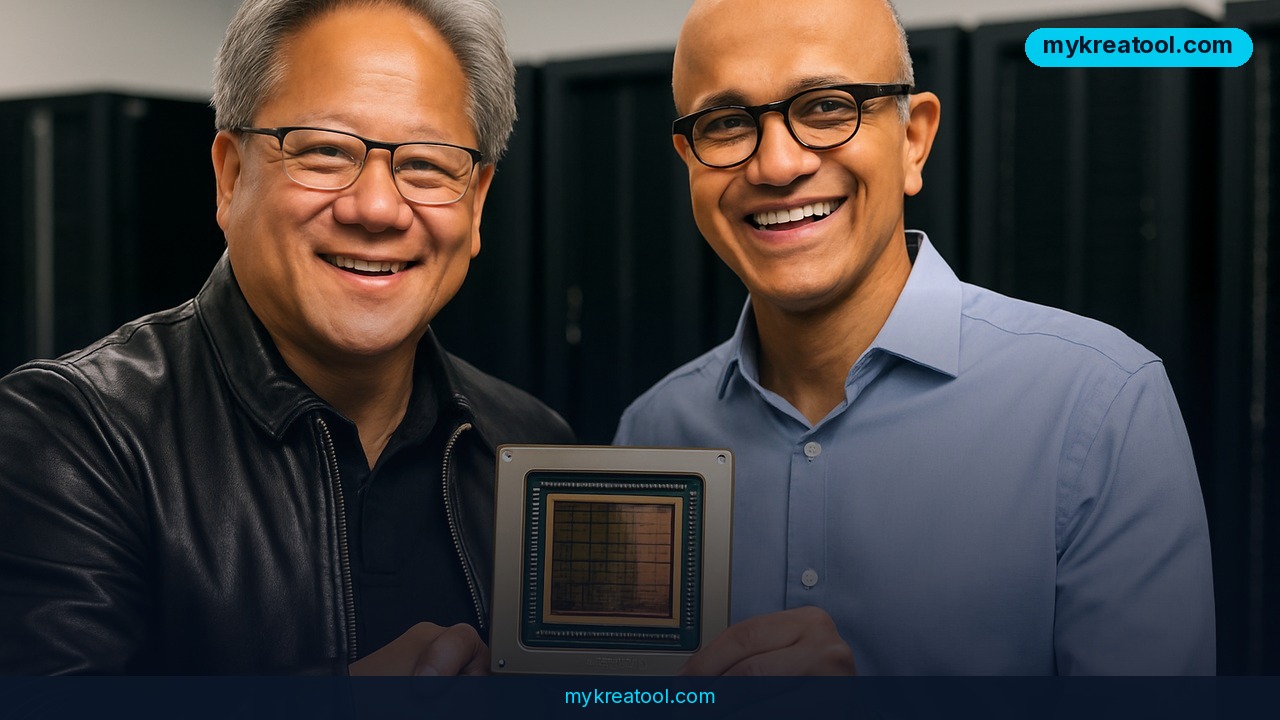
RTX Spark is at the center of a new push by NVIDIA and Microsoft to bring powerful AI agents directly to Windows PCs. The initiative combines RTX Spark hardware, 128GB of memory, and Microsoft Execution Containers to enable advanced local AI processing. This marks a significant step toward making AI agents more accessible and practical for everyday Windows users.
Microsoft and NVIDIA just announced a major shift in how Windows PCs will work, and it centers on something called AI agents — software helpers that can run tasks on your computer by themselves, not just answer questions in a chat box. At a Microsoft event in San Francisco this week, NVIDIA founder Jensen Huang and Microsoft CEO Satya Nadella sat down for a fireside chat to explain how the two companies are building hardware and software together so these agents can live and work directly on your PC, instead of only in the cloud.
Huang pointed out that NVIDIA's entire history is tied to Windows. "If not for Windows there would be no GeForce," he said, tracing the relationship back decades. Nadella credited Huang with sticking to a long-term vision of AI on personal computers long before it was fashionable. "That's what brings us to this moment," Nadella said during the chat, which was hosted by Sriram Krishnan, a former senior White House AI policy advisor, at Dogpatch Studios.
The headline product is RTX Spark, new hardware that puts NVIDIA's full AI stack into Windows laptops and small desktop computers. Laptop preorders opened the same day, with units shipping October 16. Compact desktop versions go on sale in November. Think of RTX Spark as a mini AI supercomputer small enough to sit on your desk or fit in a laptop, built specifically to run smart AI models without needing an internet connection to a giant data center.
The tech specs, explained simply
RTX Spark combines an NVIDIA Blackwell graphics chip (the part that does heavy AI math) with up to 6,144 processing cores, paired with a 20-core NVIDIA "Grace" processor. The two chips talk to each other at 600 GB per second — basically an extremely fast highway for data, so the AI model doesn't get stuck waiting. The system delivers up to one petaflop of AI performance (a petaflop is a measure of how many calculations a chip can do per second — one petaflop equals a thousand trillion operations) and up to 128GB of unified memory, meaning the GPU and CPU share one big pool of fast memory instead of fighting over smaller separate pools.
That much memory matters because it lets the machine run AI models that are simply too big for a normal laptop. The source specifically mentions Qwen 3.8 Flash Next, a 125-billion-parameter model, running locally and matching the intelligence of many cloud-based AI tools — without sending your data anywhere.
What it means for you
At home: Imagine asking your computer to sort years of family photos by event, or to quietly manage your email inbox overnight, with no data leaving your machine. Because the AI runs locally, it works without needing a stable internet connection and keeps personal files private.
At work: Microsoft introduced Microsoft Execution Containers (MXC), a new piece of Windows that lets AI agents run safely in the background, under the operating system's control, similar to how a sandbox keeps a toddler's mess contained to one area. Pavan Davuluri, Microsoft's EVP of Windows and Devices, said MXC, Microsoft Security, and a service called Agent 365 together let agents be "secured, observed and governed." In practice, this means an agent could manage your calendar, draft reports, or reconcile spreadsheets while IT departments keep full visibility and control.
For small business owners: A local AI agent that doesn't need to send data to the cloud could handle invoicing, customer follow-ups, or inventory checks without racking up monthly subscription fees for every query. If you're not ready to invest in new hardware yet, you can get a feel for what AI agents can automate today using free tools like mykreatool.com, which offers browser-based AI tools for writing, content, and everyday tasks at no cost.
For students: A model like Qwen running locally on a laptop with 128GB of memory could summarize long readings, explain tough concepts, or organize research notes — all without a data cap or a subscription fee eating into a student budget.
For creatives: Running large AI models locally opens the door to generating and editing content — images, scripts, music ideas — directly on your device, with faster response times than round-tripping to a cloud server.
For income: Freelancers and consultants who build AI-powered workflows (automated reports, customer service bots, content pipelines) could use this local power to cut cloud computing costs while offering faster, more private services to clients.
How to try it right now
You don't need new hardware to start experimenting with AI agents today.
1. Start free: Visit mykreatool.com and try its free AI tools to get comfortable with how AI agents and assistants handle writing, content, and task automation — no hardware purchase or sign-up cost required.
2. Check your current PC: See what AI features are already built into your version of Windows, since Microsoft is rolling capabilities like Agent 365 and MXC out gradually.
3. Preorder RTX Spark hardware: If you want dedicated local AI horsepower, laptop preorders are open now for an October 16 release, with compact desktop models arriving in November. Systems are coming from Acer, ASUS, Dell, HP, Lenovo, Microsoft, MSI, and Gigabyte, so you'll have several brands and price points to compare.
4. Consider Surface Laptop Ultra: Microsoft built this laptop specifically around RTX Spark, with up to 128GB of unified memory, designed to run AI models that Davuluri says "simply don't fit on a traditional machine."
5. Check software compatibility: RTX Spark runs the full NVIDIA CUDA platform, the same software foundation used across NVIDIA's other hardware, which means developers and power users can reuse existing AI tools and code rather than starting from scratch.
Upsides and what changes
The biggest shift is privacy and independence: local AI means your documents, photos, and conversations don't have to leave your laptop to get smart help. It also means no more per-query cloud bills for AI-heavy tasks, since the computing happens on hardware you own. For businesses, MXC gives IT teams a way to let agents work around the clock while still keeping security and oversight — something that simply wasn't possible when agents only lived in cloud dashboards. Nadella summed it up by saying Microsoft needed to make "the desktop the most secure place for agents to execute," and Huang compared MXC's potential impact to how Windows and DirectX once reshaped software development.
Limitations
This is still early days, and a few honest caveats apply: RTX Spark hardware isn't cheap or instantly available everywhere — laptops ship October 16 and desktops not until November, and pricing wasn't spelled out in the announcement. Running a 125-billion-parameter model locally also demands serious memory and power, so budget laptops and older PCs won't get these capabilities through a simple software update. And while local processing improves privacy, agents still need careful permissions management — the entire reason Microsoft built MXC and Agent 365 is that letting software act on your behalf, even locally, requires guardrails most people have never had to think about before.
Conclusion
AI agents on Windows are moving from concept to shelf-ready hardware, with RTX Spark laptops shipping October 16 and Microsoft baking agent security straight into the operating system. Your action for today: spend ten minutes testing a free AI tool like mykreatool.com so you understand what these agents can actually do before deciding whether new hardware is worth the investment for you.


Comments 0