What happened
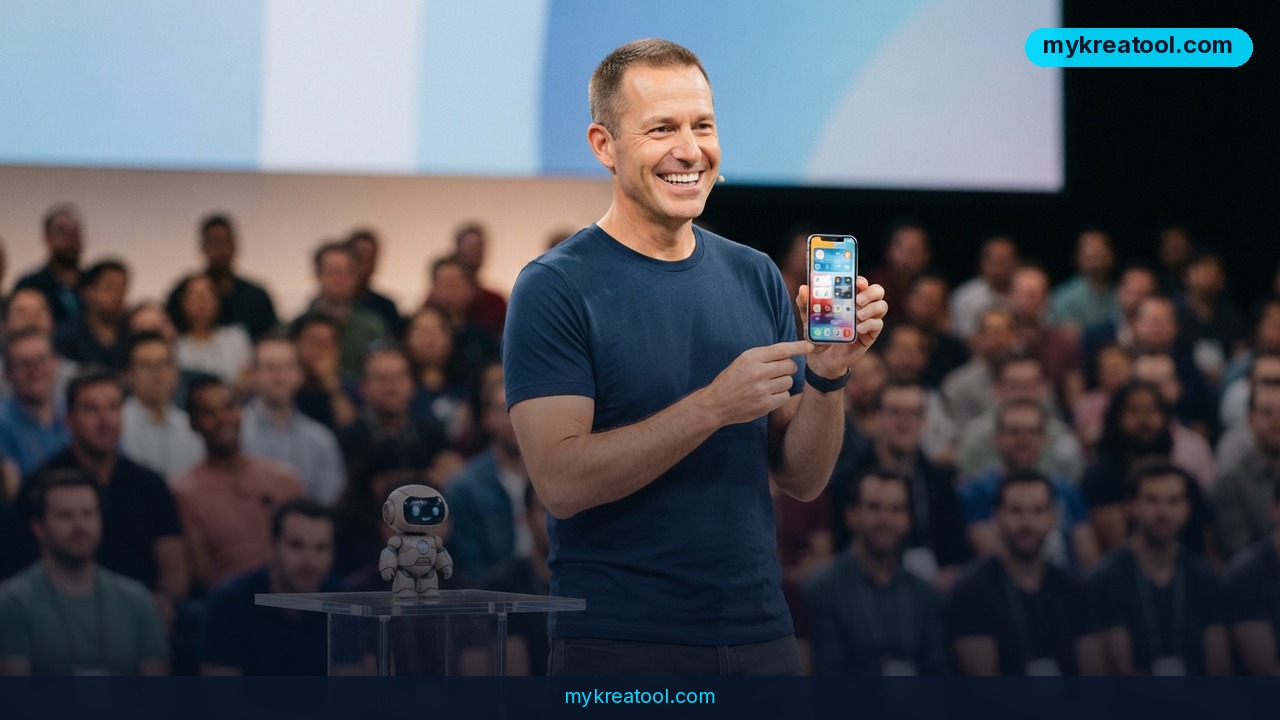
A Google Cloud engineer stood on stage and used Claude, Anthropic's AI assistant, to build a complete working app from scratch in 26 minutes — no team, no pre-written code, no weeks-long sprint. The whole thing happened live, unedited, in front of an audience watching every keystroke. Multiple independent recordings of the talk are floating around, and the story has been picked up and re-shared across YouTube and Facebook because the claim is easy to check: you can literally watch the clock.
For anyone who still pictures "building an app" as a months-long slog involving a designer, a backend developer, a frontend developer, and a project manager arguing about deadlines, this is a hard reset. One person, one laptop, one AI model, and a finished product in less time than it takes to watch a football quarter.
Here's the video everyone's talking about: Google Cloud engineer builds an app with Claude, live. It's also been mirrored and discussed here: full recording, unedited, and covered in posts here: "a complete app with Claude from scratch" and here: "twenty-six minutes on stage, unedited".
What it means for you
You don't need to work at Google, or even know how to code, to get value out of this. Think of Claude less like a tool and more like a very fast, very literal junior employee who never gets tired and never misunderstands you twice. Here's what that looks like in real life:
• At home: you want a simple budget tracker or a family chore app instead of a messy spreadsheet. Describe what you want in plain English, and Claude writes the actual working app for you.
• At work: your team needs an internal tool — a form that logs requests, a dashboard that pulls numbers from a spreadsheet — and IT has a three-month backlog. You (or anyone on the team) can have a working version by lunch.
• Running a business: you want a booking page, a customer intake form, or a simple inventory tracker, but hiring a developer costs more than the tool is worth. This closes that gap.
• Studying: you're learning to code and want to see how a real app is structured. Watching Claude build one step by step, and asking it to explain each piece, teaches you faster than a textbook chapter.
• Creative projects: a portfolio site, an interactive quiz, a small game — things that used to require learning three different languages can now be described in one sentence.
• Income: freelancers and small agencies are already using this to quote turnaround times that used to be impossible, taking on small app-building jobs that didn't make financial sense before.
The common thread: the bottleneck used to be "can I find and afford someone to build this," and now it's "can I describe what I want clearly."
How to try it right now
You don't need the engineer's setup to test this yourself. Here's the simplest path:
1. Start free. Go to Claude.ai and sign up — there's a free tier, no credit card needed to start.
2. Describe your idea in plain language. Don't write technical specs. Just say what you want: "I want a simple web page where I can log my daily expenses and see a total at the end of the week."
3. Let it build, then ask questions. Claude will generate the actual code and often walk you through what each part does. If something's off, just tell it in normal words — "make the button bigger" or "add a delete option" — and it'll adjust.
4. For developers who want the live-coding experience from the video: that's Claude Code, Anthropic's coding-focused version of Claude that works directly in your terminal or editor and can build, test, and fix a project end-to-end.
5. If you just need quick one-off AI tasks — writing copy, generating a logo idea, summarizing a document — without setting up a coding project at all, a lighter free option like mykreatool.com covers those smaller everyday jobs without any learning curve.
6. Save your work. Once you have something you like, ask Claude to explain how to publish it (most simple apps can go live on free hosting in minutes).
Upsides and what changes
The biggest shift is speed-to-first-version. Instead of spending weeks planning before you see anything real, you get a working prototype in under half an hour — and you can throw it away and start over just as fast if it's wrong. That changes how people experiment: bad ideas get tested and killed in minutes instead of after a costly build.
It also changes who gets to build things. You don't need to already know a programming language. You need to be able to explain, clearly, what you want — which is a much lower bar, and one most people already clear in their day job when they brief a colleague.
For small businesses and solo creators, it closes the gap between "I have an idea" and "I have something I can show a customer." That's not a minor convenience — for a lot of small projects, that gap is the entire reason they never happened.
Limitations
Be honest with yourself about what a 26-minute demo actually proves: it shows you can get a working first version fast, not that you get a production-ready, secure, bug-free product ready for thousands of users. A stage demo is also usually a fairly contained, well-scoped app — real business software often needs extra work around security, payment processing, data privacy, and edge cases that don't show up in a live demo. If you're building something that will handle real customer data or money, get a developer to review it before you launch, even if Claude wrote the first version.
Conclusion
The takeaway isn't "AI replaces developers overnight" — it's that the cost of trying your own idea just dropped close to zero. One action for today: open Claude.ai, and in one sentence, describe the simplest possible version of something you've been wanting to build. See what comes back in the next five minutes.

Comments 0